
MLBB Diamonds Top Up Guide: How to Recharge Mobile Legends Diamonds

Status check: Reviewed July 27, 2026: Diamond packages, Weekly Diamond Pass details, payment methods, delivery timing, and shop labels can vary by region, checkout method, and MLBB update. Confirm the live ManaBuy product page and in-game display before purchase.
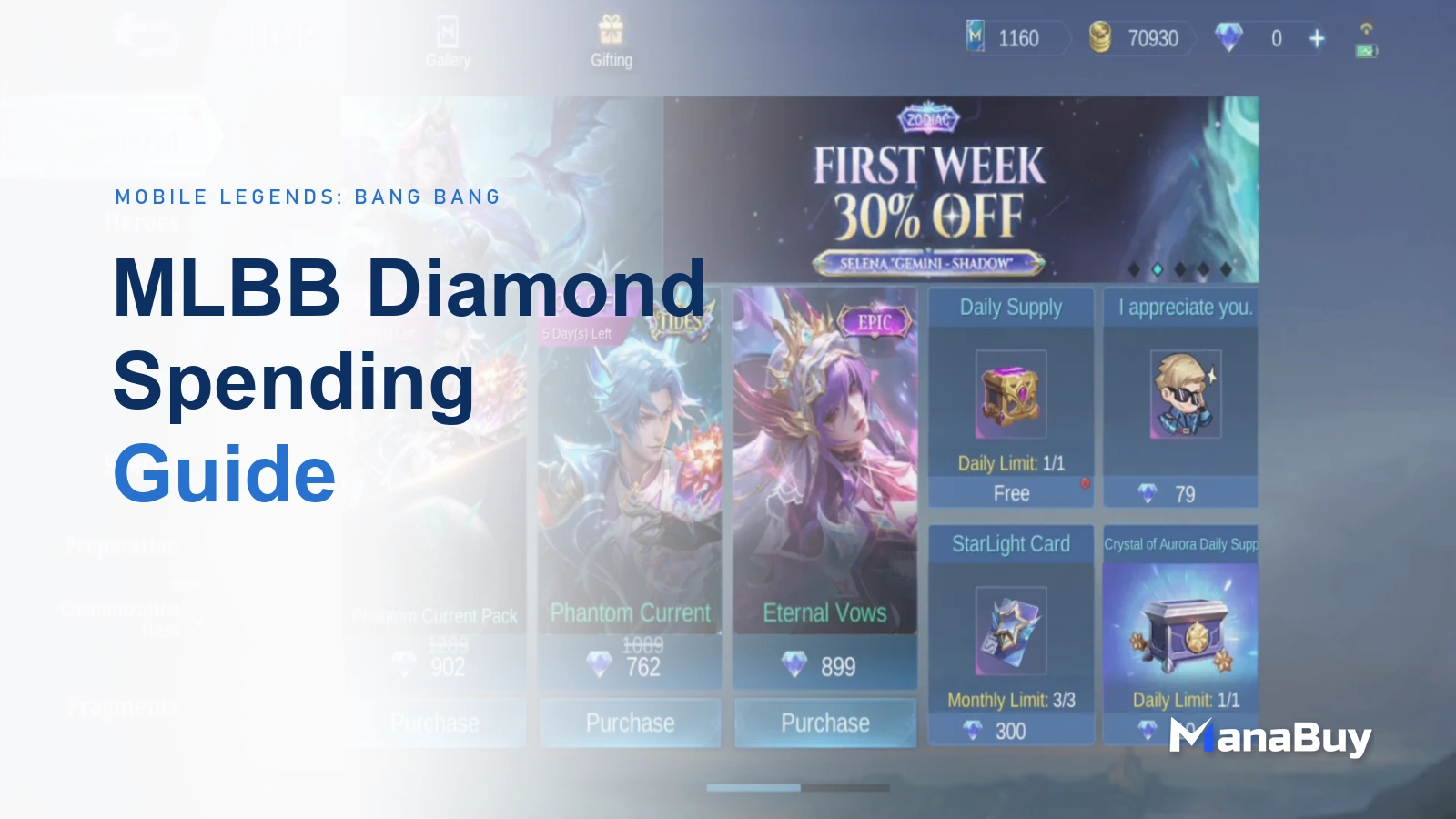
For many Mobile Legends: Bang Bang players, Diamonds are more than a currency for buying skins. They are also used for Starlight, event draws, bundles, Weekly Diamond Pass rewards, recharge events, and limited-time offers. Whenever a new skin, event, or bonus reward goes live, understanding how MLBB Diamonds top up works can help you avoid common mistakes and reduce delivery delays caused by incorrect account information.
This guide explains what MLBB Diamonds are used for, what to check before topping up, how to find your User ID and Zone ID, how to choose a suitable Diamond package, what payment methods may be available, and how to complete a Mobile Legends: Bang Bang Diamonds top up through ManaBuy.
What Are MLBB Diamonds?
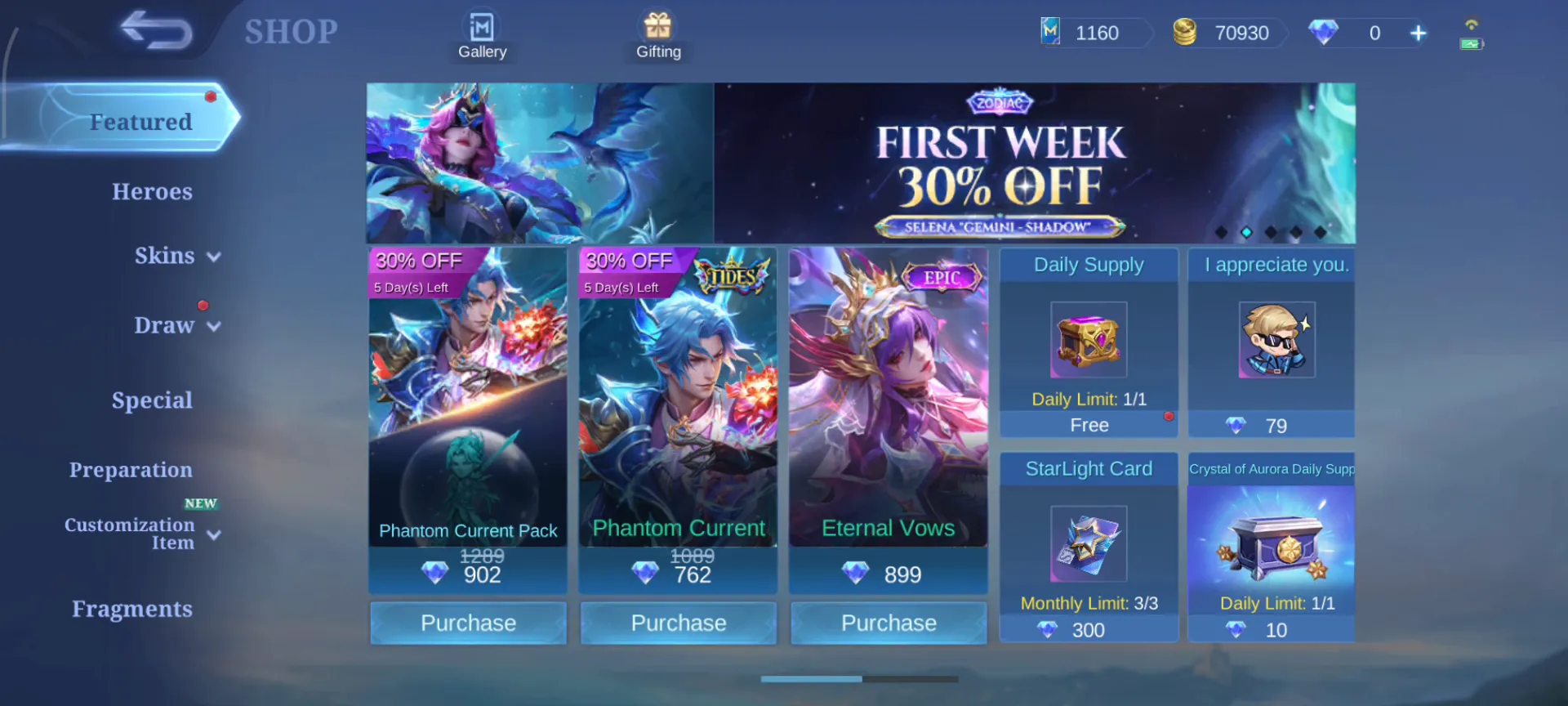
MLBB Diamonds are one of the most important paid resources in Mobile Legends: Bang Bang. Players commonly use Diamonds to purchase hero skins, Starlight content, event draw attempts, emotes, recall effects, bundles, and other limited-time in-game items.
Unlike resources that can be collected slowly through regular matches, Diamonds are usually obtained through top up. Before starting a Mobile Legends: Bang Bang top up, it is helpful to confirm your account information, Diamond package, and payment method first. This makes the order process smoother and lowers the chance of entering the wrong details.
What Should You Check Before Topping Up MLBB Diamonds?
Confirm Your User ID and Zone ID
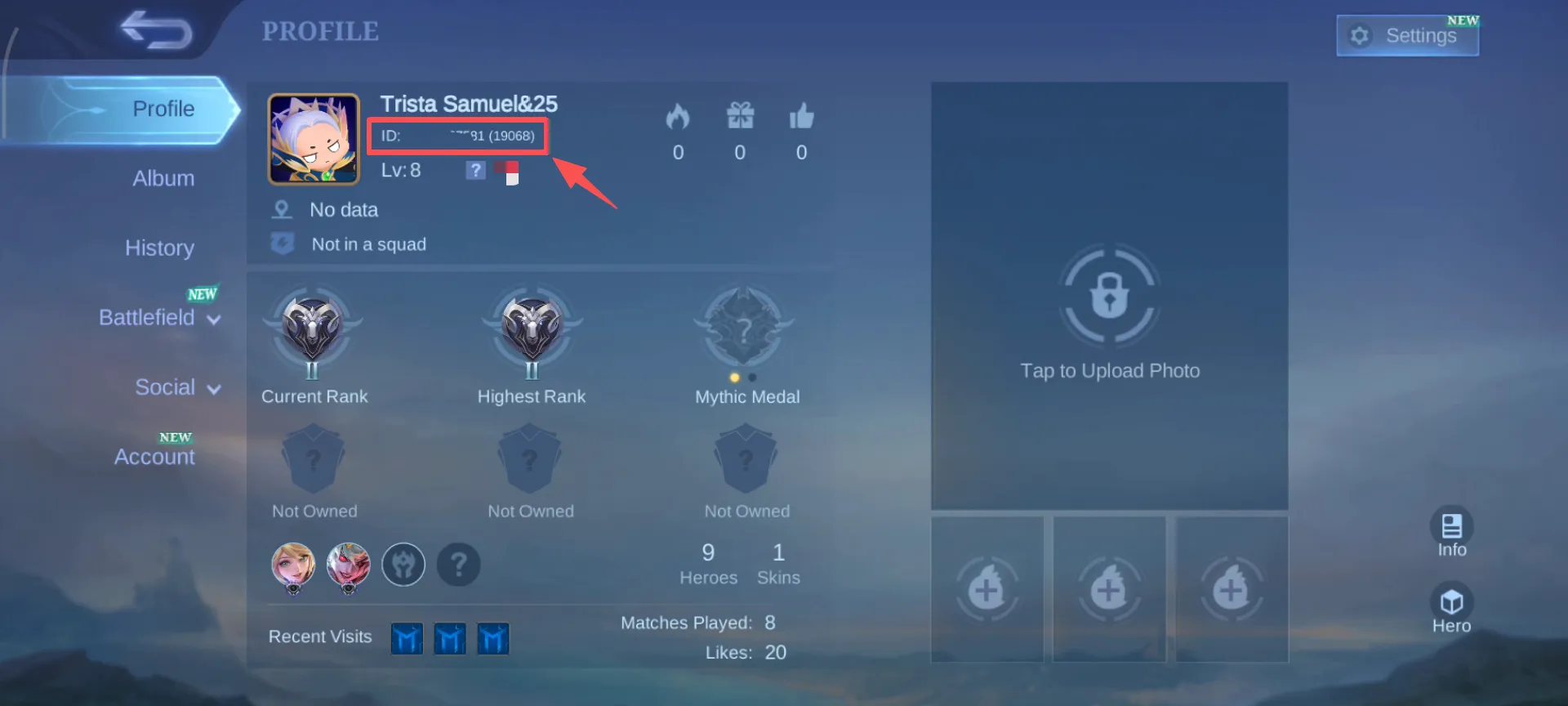
The most important information for an MLBB top up is your User ID and Zone ID. These two numbers are used to identify your game account. ManaBuy’s MLBB top up process does not require your game account password. You only need to enter the User ID and Zone ID shown inside Mobile Legends: Bang Bang.
In most cases, you can open Mobile Legends: Bang Bang, tap your avatar in the upper-left corner, and enter your profile page. There, you will see a number format similar to 123456789(1234). The long number outside the brackets is your User ID, while the number inside the brackets is your Zone ID. Before placing an order, it is better to check the numbers directly in the game instead of typing them from memory.
If you are not sure where to find these numbers, follow this detailed guide on how to find your MLBB User ID and Zone ID before placing your order.
Choose the Right Diamond Package
Different players buy Diamonds for different reasons. Some only need a small balance top-up to buy a skin, some are preparing for Starlight, and others may want to join an event draw. Before you buy MLBB Diamonds, it is best to check the required amount in the game first, then choose a package that matches your plan.
If you only need to fill a small balance gap, a smaller Diamond package may be enough. If you are preparing for an event, collaboration skin, or higher-value reward, setting a budget in advance can help you avoid spending more than expected during repeated draws. For players who want to collect rewards steadily over time, the Weekly Diamond Pass can also be considered.
If you are comparing one-time Diamonds packages with pass-style rewards, this MLBB Weekly Diamond Pass guide explains how the pass works, what to check before buying, and when it may fit long-term players better.
How to Top Up MLBB Diamonds on ManaBuy
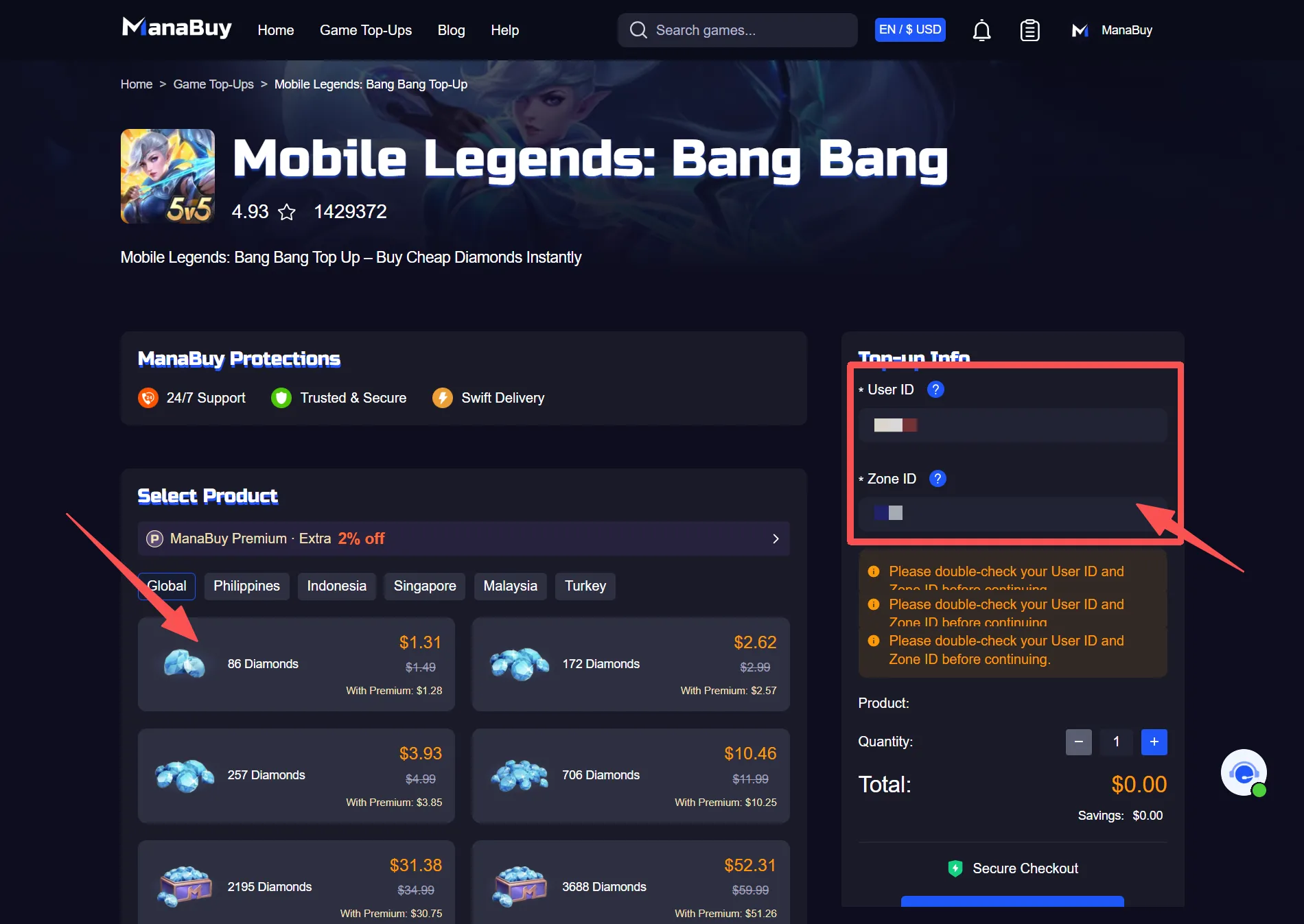
The MLBB Diamonds top up process on ManaBuy is straightforward, which makes it suitable for players who want to complete their recharge quickly. You can enter ManaBuy’s Mobile Legends: Bang Bang top up page, choose the Diamond package or Weekly Diamond Pass you want, and complete checkout with the required account information.
Basic MLBB Top Up Steps
- Go to ManaBuy’s Mobile Legends: Bang Bang top up page.
- Select the Diamonds package or Weekly Diamond Pass you want to purchase.
- Enter the correct User ID and Zone ID.
- Check your order details, including the package, quantity, and account information.
- Choose an available payment method and complete the payment.
- After the payment is successful, wait for the Diamonds to be delivered to the corresponding MLBB account.
Under normal circumstances, the order will be processed quickly after payment is completed. After topping up, you can return to the game and refresh your account balance to check whether the Diamonds have arrived.
If this is your first time buying Diamonds, this first-time MLBB top up checklist can help you review User ID, Zone ID, package choice, payment method, final amount, and order records before checkout.
What Payment Methods Are Supported for MLBB Diamonds Top Up?
ManaBuy’s payment methods may vary depending on the currency, region, device, and checkout environment selected by the user. Common payment options may include Visa, Mastercard, JCB, PayPal, Apple Pay, Google Pay, and selected local payment methods such as PayPay, Pix, or other regional wallets when available.
For players, clear payment options are important. Before placing an order, you can check the available payment methods on the checkout page and choose the option that feels most familiar or convenient. If a payment fails, it is not recommended to submit the same order repeatedly. You can first check your card status, wallet balance, network connection, currency selection, and any payment page message.
For a more detailed breakdown of cards, PayPal, Apple Pay, Google Pay, local wallets, and region-based checkout options, read the MLBB payment methods guide.
How Long Does MLBB Diamonds Top Up Take?
After players buy MLBB Diamonds, one of the biggest concerns is delivery time. In most cases, if the User ID and Zone ID are correct and the payment has been completed successfully, Diamonds will be delivered to the corresponding Mobile Legends: Bang Bang account within a short time.
If you do not see the Diamonds immediately, do not place another order right away. First, confirm whether the payment was successful, then check the order status and refresh your in-game balance. If the Diamonds still have not arrived after waiting for a while, you can contact ManaBuy support and provide your order number so the team can check the status more quickly.
If you want a full checklist for delayed orders, pending status, or Diamonds not showing in the game, check the MLBB Diamonds delivery time guide.
How to Reduce MLBB Top Up Delays
Check Account Information Before Payment
Many recharge issues are related to incorrect information. This is especially true for the Zone ID. If it is missing, entered incorrectly, or mixed together with the User ID, delivery may be affected. Before checkout, it is best to compare your game profile page with the ManaBuy order page carefully.
Keep Your Order Record
After completing payment, it is a good idea to keep your order information. If you experience a delivery delay, payment issue, or package selection problem, the order number can help customer support locate the case faster. ManaBuy provides support for players who need help checking their order status.
Why Choose ManaBuy for MLBB Diamonds Top Up?
ManaBuy’s MLBB top up page is suitable for players who want a simple process, competitive pricing, and clear payment options. You do not need to provide your game account password. As long as you enter the correct User ID and Zone ID, you can complete a Mobile Legends Diamonds top up.
ManaBuy also provides different payment options based on region and currency, making checkout more convenient for players in different locations. For users who often buy skins, join events, or add Diamonds to their balance, a clear, stable, and easy-to-use recharge process can matter more than price alone.
If you are planning around skins, events, or a limited budget, you may also want to read how to buy MLBB Diamonds with better value while still checking account safety, payment clarity, and order records.
MLBB Diamonds Top Up FAQ
Do I need my Mobile Legends password to top up Diamonds?
No. For a normal MLBB Diamonds top up on ManaBuy, you do not need to provide your game account password. You only need the correct User ID and Zone ID shown in your Mobile Legends: Bang Bang profile.
Can I buy MLBB Diamonds for another player?
Yes, you can top up for another player if you enter the correct User ID and Zone ID for that account. Always double-check the details before completing payment.
What should I do if I entered the wrong Zone ID?
If you notice that the Zone ID or User ID may be wrong, contact ManaBuy support as soon as possible and provide your order information. Incorrect account details may cause delivery delays or failed delivery.
Final Thoughts
MLBB Diamonds can be used for skins, Starlight, event draws, bundles, and many other in-game items. To complete a smooth top up, choosing the right package is only one part of the process. You also need to confirm your User ID and Zone ID, check the payment method, keep your order record, and contact support in time if there is a delivery delay.
If you are ready to recharge Diamonds for Mobile Legends: Bang Bang, you can go to ManaBuy’s MLBB Diamonds top up page, choose a suitable package, check your account information, and then complete the payment.



Copyright © FUTURE OUTLOOK TECHNOLOGY LIMITED.Company Registration No.: 77374965 All rights reserved.UNIT 135,1/F.,143 WAI YIP STREET,KWUN TONG HK