
MLBB Weekly Diamond Pass Guide: Price, Uses and Top Up Tips

Status check: Reviewed July 27, 2026: Diamond packages, Weekly Diamond Pass details, payment methods, delivery timing, and shop labels can vary by region, checkout method, and MLBB update. Confirm the live ManaBuy product page and in-game display before purchase.
Freshness update — July 2026
The Weekly Diamond Pass may still exist, but the prices and examples reviewed for its original publication period. Prices, included Diamonds, stacking rules and recharge-task eligibility can change by region and update. Do not use the examples below as a current quote. For maintained guidance, visit the MLBB Recharge, Passes and Bundles Guide.
For active Mobile Legends: Bang Bang players, Diamonds are not only for one skin purchase. They can support event draws, Starlight planning, limited bundles, weekly rewards and future Shop targets. The MLBB Weekly Diamond Pass is useful because it gives players a planned weekly route instead of forcing every purchase into one large Diamond pack.
This guide keeps the practical top-up flow from the original ManaBuy Weekly Diamond Pass article: what the pass is, how to check the price, what to use it for, how to top up on ManaBuy, and what account details to confirm before payment. It also adds the missing deeper parts: stacking rules, who should buy, direct Diamonds comparison, event timing and region-route examples.
The prices and examples below use the May 2026 live ManaBuy article, a June 2026 MLBB Recharge review and a ManaBuy package review. Live prices and pass rules can change by account, region, currency and remaining pass duration, so always confirm the product page and in-game prompt before payment.
MLBB Weekly Diamond Pass is best for players who log in regularly and can claim the full weekly reward schedule. It is different from buying direct Diamonds because part of the value is tied to time and claims. In the June 2026 in-game review, the pass appeared at $1.99 with value messaging and a short reward period. ManaBuy's reviewed region routes showed Weekly Diamond Pass examples such as Global at USD $1.59, Philippines at USD $1.60, Indonesia at USD $1.80 and Singapore at USD $2.02.
Choose Weekly Diamond Pass when you want steady value, future planning or an event task that counts pass purchases. Choose direct Diamonds when you need a fixed balance immediately for a skin, bundle, event currency or draw.
What Is the MLBB Weekly Diamond Pass?
The Weekly Diamond Pass is a value-focused recharge option in Mobile Legends: Bang Bang. Unlike a standard Diamond pack, it is not only about receiving Diamonds once after purchase. It usually combines an upfront reward with daily claims across a short period.
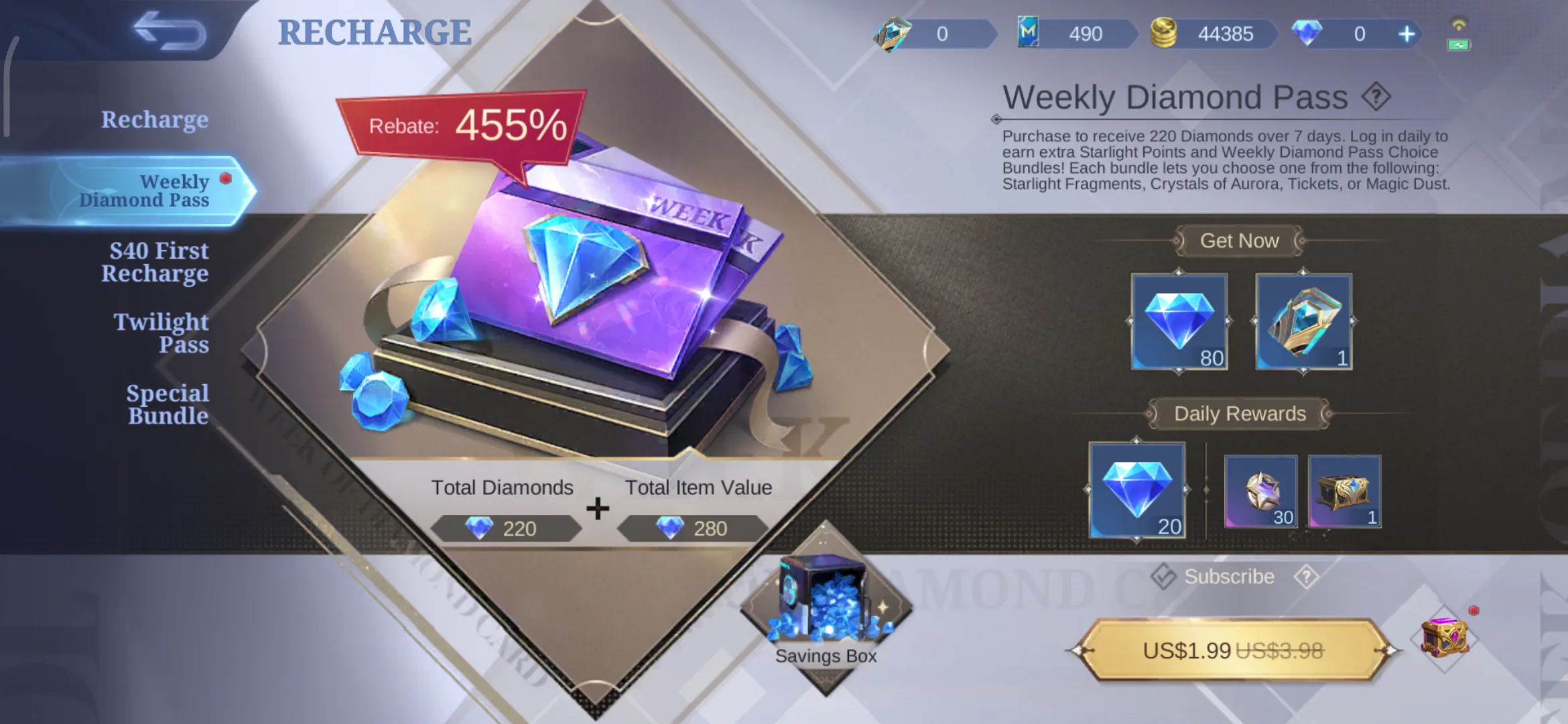
That makes it especially useful for regular players. If you only need a small number of Diamonds right away to finish a skin purchase, a normal MLBB Diamonds top-up may be more direct. If you play every week and want to prepare gradually for skins, Starlight content, event draws or future bundles, the Weekly Diamond Pass can be a smarter planning option.
| Player goal | Why Weekly Diamond Pass may help |
|---|---|
| Build Diamonds slowly | Daily claims reduce the need for a bigger pack |
| Prepare for skins | Works when the target is not expiring today |
| Join events later | Helps build a balance before the event starts |
| Support Starlight planning | Useful for active monthly players |
| Control small spending | Keeps the purchase size predictable |
MLBB Weekly Diamond Pass Price: How Much Does It Cost?
The price of the Weekly Diamond Pass can vary by region, currency, payment channel, exchange rate and current platform offer. Do not rely on an old fixed price from another guide as the final checkout amount. Before buying, check the current product price on the ManaBuy Mobile Legends: Bang Bang top-up page and confirm the final amount at checkout.
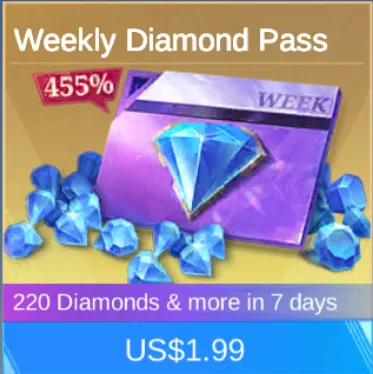
| Route | June 2026 reference | Best use |
|---|---|---|
| In-game Weekly Diamond Pass | $1.99 | Weekly claim value and regular play |
| ManaBuy Global Weekly Diamond Pass | USD $1.59 | Eligible Global route users checking pass value |
| ManaBuy Philippines Weekly Diamond Pass | USD $1.60 | Eligible Philippines route users |
| ManaBuy Indonesia Weekly Diamond Pass | USD $1.80 | Eligible Indonesia route users |
| ManaBuy Singapore Weekly Diamond Pass | USD $2.02 | Eligible Singapore route users |
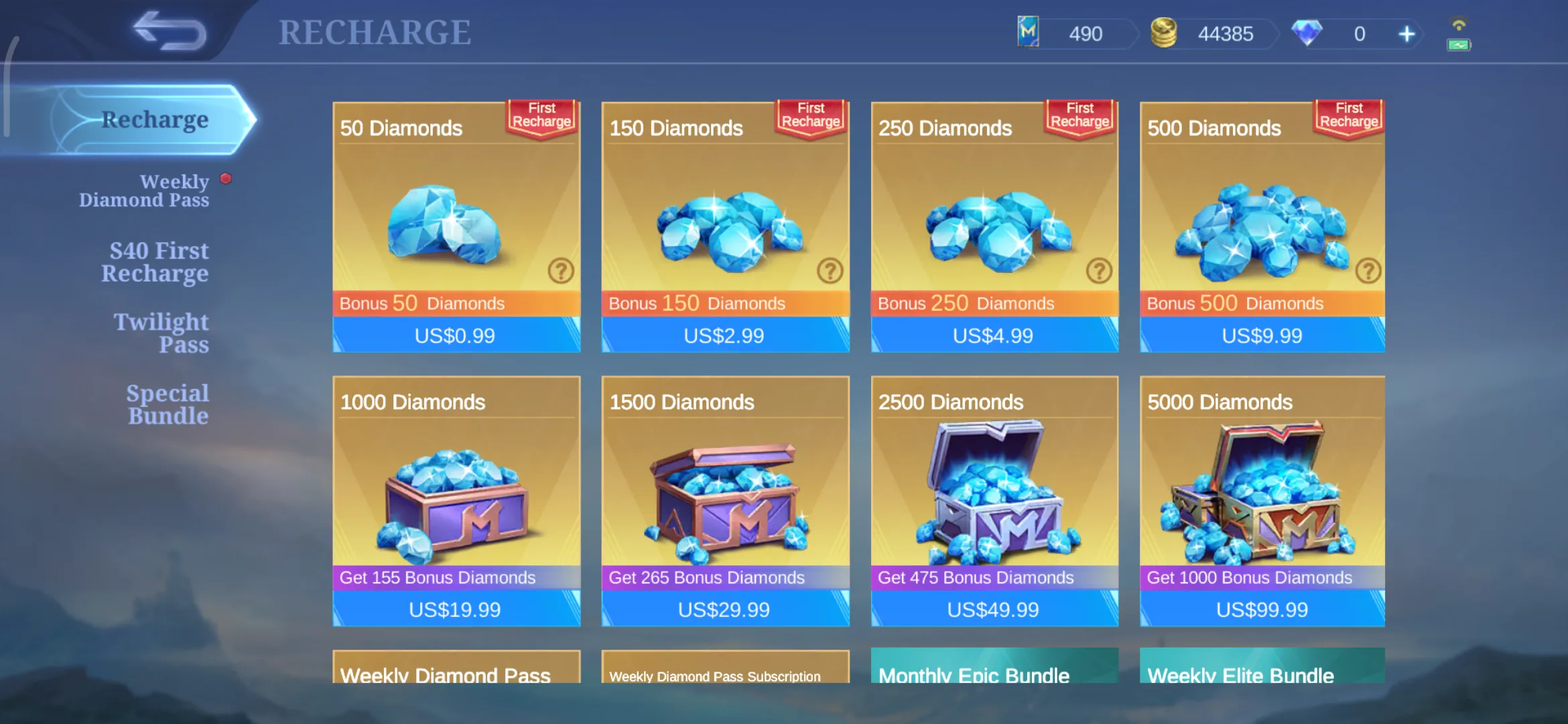
| Direct $0.99 Recharge pack | 50 + 50 visible Diamonds in the reviewed page | Instant starter Diamonds or tiny gap fill |
| Direct $2.99 Recharge pack | 150 + 150 visible Diamonds in the reviewed page | Instant low-budget Shop or event support |
Price is important, but it is not the only thing to check. Make sure the selected item is Weekly Diamond Pass, not a regular Diamonds pack, Weekly Pass Subscription, Twilight Pass or another bundle product.
Rewards and Claim Timing
The pass is strongest when the player can claim across the reward period. Missed claims reduce practical value, even when the purchase price looks attractive.
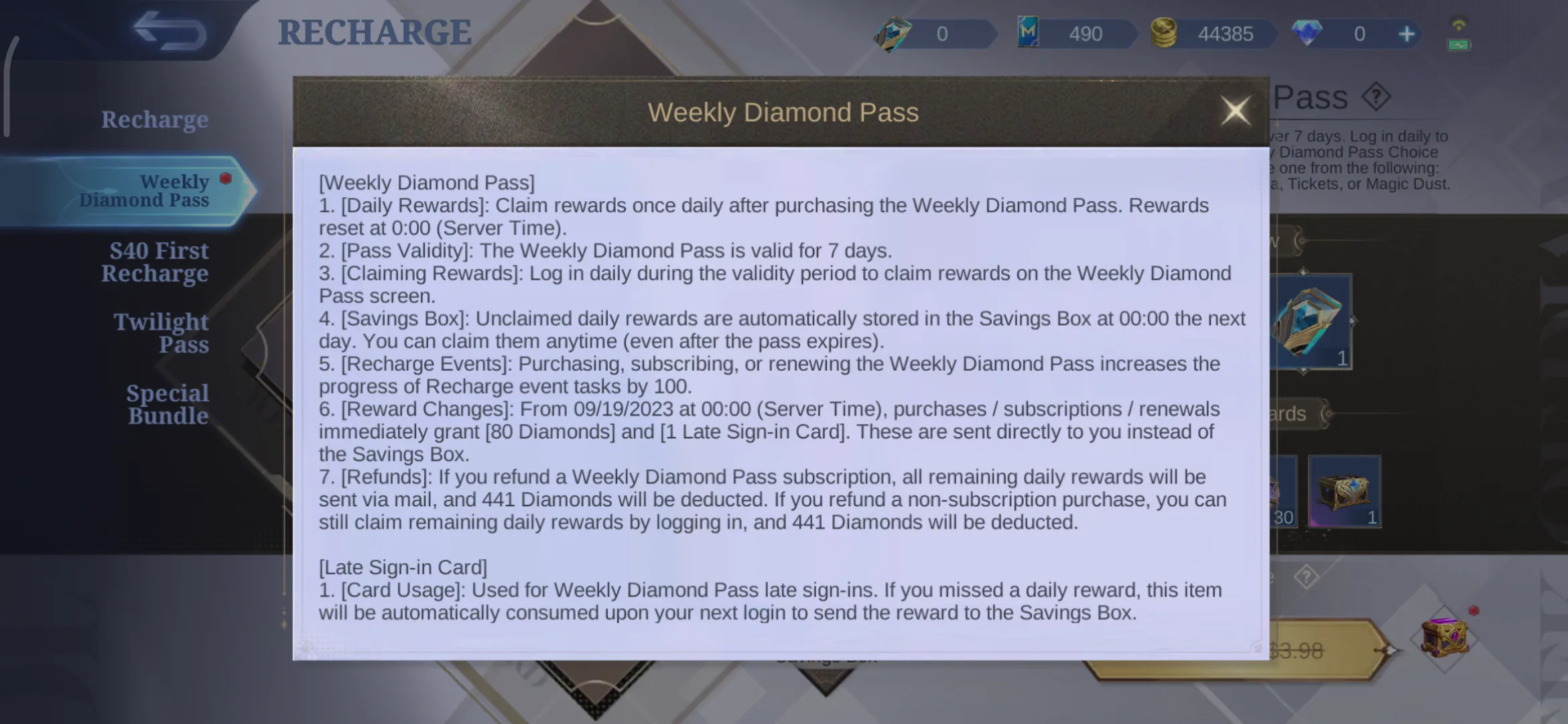
Use this reward check before buying:
| Check | Why it matters |
|---|---|
| Upfront reward | Shows what you receive right after purchase |
| Daily claims | Controls the real value across the week |
| Claim habit | Daily players benefit more than occasional players |
| Event end date | Delayed claims may not help a same-day event |
| Product name | Weekly Diamond Pass is different from other pass cards |
The original top-up advice still matters: treat the pass as a planning product, not a replacement for every Diamond pack.
What Can You Use the Weekly Diamond Pass For?
Prepare Diamonds for Skins
One common use is preparing Diamonds before a skin arrives. If you already know you want a future Shop skin, the pass can help you build a small balance instead of buying a larger pack at the last minute.
Join Events and Lucky Draws
MLBB events often include draws, recharge milestones, daily discounts, exchange shops and limited rewards. Preparing through a Weekly Diamond Pass can reduce the pressure of making a large purchase after an event has already started.
Support Starlight and Monthly Content
If you follow Starlight, monthly rewards or long-term tasks, Weekly Diamond Pass may offer better timing than buying Diamonds only when you run out. It works best for active players who log in often.
Stacking Rules and Purchase Limits
Stacking rules are the main detail missing from many short Weekly Diamond Pass articles. Some purchases can be affected by remaining pass duration, account rules or product availability. Current ManaBuy MLBB top-up guidance warns that another Weekly Diamond Pass cannot be purchased when the remaining Weekly Diamond Pass duration is 70 days or more.
| Stacking check | What to do |
|---|---|
| Remaining duration | Check whether another pass is allowed |
| Account conditions | Read the live in-game prompt and product note |
| Product type | Do not mix Weekly Pass Subscription with Weekly Diamond Pass by mistake |
| Event timing | Make sure claims arrive before the event ends |
| Quantity | Avoid buying more than you can use or claim |
If the prompt blocks the purchase, do not force another order. Pick direct Diamonds or wait until the pass duration allows another purchase.
Weekly Diamond Pass vs Direct Diamonds: Which One Should You Choose?
If you need Diamonds immediately for a skin, bundle or draw, a regular Diamond pack is usually the simplest option. Once the top-up is completed, the Diamonds can be used right away. Weekly Diamond Pass is different because its main advantage is steady value across a short period.
| Situation | Better route | Reason |
|---|---|---|
| Need a fixed Shop skin today | Direct Diamonds | The balance must be available now |
| Want to prepare over a week | Weekly Diamond Pass | Claim schedule fits the goal |
| Event counts pass purchase | Weekly Diamond Pass first | One purchase may support value and task progress |
| Draw target expires today | Direct Diamonds after reading draw rules | Timing and ceiling matter more |
| You play occasionally | Direct Diamonds or skip | Missed pass claims reduce value |
For fixed skin prices, compare the pass against the MLBB Shop Prices Catalog. For draw rewards, read the MLBB Draw Systems Cost Guide first.
How to Top Up MLBB Weekly Diamond Pass on ManaBuy
The original ManaBuy top-up steps remain useful and should stay in the article because they answer practical buyer questions.
Step 1: Open the MLBB Top Up Page
Go to ManaBuy's Mobile Legends: Bang Bang top-up page and check the current language, currency and product list. Prices and available payment methods may differ by region, so use the checkout environment that matches your usual payment method.
Step 2: Choose Weekly Diamond Pass
Find Weekly Diamond Pass in the product list. Since it may appear together with regular Diamond packs and other pass products, confirm the product name before moving to payment.
Step 3: Enter Your User ID and Zone ID
Most MLBB top-ups require your User ID and Zone ID. To find them, open Mobile Legends: Bang Bang, tap your profile avatar and check your account information. The User ID is usually the long number outside the brackets, while the Zone ID is the number inside the brackets.
This step matters. Entering the wrong Zone ID or User ID may cause delays, failed orders or delivery to the wrong account. Always compare the information with your in-game profile before paying.
Step 4: Check the Order and Pay
Before completing the purchase, review the User ID, Zone ID, product name, quantity and total price. Once everything is correct, proceed with payment and keep the order information.
Event and Starlight Timing
Weekly Diamond Pass often becomes more valuable when an event counts the purchase as recharge progress. The Lucky Bowknot event example connected Weekly Diamond Pass purchase behavior with recharge task progress, which shows why players should read event tasks before choosing raw Diamonds.
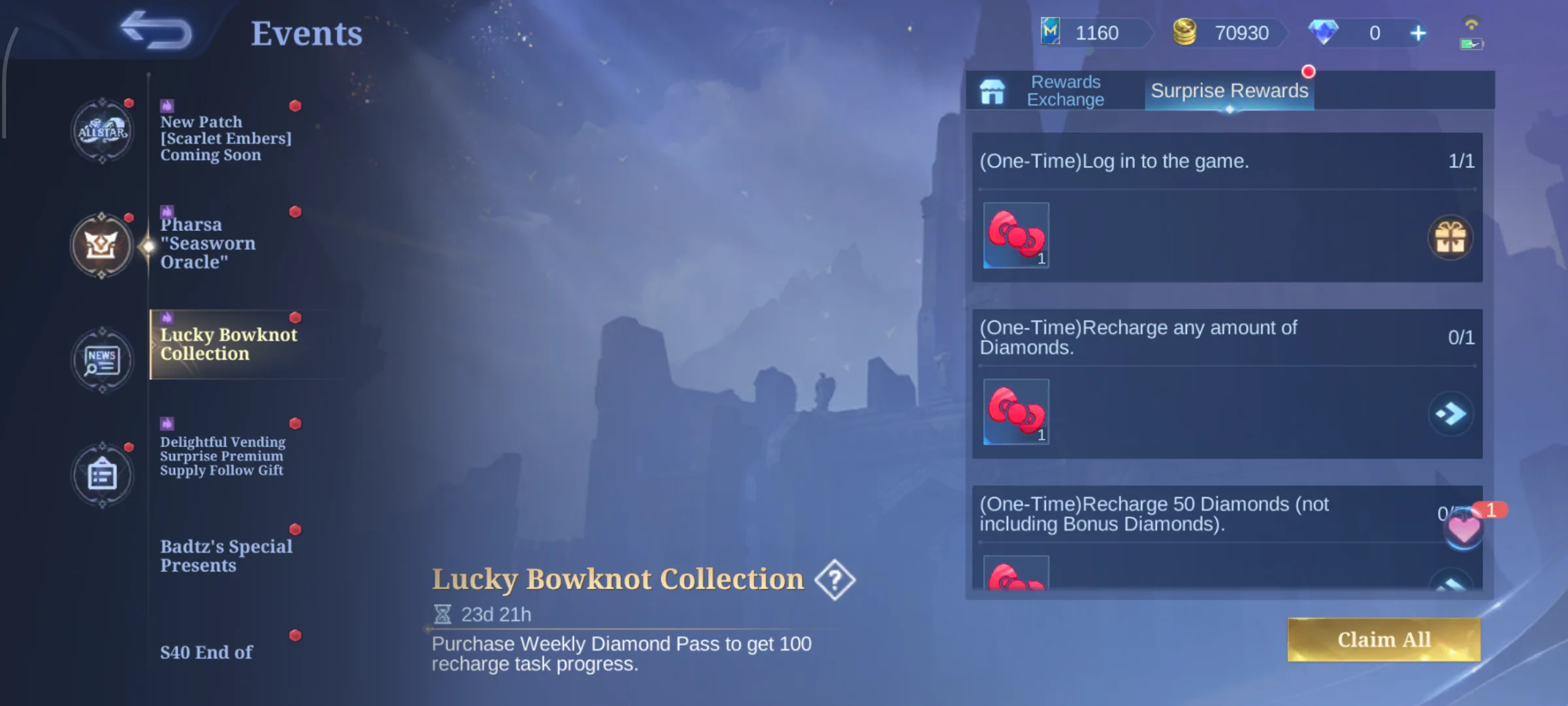
Use this order before an event:
- Read the event task wording.
- Check whether Weekly Diamond Pass counts.
- Check the event end date.
- Decide whether delayed claims can arrive in time.
- Buy the smallest route that reaches the goal.
For event planning, use the MLBB Events and Secondary Currencies Guide. For monthly rewards, use the MLBB Starlight Pass Guide.
Top Up Tips Before Buying Weekly Diamond Pass
First, check your account status and in-game rules. Weekly Diamond Pass purchases may be affected by remaining pass duration or product conditions.
Second, do not enter the wrong Zone ID. Many recharge problems are not caused by price or payment method, but by incorrect account details.
Third, do not wait until the last day of an event. If you are buying for a limited-time skin or event draw, topping up earlier gives you more time to handle payment issues, order checks or account information mistakes.
Fourth, avoid buying the pass only because it looks cheaper than a Diamond pack. It is value only when you can claim it and use it for a clear goal.
Is the MLBB Weekly Diamond Pass Worth It?
Weekly Diamond Pass is worth considering for players who log in daily or play MLBB every week. It is best for players who want to collect Diamonds in a planned way, prepare for upcoming skins, join events or support Starlight-related content over time.
Related MLBB Guides
| Guide | What you will learn |
|---|---|
| MLBB Diamonds Value Guide | How Weekly Diamond Pass fits into the full Diamond spending map. |
| Cheap MLBB Diamonds Guide | How to compare budget packages, first test orders and safer payment choices. |
| MLBB Recharge, Passes and Bundles | How pass products compare with direct recharge and bundle products. |
| MLBB Events and Secondary Currencies | How recharge tasks and event currencies affect pass timing. |
| MLBB Starlight Pass Guide | How weekly pass value compares with monthly Starlight rewards. |
FAQ
Is the MLBB Weekly Diamond Pass the same as buying Diamonds directly?
No. A regular Diamonds top-up is better for immediate use, while Weekly Diamond Pass focuses on ongoing rewards and daily claims.
Do I need my MLBB password to buy Weekly Diamond Pass on ManaBuy?
No. For this type of top-up, you usually only need the correct User ID and Zone ID. You should not provide your game password.
Can I buy Weekly Diamond Pass for a friend?
Yes, as long as you enter your friend's correct User ID and Zone ID. Ask them to send their profile information and check it carefully before payment.
How long does MLBB Weekly Diamond Pass top-up take?
Delivery time can vary depending on payment status, account information and order checks. To avoid delays, make sure your User ID and Zone ID are correct before submitting the order.
Can I stack multiple Weekly Diamond Passes?
Stacking depends on current game policy, remaining pass duration and product availability. ManaBuy guidance warns that another Weekly Diamond Pass cannot be purchased when the remaining pass duration is 70 days or more.
What should I check before payment?
Check the product name, User ID, Zone ID, quantity, currency and total price. Keep the order record after payment.





Copyright © FUTURE OUTLOOK TECHNOLOGY LIMITED.Company Registration No.: 77374965 All rights reserved.UNIT 135,1/F.,143 WAI YIP STREET,KWUN TONG HK