
PUBG MOBILE Payment Failed on ManaBuy in Malaysia: What to Check

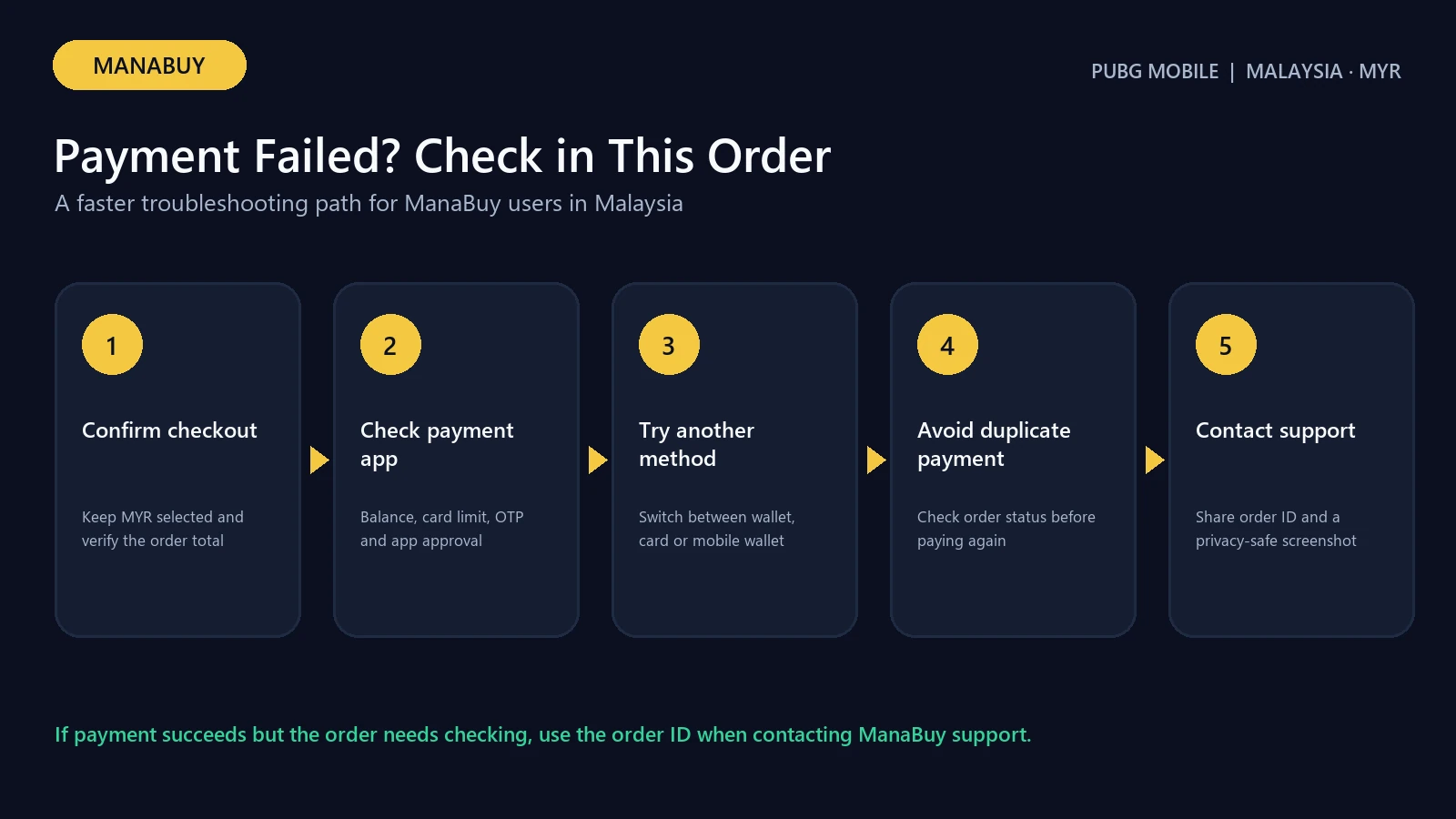
If a PUBG MOBILE UC payment fails on ManaBuy in Malaysia, first identify whether the problem happened before checkout, during payment authorization or after a charge appeared. Confirm that MYR is selected, the PUBG MOBILE UID is correct, the package still matches the intended amount and the final total—including the displayed payment fee—fits the available balance. Then retry only after checking the payment app or bank status.
Do not repeatedly press Pay Now. Multiple attempts can create pending authorizations or make it harder to tell which transaction succeeded. ManaBuy’s PUBG MOBILE product applies to the International Server and does not require a separate server selection.
Quick answer: Check MYR, UID, package, fee and available balance; complete any bank or wallet verification; allow pop-ups or redirects needed by the provider; then make one controlled retry. If money was deducted or an order exists, check its status before attempting another purchase.
Identify where the payment failed
| Failure point | Typical sign | Safest next check |
|---|---|---|
| Before checkout | Buy Now does not continue | Re-check UID format, package selection and browser state |
| Provider page | Wallet or card screen rejects payment | Check balance, limits, verification and provider status |
| After authorization | Charge or pending amount appears | Check ManaBuy order status before retrying |
| After completed order | Payment succeeded but UC is absent | Use the delivery checklist, not another payment attempt |
The exact message matters. “Declined,” “verification failed,” “session expired” and a blank redirect are different problems, so save the visible error message without including card numbers or personal account details.
Check MYR, package and final total
Open the ManaBuy PUBG MOBILE page in MYR and confirm the header still shows RM/MYR. A currency change can alter the available payment methods and displayed amount. Re-select the intended UC package and review the public selling price.
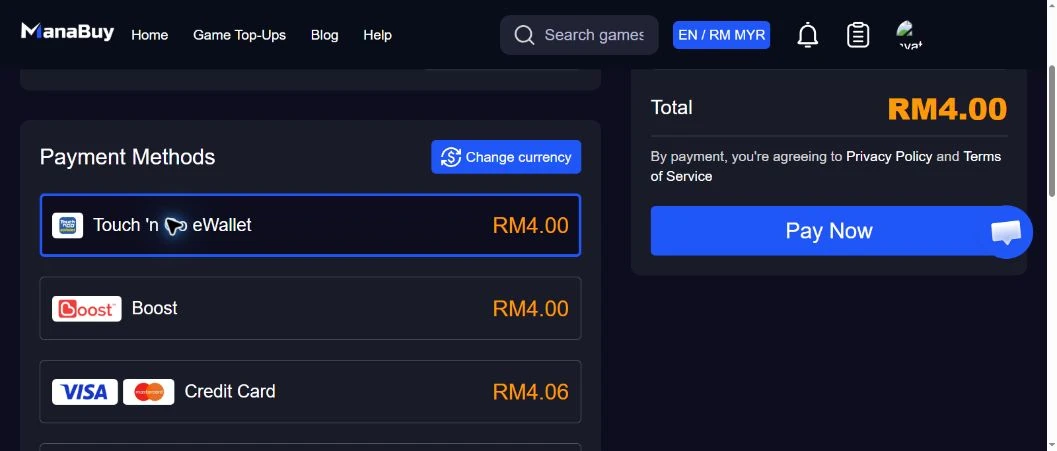
At checkout, compare the product amount, payment fee and final total. The Malaysia payment methods and fees guide explains the observed MYR routes. A wallet or card can fail when it covers the product price but not the added fee.
Touch 'n Go and Boost checks
For a local wallet failure, confirm the wallet account is active, the available balance covers the final total and any device authorization is completed. Return from the wallet to the ManaBuy checkout only once; switching apps repeatedly or opening several checkout tabs can expire the session.
If the wallet shows a deduction, do not pay again immediately. Record the time and amount, then check whether ManaBuy created an order. Contact support when the wallet shows a completed charge but no matching order can be found.
Card, Google Pay and Apple Pay checks
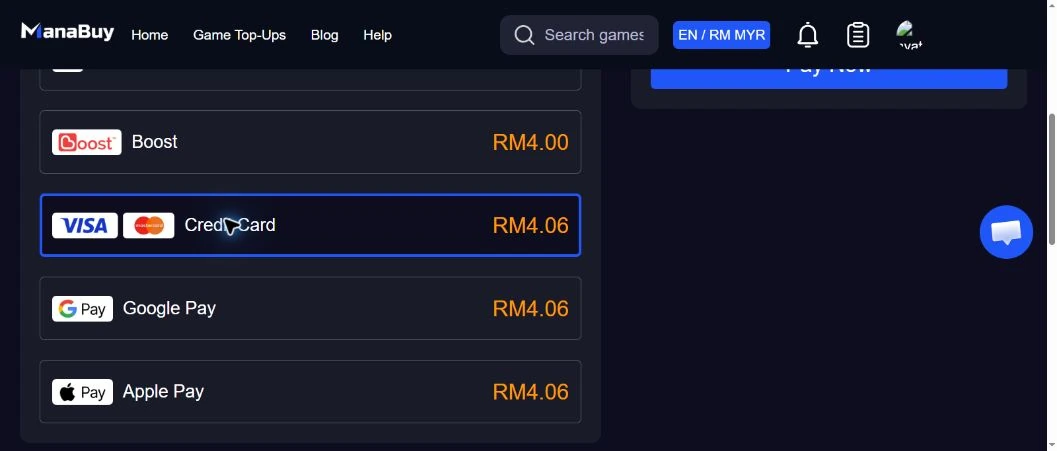
For cards, verify online transactions are enabled, the billing information matches the issuer record and any 3-D Secure or one-time verification step is completed. A bank can also block an otherwise valid payment because of spending limits, risk controls or cross-border processing.
For Google Pay or Apple Pay, make sure the selected card is active and supported for the current device and browser. If the wallet button is unavailable, use a compatible browser or choose another method shown by the live checkout instead of assuming the method is always available.
Browser and connection checks
Use one current browser tab, allow the payment provider’s redirect, disable an extension only when it is clearly blocking the checkout, and avoid public Wi-Fi during payment. Do not refresh while the bank or wallet is authorizing the transaction. If the session expires before any charge, reopen the product page and build a fresh checkout once.
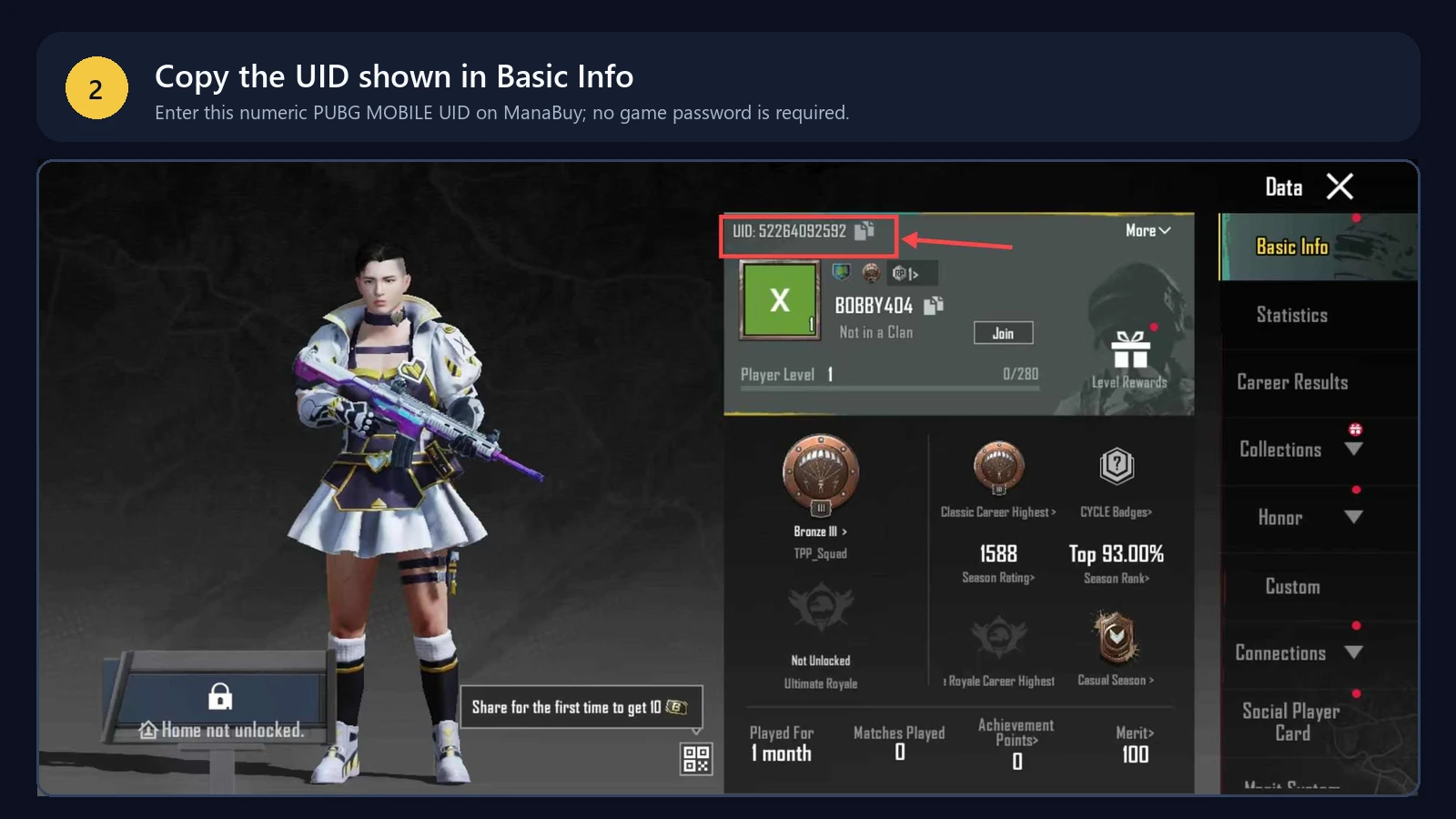
Never share a card number, wallet password, verification code or PUBG MOBILE password with support. The product uses the PUBG MOBILE UID; use the UID guide when the account identifier is uncertain.
If money was deducted
Check the bank or wallet entry: pending and completed are not the same. Then check ManaBuy’s order list for the matching amount and time. If an order is processing, wait for its status to resolve instead of submitting a duplicate payment.
If the order shows completed but UC is missing, follow the PUBG MOBILE not-received steps. Refund eligibility depends on the order circumstances and the published refund policy; do not assume a completed UID top-up can always be reversed.
Safe retry checklist
- Confirm no completed or processing order already exists.
- Confirm the first payment attempt was not charged, or understand its pending status.
- Re-check MYR, UID and package.
- review the payment fee and final total.
- Use one supported method and complete its verification once.
- Save the order number after a successful checkout.
Use the failure stage to choose the next action
| Failure stage | What it usually means | Next safe check | Do not do yet |
|---|---|---|---|
| Method not shown | Availability, currency or device mismatch | Confirm MYR and refresh the payment-method list | Assume the method is permanently unsupported |
| Declined before redirect | Provider, limit or validation rejection | Check balance, limits and entered details | Repeat rapidly |
| Redirect or verification failed | Bank/wallet handoff was not completed | Return to the original tab and check provider status | Open several competing payment tabs |
| Money deducted, order pending | Payment confirmation may not have matched yet | Save the provider reference and check the order list | Pay for a duplicate order |
| Order completed, UC absent | Delivery/account verification issue | Confirm UID and refresh PUBG MOBILE | Treat it as a payment decline |
Provider-specific checks for Malaysia
Touch 'n Go and Boost: confirm the eWallet account is accessible, the authorization screen shows the same MYR total, and the wallet does not leave the transaction pending. Credit Card: check online-purchase permission, available limit, issuer verification and whether the bank blocked the attempt. Google Pay and Apple Pay: confirm the linked card is active and supported for the browser/device handoff.
A method appearing in checkout proves availability for that session, not guaranteed approval. Provider risk controls can decline one card or account while the payment method remains available to other buyers.
When to retry and when to contact support
- Retry only after a clear decline and after correcting a specific cause such as insufficient balance, disabled online purchases or expired verification.
- Wait and verify when the provider says pending, processing or deducted.
- Contact support when money was deducted but no matching successful order appears, or when a completed order has not delivered to the confirmed UID.
- Provide one evidence packet: order number, UID, package, amount, method, time, provider reference and a privacy-safe screenshot.
Why PUBG MOBILE troubleshooting is UID-based
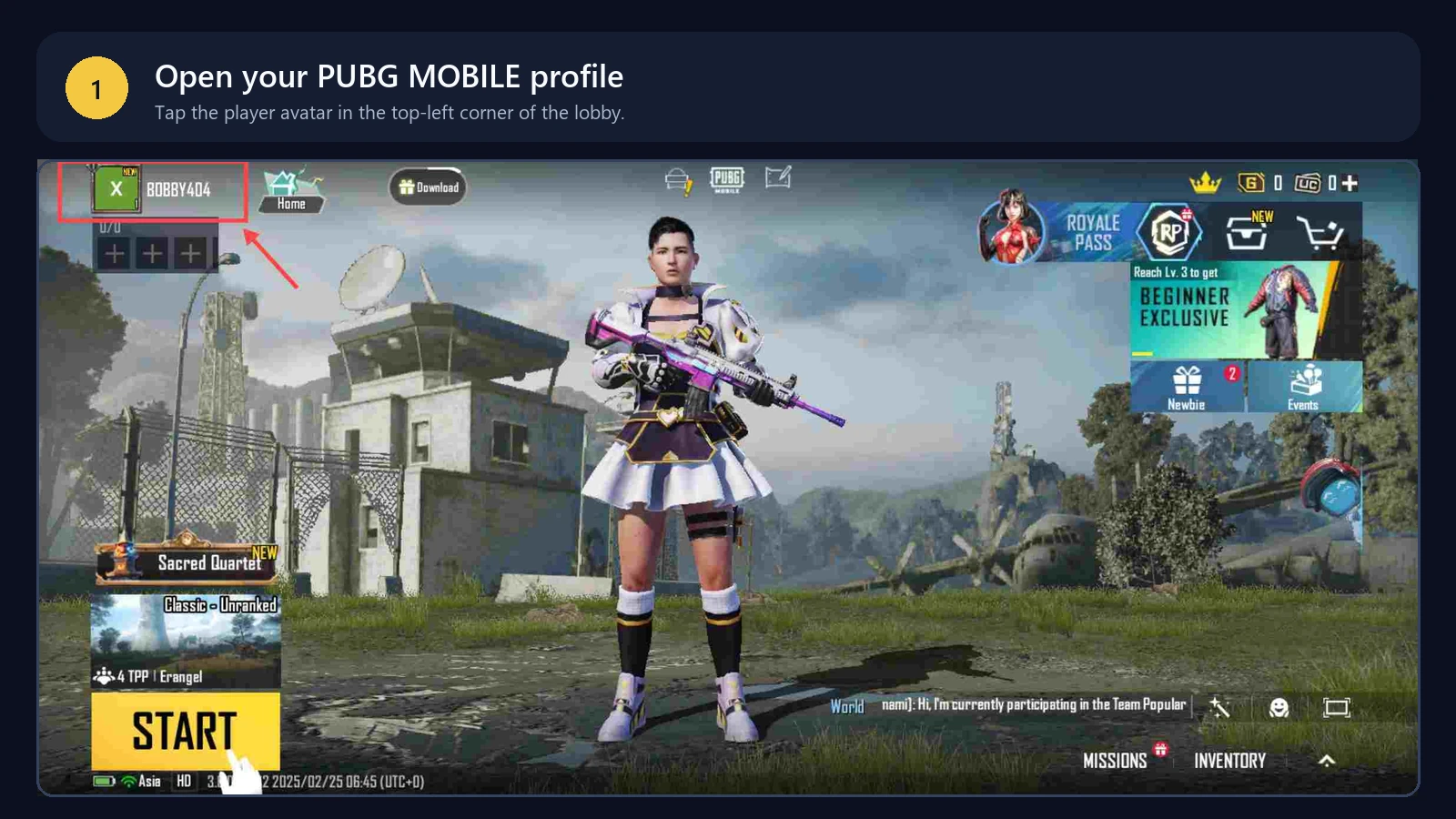
The ManaBuy product applies to PUBG MOBILE International Server and asks for the PUBG MOBILE UID only. There is no Zone ID or separate server selector in this flow. If the UID is rejected, return to the in-game profile and copy that number again; changing a server field or entering account details from another game cannot correct the transaction.
This also separates account validation from payment authorization. A valid UID can still be followed by a wallet or card decline, while a payment can succeed before UC delivery is complete. Identify the stage from the UID result, provider status and ManaBuy order instead of treating every problem as an incorrect account.
When payment worked but UC is missing
Once the ManaBuy order shows complete, stop troubleshooting the payment method. Refresh PUBG MOBILE on the receiving UID and check the UC balance. Package names can include base UC plus bonus UC, so compare the delivered amount printed in the selected package with the balance change rather than checking only the first number in the package name.
If the completed order still has no matching UC delivery, keep the order number, selected package and masked UID for support. Do not create a second order: a duplicate payment cannot repair delivery to the first confirmed UID.
FAQ
Why was my card declined even with enough balance?
The issuer may apply online-payment limits, verification requirements or risk controls. The final total can also exceed the product-card price because of a checkout fee.
Can I retry with another payment method?
Yes, but first confirm the previous attempt did not create a successful or processing order. Then choose another method currently shown in the MYR checkout.
Should I refresh during wallet authorization?
No. Refreshing or opening duplicate tabs can interrupt the return flow and make the transaction status unclear.
What if the payment is pending?
Check the provider and ManaBuy order status before retrying. A pending authorization is not proof that the order failed or completed.
Does a Malaysia player need to select a server?
No. The product applies to PUBG MOBILE International Server and has no separate server-selection step.
What details should I give support?
Provide the ManaBuy order number, payment time, amount and non-sensitive error message. Do not send passwords, full card details or verification codes.
Bottom line
Treat a failed payment as a status-check problem before treating it as a reason to pay again. Verify the first attempt, correct the specific wallet, card or browser issue, and make only one controlled retry.
Continue with:restart with the Malaysia top-up checklist.




Copyright © FUTURE OUTLOOK TECHNOLOGY LIMITED.Company Registration No.: 77374965 All rights reserved.UNIT 135,1/F.,143 WAI YIP STREET,KWUN TONG HK