
PUBG MOBILE FLASH vs PUBG MOBILE vs Lite: What Is Different?

PUBG MOBILE FLASH, the standard PUBG MOBILE app and PUBG MOBILE Lite all aim to run battle royale on phones, but they are not three interchangeable download sizes. FLASH belongs to the current PUBG MOBILE world, while Lite is an independent game with separate accounts and matchmaking.
Choose FLASH when storage is the main constraint. Keep the standard app when it already runs comfortably and you prefer resources ready in advance. Choose Lite only for its separate Android game, account and 60-player format where the official app remains available.
PUBG MOBILE FLASH vs PUBG MOBILE vs Lite
| Point | PUBG MOBILE FLASH | PUBG MOBILE | PUBG MOBILE Lite |
|---|---|---|---|
| Product model | Lighter entry into the current PUBG MOBILE world | Full standard app and resource flow | Independent game |
| Launch / status | November 13, 2026 | Available now | Android listing remains available in some regions; availability varies |
| Initial content | Erangel pre-installed; other maps/modes on demand | More content and resources may be downloaded through the standard client | Own maps, modes and update history |
| Size information | 1.7 GB on current iOS listing; Android fixed size not publicly shown | Varies by platform, version and selected resources | The official Lite site says about 500 MB and support for devices with 1 GB RAM |
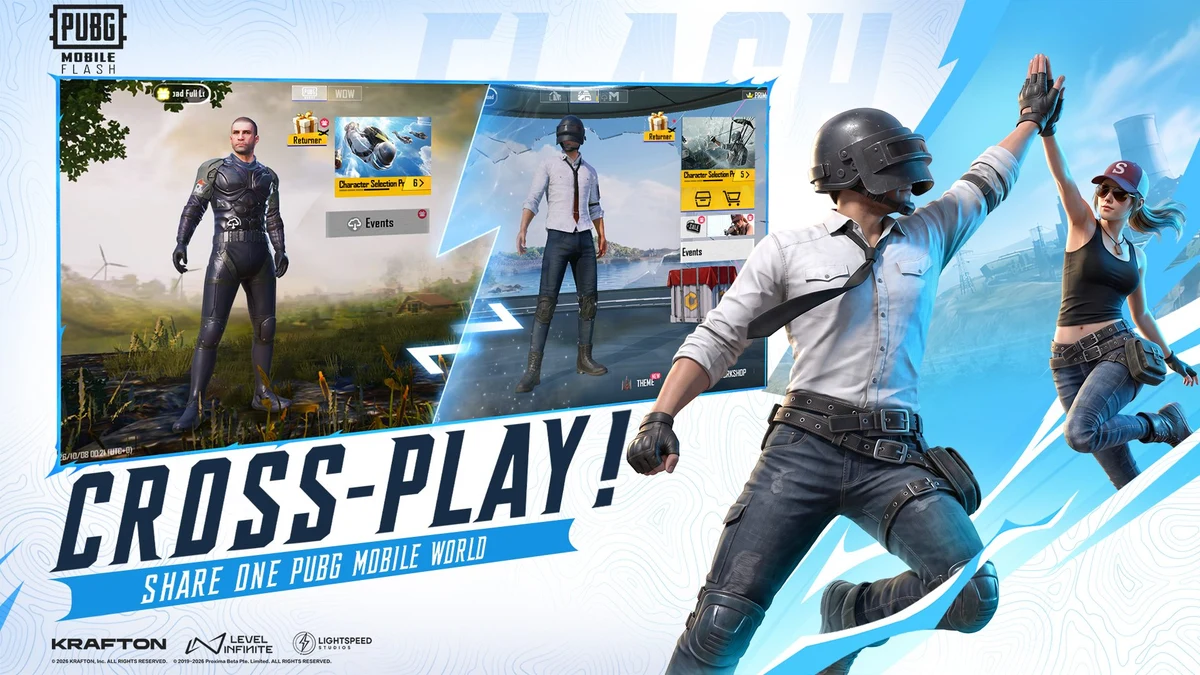
| Friends and cross-play | Same friends/world; official art confirms cross-play | Main current ecosystem | No cross-play with standard PUBG MOBILE |
| Accounts | Broad continuity announced; individual fields need launch verification | Your existing current-game account | Separate account; no transfer |
| iOS | Listed for iPhone/iPad | Supported | Official Lite FAQ says no iOS version |
| Best fit | Limited storage or a phone that struggles with the standard package | Enough storage and stable performance already | Players deliberately choosing Lite's separate 60-player format |
FLASH vs standard PUBG MOBILE: what actually changes?
FLASH changes the starting footprint
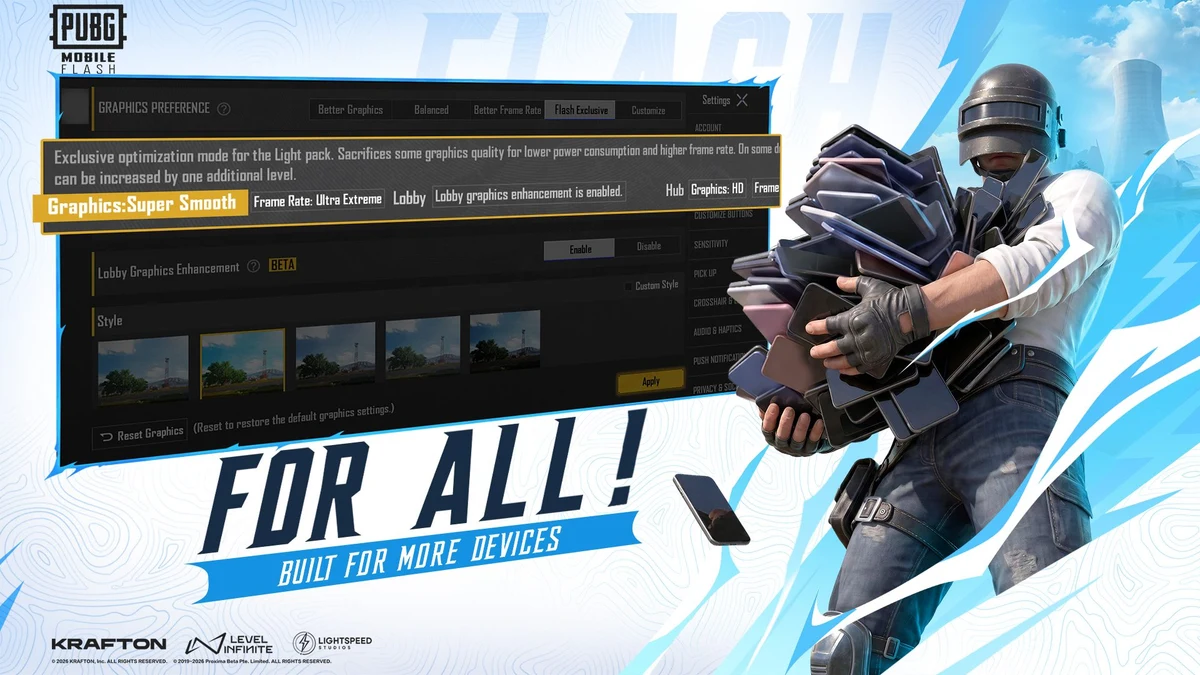
Its official promise is a lighter first download with Erangel ready and optional maps or modes installed later.
Standard keeps the familiar setup
If the normal client already runs well, staying put avoids a launch-day migration check and may keep more resources ready offline.
Gameplay identity stays current
FLASH keeps the current PUBG MOBILE experience instead of becoming a separate 60-player spin-off.
FLASH reduces what you must download first. Its installed size grows as you add maps, modes and resource packs, so the space saved will be larger for a player who keeps only Erangel and one extra mode than for someone who downloads almost everything.
How FLASH differs from PUBG MOBILE Lite
The official PUBG MOBILE Lite site describes Lite as a separate game for lower-RAM Android phones. Its classic format uses a smaller map for 60 players, its installation pack is roughly 500–600 MB across official listings, and its FAQ says accounts cannot be shared or transferred.
Lite players also cannot team with standard PUBG MOBILE players. FLASH instead keeps cross-play and the current PUBG MOBILE world, so players can reduce the first download without moving into Lite's separate account and matchmaking pool.
What should you check in your PUBG MOBILE FLASH account?
| Account element | Launch status | First-login check |
|---|---|---|
| Friends, updates and PUBG MOBILE world | Confirmed by current official store copy | Expect the same ecosystem, then verify your friend list after login. |
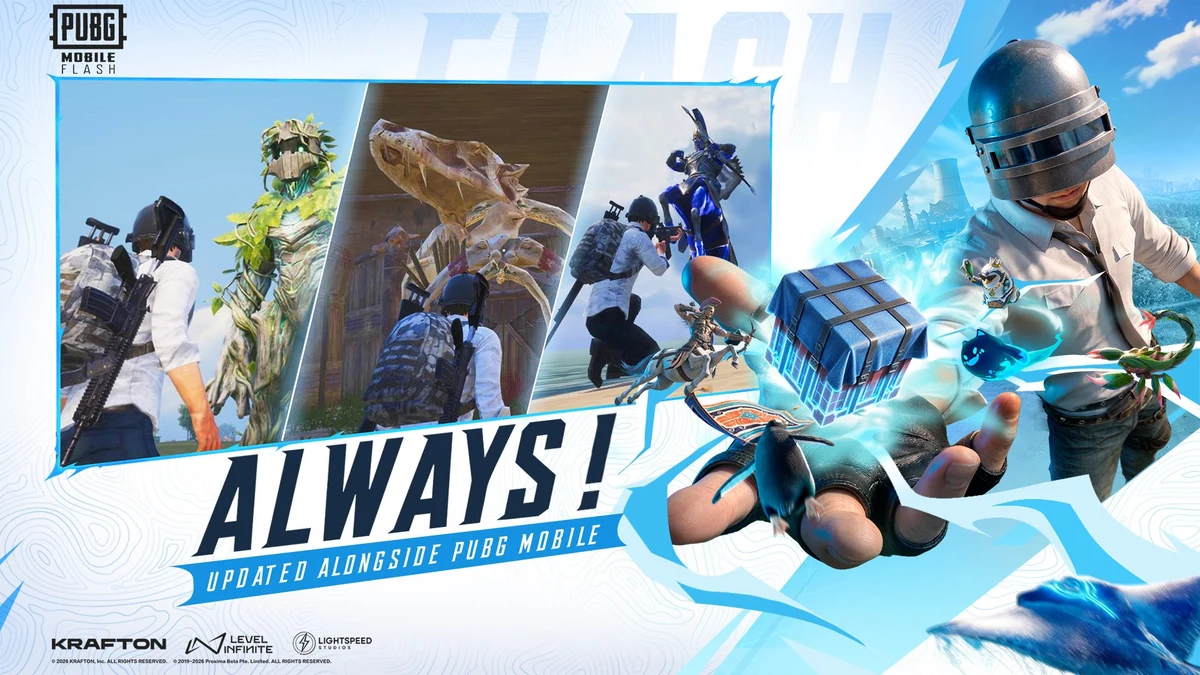
| Cross-play / shared matchmaking | Confirmed in official store artwork | Test a lobby with a friend on the standard app after launch. |
| Account and owned assets | FLASH remains in the current PUBG MOBILE ecosystem rather than using a separate Lite-style account | Use the same supported login method and keep the standard client installed during verification. |
| UC balance | Not itemized in current store copy | Screenshot the balance before switching; do not purchase specifically for FLASH until compatibility is visible. |
| Royale Pass progress and rank | Not itemized in current store copy | Record both screens and compare them after first login. |
| Sensitivity and control layout | Not explicitly confirmed | Screenshot every page or export a layout code if the game provides one. |
Will FLASH give a low-end phone more FPS?
It may reduce storage pressure and offer a lighter graphics path, but that does not create a universal FPS guarantee. Frame rate still depends on the processor, GPU, RAM, thermal throttling, screen refresh rate, graphics menu and the final release build.
Community beta results vary by device and are not universal specifications. Test the same training route on the same network for several sessions, compare frame stability and temperature, and avoid changing sensitivity at the same time.
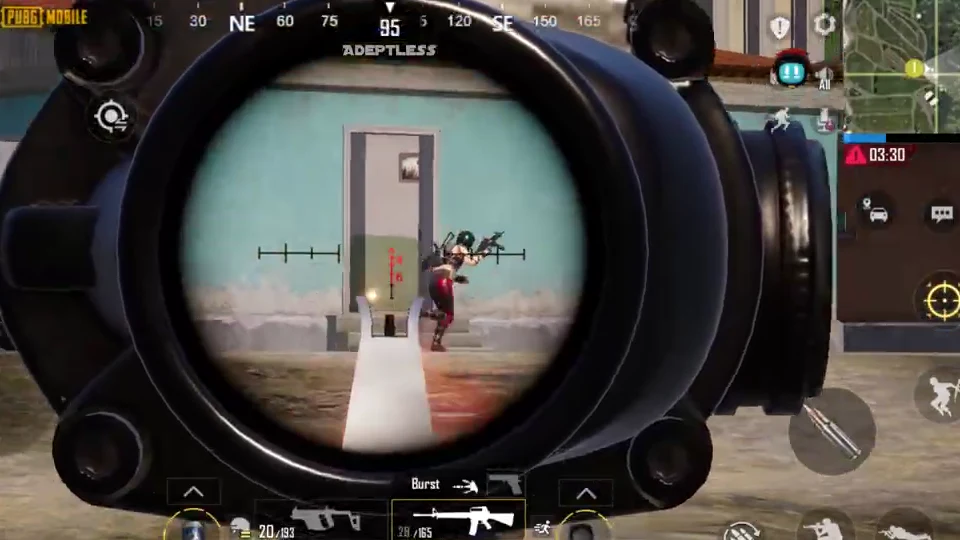
Adeptless's Early Access footage shows scoped combat in the FLASH test build. The familiar HUD and Erangel loop are visible, but one recorded match cannot establish the final client's FPS, heat or stability across different phones.
Does a smaller app use less mobile data during matches?
FLASH can use less data for the initial installation because fewer resources are downloaded up front. That is different from promising lower data usage during every match. Optional maps still need to be downloaded, and live gameplay traffic depends on the mode, session length, voice chat and updates.
If data is limited, install and update on Wi-Fi, disable automatic optional downloads, and check Android or iOS per-app data totals after a full session.
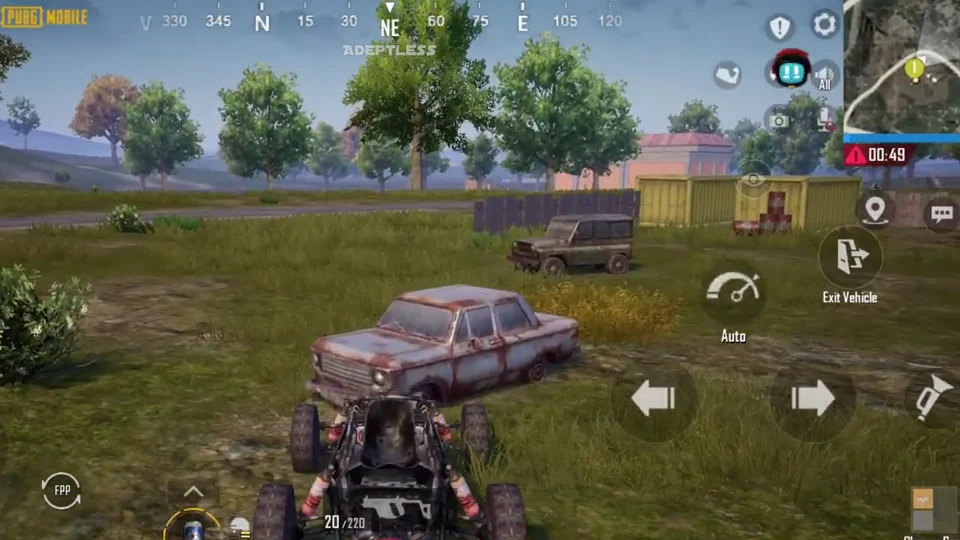
The Early Access build includes normal vehicle traversal on Erangel and the familiar match loop. It does not provide a reliable measure of release-client data use or performance.
Which version should you choose?
Choose FLASH
You want current PUBG MOBILE, your storage is tight, and you prefer downloading only the maps and modes you use.
Keep standard PUBG MOBILE
Your device runs it reliably, storage is not a problem, and you prefer avoiding a new-client verification step at launch.
Choose Lite only deliberately
You specifically want Lite's separate 60-player Android experience and accept that accounts and parties do not cross over.
A safe way to test FLASH without losing your reference setup
- Record your UID, login method, UC, rank, Royale Pass, sensitivity and controls in the standard client.
- Install FLASH only from its official store listing.
- Sign in with the same supported account method; do not create a new account by accident.
- Check friends, inventory, currency, rank and settings before playing ranked.
- Download only the map needed for the first comparison.
- Compare storage, heat and frame stability across the same route.
- Keep the standard app until every important field has been verified.
PUBG MOBILE FLASH comparison FAQ
Is FLASH replacing PUBG MOBILE?
No replacement has been announced. FLASH is positioned as a lighter way to access the same PUBG MOBILE world.
Can FLASH players play with standard PUBG MOBILE players?
Yes. The store listing describes cross-play in the same PUBG MOBILE world. Test a party on your regional build after launch.
Can PUBG MOBILE Lite players join FLASH players?
No shared play is announced. Lite's official FAQ defines it as an independent game that cannot play with standard PUBG MOBILE.
Will my UC and Royale Pass appear in FLASH?
The current store description does not document UC and Royale Pass separately. Screenshot both before switching and verify them after launch.
Is FLASH smaller than Lite?
No. The current iOS listing shows FLASH at 1.7 GB, while the official Lite site says its installation pack is about 500 MB. They are different products, so compare account access, matchmaking and supported devices as well as download size.
Should I delete standard PUBG MOBILE after installing FLASH?
Not immediately. Keep it until your account, assets and settings have been checked in FLASH and you are satisfied with performance.
Choose by storage and game ecosystem
Pick FLASH for a lighter start inside the current PUBG MOBILE ecosystem, keep the standard app when it already fits your phone, and choose Lite only as a separate Android game. Until November 13, treat UC, RP, rank, sensitivity and control transfer as launch checks rather than guaranteed line items.


Copyright © FUTURE OUTLOOK TECHNOLOGY LIMITED.Company Registration No.: 77374965 All rights reserved.UNIT 135,1/F.,143 WAI YIP STREET,KWUN TONG HK