
MLBB Promo Diamonds Mega Sale Guide 2026: Dates, Tasks and Best Skins to Buy

Status check: Reviewed July 27, 2026: this article now works as both a current lookup entry and a historical archive. Use the dated rows, current in-game Event screen, and latest official notices to confirm what is still active.
MLBB Promo Diamonds are back for July 2026, and the important part is the timing. From July 6 to July 21, players should focus on collecting Promo Diamonds through the Promo Carnival tasks. From July 21 to July 27, the Mega Sale window opens, and those Promo Diamonds can be used to reduce the Diamond cost of eligible Shop items.
The best plan is simple: collect every easy daily reward first, wait until the Mega Sale begins, then spend only after checking which skins or items are actually eligible in your in-game Shop. Promo Diamonds are powerful because they can push some eligible purchases close to a 1 normal Diamond checkout, but they are not a blank check for every draw system, collab event, or limited reward.
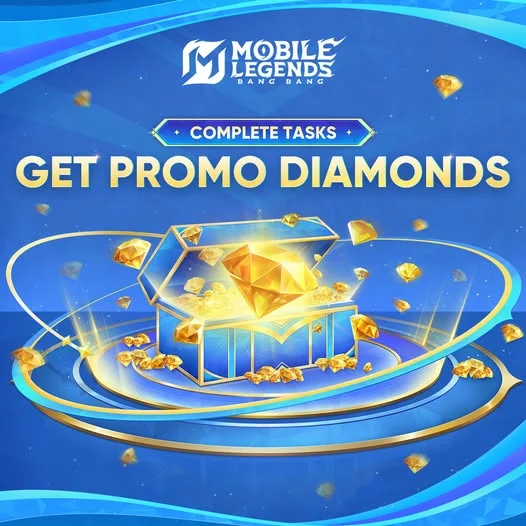
MLBB Promo Diamonds and Mega Sale Dates
Treat this event as two different phases. The first phase is for building your Promo Diamond balance. The second phase is for checking the Shop and spending only where the discount makes sense.
| Phase | Date | What to do |
|---|---|---|
| Collection | July 6-July 21, 2026 | Log in, finish daily Promo Carnival tasks, and collect Promo Diamonds before the spending window opens. |
| Pack claim | July 21, 2026 | Open the Promo Carnival Pack in the event page. The pack can give up to 1,111 Promo Diamonds. |
| Mega Sale | July 21-July 27, 2026 | Use Promo Diamonds to offset eligible Shop purchases. Check the item page before committing, because not every system accepts Promo Diamonds. |
How to Collect Promo Diamonds Every Day
The Promo Carnival screen is where most players should start. The visible daily tasks are built around normal play: logging in, finishing matches, playing with friends, and optionally recharging. You do not need to decide what to buy on day one. Your first job is to collect consistently.
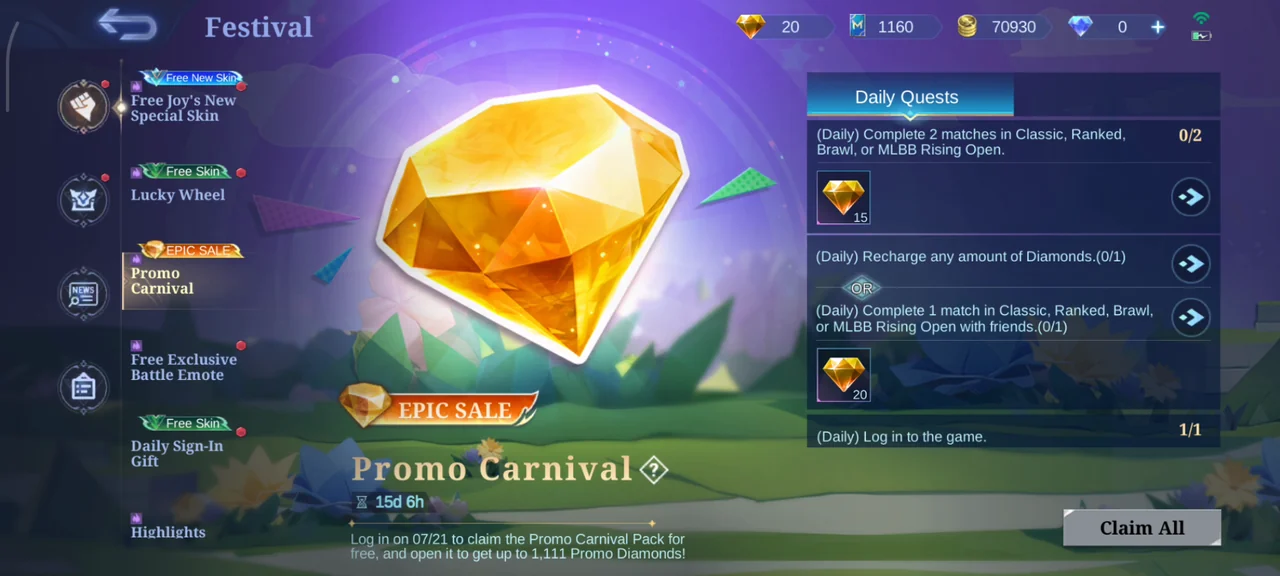
| Task type | Visible reward | Best way to handle it |
|---|---|---|
| Complete 2 matches in Classic, Ranked, Brawl, or MLBB Rising Open | 15 Promo Diamonds | Do this first if you are not planning to top up that day. Brawl is usually the fastest mode if you only need completion. |
| Recharge any amount of Diamonds OR complete 1 match with friends | 20 Promo Diamonds | Use the friend-match route if you do not already need Diamonds. If you planned to top up for the Mega Sale anyway, time it on a day when this task is active. |
| Daily login | Shown in event page | Claim it before playing. Missed daily rewards usually hurt more than one bad purchase decision later. |
| Promo Carnival Pack | Up to 1,111 Promo Diamonds | Claim it on July 21 before choosing a skin. Your pack result changes how aggressive your spending plan should be. |
How Promo Diamonds Work During the Mega Sale
Promo Diamonds are best understood as event discount currency. They do not replace your whole account economy. During the Mega Sale, eligible Shop items can show a reduced checkout cost when you apply Promo Diamonds, but the final purchase usually still needs a small amount of normal Diamonds.
That is why the safest plan is not to spend all normal Diamonds before July 21. Keep a small normal Diamond balance ready for the final checkout. If the item can be pushed down to a 1-Diamond purchase, great. If it cannot, compare the final cost with how much you actually use that hero.
Best use
Permanent skins for heroes you play often, especially if the final checkout price drops close to 1 normal Diamond.
Be careful
Do not assume Promo Diamonds work on every collab draw, limited event pool, Magic Wheel, Collector path, or Starlight purchase.
What Should You Buy First?
A good Promo Diamonds plan is not just "buy the most expensive skin." The better question is: will this cosmetic stay useful after the event ends? A skin for a main hero usually beats a bigger discount on a hero you never draft.
| Priority | Target | Why it makes sense |
|---|---|---|
| High | Skin for your main hero or most-used role | You will actually see the value every week, and the discount reduces a purchase you already wanted. |
| High | Eligible skin close to 1-Diamond checkout | This is where Promo Diamonds feel strongest. Still check whether the skin belongs to a hero you use. |
| Medium | Collector-style or premium-looking cosmetic | Worth considering only if the item is eligible and the final normal Diamond cost is still comfortable. |
| Low | Random purchase just because it is discounted | Discounts can make weak choices look urgent. If the hero never leaves your bench, skip it. |
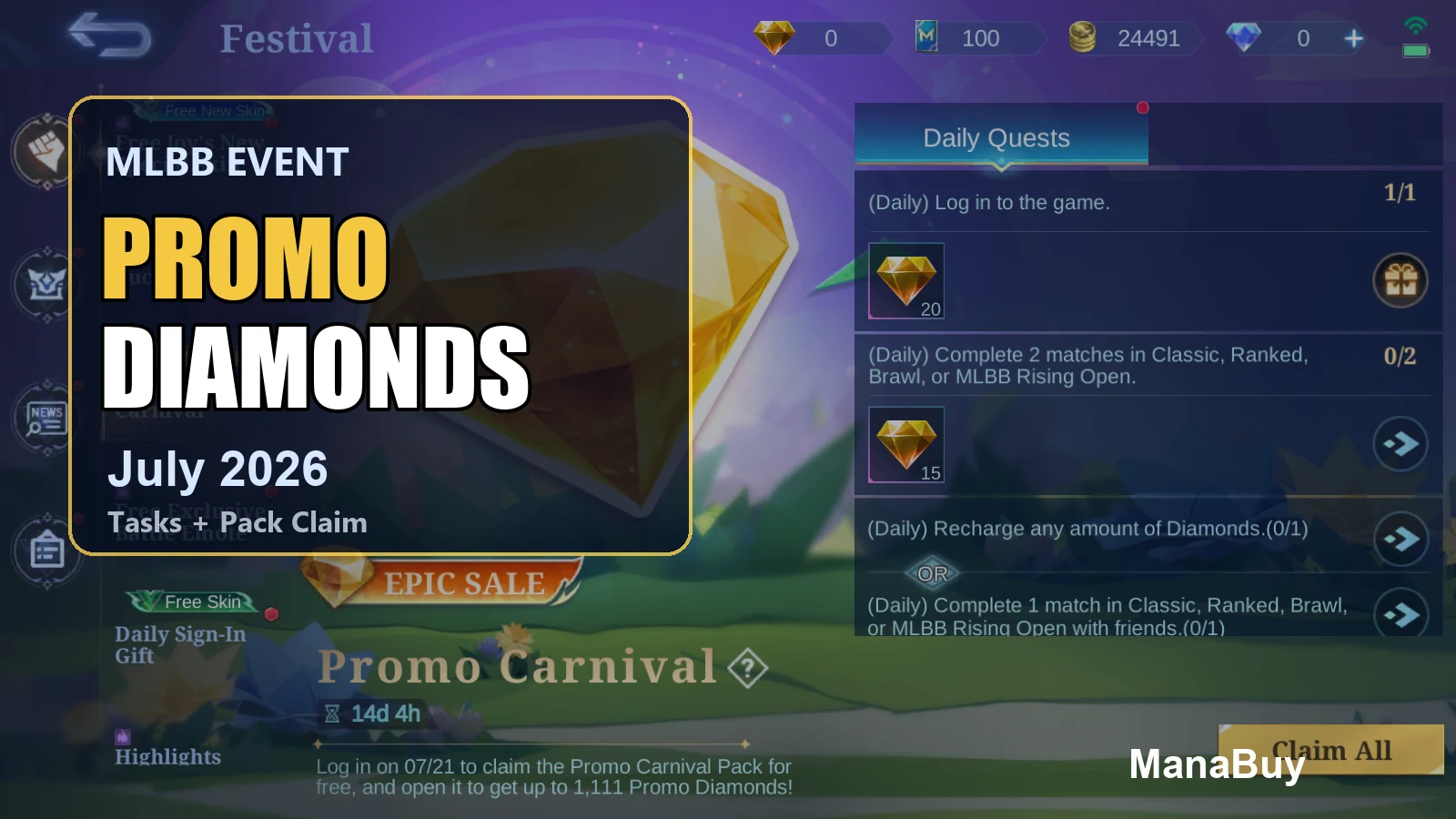
If you are comparing skin tiers, read the MLBB Skin Value Guide before you spend. For broader Diamond planning, the MLBB Diamonds Value Guide is the better companion.
Should You Top Up During Promo Carnival?
Only top up if you already have a spending target. The recharge task can be useful because it may count toward Promo Carnival progress, but a task reward should not push you into buying Diamonds you will not use. Decide your skin target first, then choose the smallest Diamond plan that covers the final checkout gap.
If you are buying for the first time, make the boring checks before the exciting purchase: User ID, Zone ID, server/region, package amount, and payment method. A tiny account-detail mistake can matter more than the discount.
MLBB Product Options on ManaBuy
ManaBuy's MLBB top-up page is useful during Promo Diamonds because the event does not remove the need for normal Diamonds. Use it after you know the final checkout gap, then pick a package that fits that gap instead of overbuying.
The product page can show region tabs such as Global, Philippines, Indonesia, Singapore, Malaysia, and Turkey. Choose the region/package list that matches your account and checkout currency.
When Premium is available, the page may show an extra 3% off and a separate Premium price on each package card. Compare the final checkout number, not only the headline discount.
MLBB top-up uses User ID + Zone ID. User ID is the number outside brackets, and Zone ID is the number inside brackets on your in-game profile. Enter numbers only.
| Product type | Examples users may see | How to use it for Promo Diamonds |
|---|---|---|
| Small Diamond packs | Examples include 86, 172, or 257 Diamonds on some logged-in USD views; other regions may show different pack sizes. | Best when Promo Diamonds already cover most of a skin and you only need a small normal Diamond gap for checkout. |
| Mid-size packs | Examples include 706, 2195, or 3688 Diamonds, depending on region, login state, and current product availability. | Use these only when you plan more than one purchase, or when your target skin still has a meaningful normal Diamond cost after the Mega Sale discount. |
| Large packs | Large logged-in package cards can include options such as 5532 or 9288 Diamonds when available. | Avoid buying large packs just because an event is active. They make sense only if you already have a broader Diamond plan beyond this one Promo Diamonds sale. |
| Weekly Diamond Pass | The product page may also list Weekly Diamond Pass as a separate option, subject to account and in-game rules. | Better for steady Diamond planning than urgent same-day checkout. Check whether your account can still add pass duration before buying. |
What Not to Assume Before the Mega Sale
The risky part of Promo Diamonds is over-planning around a list before the sale window opens. Even if a skin appeared in a community list or a previous event, the final answer is the in-game Shop page during Mega Sale.
If the checkout page does not show the deduction, do not assume it will apply after you tap purchase.
Promo Diamonds are usually strongest for eligible Shop purchases. Draw systems, collabs, and special event pools may use different rules.
Even a near-free purchase can still need normal Diamonds. Keep a small balance ready instead of spending down to zero before July 21.
A Simple July 21 Spending Plan
When Mega Sale opens, do not rush the first skin you see. Use this order instead:
- Claim the Promo Carnival Pack first.
- Write down your final Promo Diamond balance.
- Open the Shop and filter your real target skins, not every discounted skin.
- Check the final normal Diamond price after Promo Diamonds apply.
- If two skins are close, choose the hero you play more often.
- Keep enough time before July 27 to top up or adjust if your first target is not eligible.
For ongoing event context, keep an eye on the MLBB Events and Skins Tracker. If you are comparing a pass purchase against direct Diamonds, use the MLBB Weekly Diamond Pass Guide.
Related MLBB Guides
- MLBB Diamonds Value Guide - plan Diamond spending across skins, passes, draws and events.
- MLBB Diamonds Top Up Complete Guide - check User ID, Zone ID, payment and delivery before buying.
- MLBB Skin Value Guide - compare Epic, Collector, Legend and collab skins before spending.
- MLBB Events and Skins Tracker - follow current event rewards and Diamond-cost decisions.
MLBB Promo Diamonds FAQ
When can I collect Promo Diamonds in July 2026?
The collection window runs from July 6 to July 21. Use the Festival > Promo Carnival page to claim daily rewards and check which tasks are active on your server.
When can I spend Promo Diamonds?
The Mega Sale spending window is July 21 to July 27. Before buying, open the item checkout page and confirm that Promo Diamonds are being applied to that specific purchase.
Can Promo Diamonds make a skin cost only 1 Diamond?
For eligible items, enough Promo Diamonds can bring the final normal Diamond cost very low, sometimes close to 1 Diamond. The exact checkout price depends on the item, your Promo Diamond balance and current sale rules.
Can I use Promo Diamonds on collab draws or special events?
Do not assume that. Promo Diamonds are safest to plan around eligible Shop items during Mega Sale. Collab draws, Magic Wheel, Collector paths and special event pools can follow separate rules.
Should I top up just to complete a Promo Carnival task?
Only if you already planned to buy normal Diamonds for Mega Sale. If you can finish a friend-match task instead, that may be the better no-spend route for the day.
What should I do if my top-up is for the wrong MLBB account?
Check your User ID and Zone ID before payment. If something looks wrong after ordering, review the order status and support steps in the MLBB top-up guide instead of placing repeat orders immediately.
Final Pick
The strongest Promo Diamonds play is patience. Collect daily from July 6, claim the July 21 pack, then spend during Mega Sale only after the checkout page proves the discount applies. If you need normal Diamonds to finish the purchase, top up with a clear target and avoid buying extra just because the event is loud.



Copyright © FUTURE OUTLOOK TECHNOLOGY LIMITED.Company Registration No.: 77374965 All rights reserved.UNIT 135,1/F.,143 WAI YIP STREET,KWUN TONG HK