
Akai MLBB Roam Guide: Best Build, Emblem, Skills, Combos, and Counters

Akai is a Tank roamer who turns narrow terrain into a weapon. He is strongest when he approaches from the side, lands Headbutt, and uses Heavy Spin to separate a carry from protection or pin that target against a wall. He is not a passive damage sponge: good Akai play is about angle, timing, and choosing whether a spin should isolate, peel, or reset a fight.

Current in-game Akai profile: Tank, Guard/Crowd Control.
Akai Skills: What Each One Does

1. Tai Chi — Buff / Passive
Akai gains a 25 (+5% Total HP) shield for 4s on each skill cast. His skills mark targets, and his next Basic Attack against a marked target deals 35 (+6% Total HP) extra Physical Damage.
When: Treat every cast as a shield and mark setup; weave the marked Basic Attack before the mark is wasted.
Do not: Trade shields without a purpose.
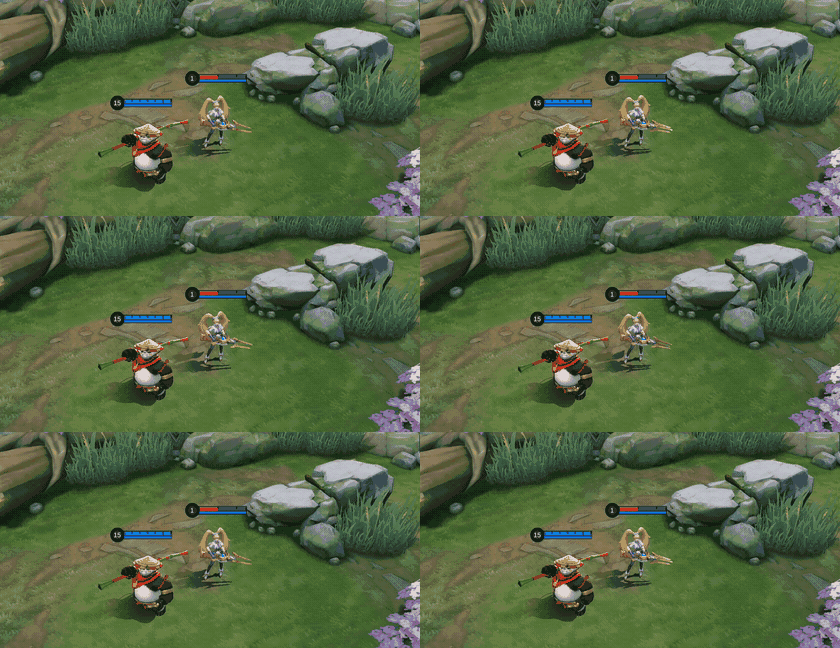
Tai Chi in-game demonstration.

2. Headbutt — Mobility / CC
Akai charges in the target direction for 300 (+50% Total Physical Attack) Physical Damage. Hitting an enemy hero knocks them airborne for 0.5s and unlocks one Joystick-directed roll. Headbutt can be cast during Heavy Spin to adjust position.
When: Use it from fog or during Heavy Spin to correct the displacement angle.
Do not: dash straight through the target when the roll would leave you behind your team.
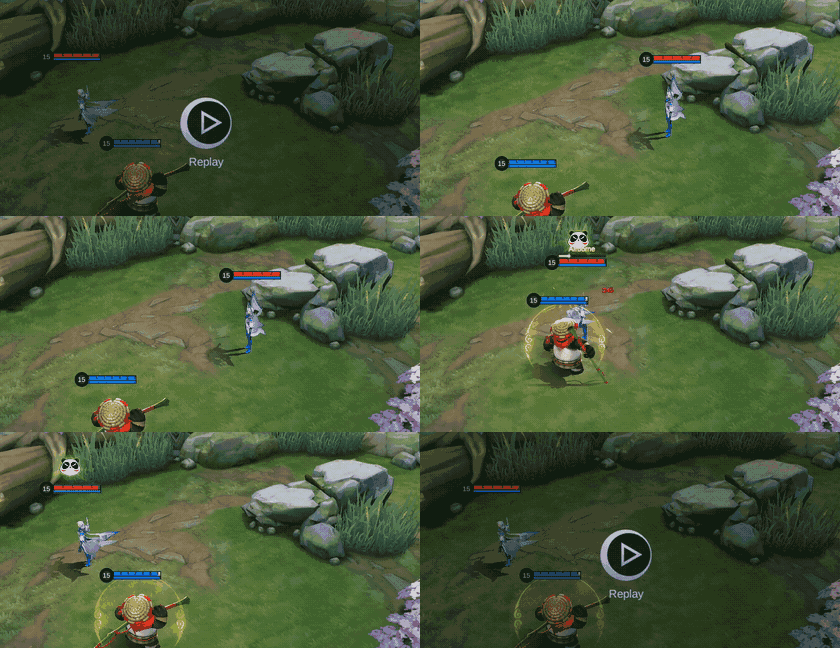
Headbutt in-game demonstration.
3. Body Slam — AOE
Akai smashes the ground for 270 (+6% Total HP) Physical Damage and slows nearby enemies by 45% for 2s.
When: Use it after contact to slow the target and keep allies in range.
Do not: spend the slow before your damage dealer can follow.
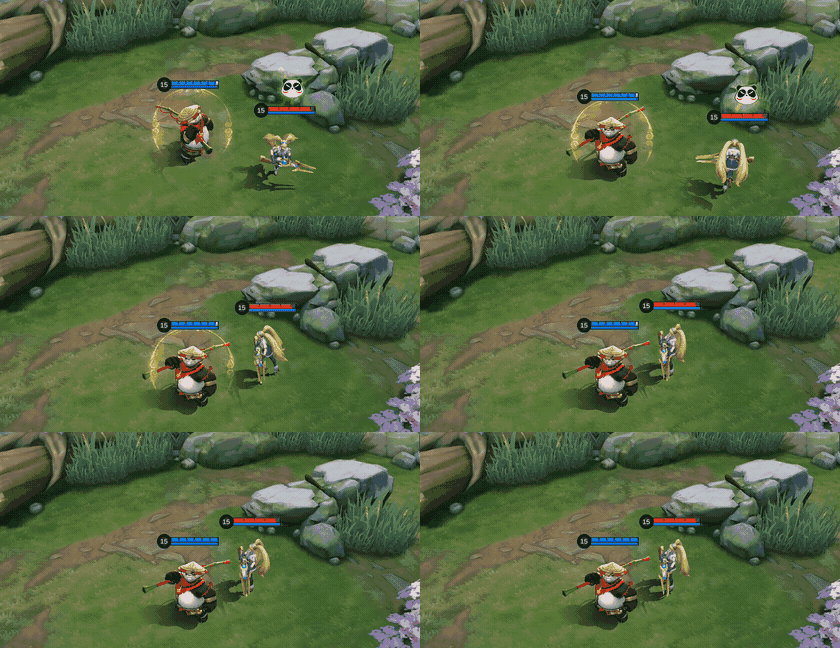
Body Slam in-game demonstration.

4. Heavy Spin — CC / AOE
Akai removes all debuffs and spins for 4s with Slow Immunity, dealing 100 (+50% Total Physical Attack) Physical Damage repeatedly and knocking enemies back. Knocked heroes can displace other heroes. His Movement Speed rises by up to 70%; only Suppression interrupts the skill.
When: Use it to isolate a carry, peel an engager, or split a choke.
Do not: spin a low-value tank into your own backline.
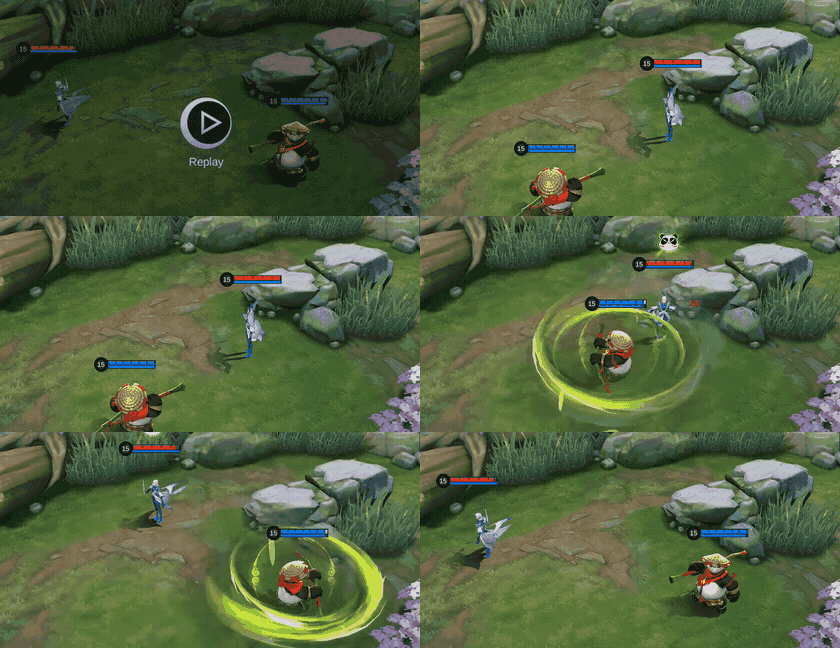
Heavy Spin in-game demonstration.
Skill Upgrade Priority
Upgrade Skill 2 at Level 1 and prioritize upgrading Skill 2 with Skill 1 as backup. Upgrade the Ultimate whenever it is available.
Body Slam gives repeatable lane pressure and a reliable slow. Headbutt remains the initiation and reposition tool, while Heavy Spin defines Akai’s major fight windows.
Akai Combos
Teamfight Combos


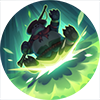
Headbutt → Heavy Spin → Body Slam
In teamfights, Akai should use his 1st Skill to knock back the enemy, and roll into the enemy formation. Then use his Ultimate to disrupt the enemy formation, and continue to deal damage with his 2nd Skill after his Ultimate ends.
Laning Combos

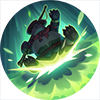

Headbutt → Body Slam → Basic Attack
In the laning phase, Akai should use his 1st Skill to knock back the enemy, and slow them down with his 2nd Skill, then spam his Basic Attack to deal damage.
How to Play Akai by Game Phase
Early game
Guard the first rotation, use Body Slam to slow a target for allied damage, and keep Headbutt available when the enemy jungler contests. A failed solo invade costs Akai the movement tool he needs to retreat.
Mid game
Move through fog before objectives. Look for a wall behind the enemy carry, or hold Heavy Spin to peel a diving Assassin. Flicker changes the approach angle, so conceal its availability until the target commits.
Late game
One bad knockback can save the target. Identify the single hero your team must reach, then decide before engaging whether the spin is an isolate or a disengage. Protecting your damage dealer can be more valuable than a flashy pin.
Five Akai Mistakes to Avoid
1. Spinning without a wall
Open ground gives the target room to slide away. Approach so the knockback closes an escape lane.
2. Saving Headbutt too long
Headbutt can adjust Heavy Spin. Use that interaction when the target begins escaping the intended line.
3. Knocking danger into allies
Track the direction of every displacement. Never deliver a Fighter or area-control ultimate into your backline.
4. Ignoring the passive mark
Skill casts provide a shield and marks empower the next Basic Attack. Weave it when safe instead of wasting free pressure.
5. Copying one setup blindly
The observed builds shared anti-heal and durability, but varied physical defense, magic defense, and sustained-fight choices. Match the enemy damage profile.
Best Akai Emblem and Battle Spell
Roam default: Support Emblem + Flicker
Talents: Agility, Pull Yourself Together, Focusing Mark. Agility improves approach angles, Pull Yourself Together reduces the wait between Flicker opportunities, and Focusing Mark rewards a successful catch by amplifying allied follow-up. Choose this when Akai is the roamer and the team needs reliable pickoff access.
Do not use it: as an excuse to build too little defense; the emblem improves access, not survival against a fed carry.
Jungle alternative: Tank Emblem + Retribution
Talents: Thrill, Seasoned Hunter, Concussive Blast. This route supports faster neutral-objective work and frontline durability. Choose it only when Akai is assigned jungle; Retribution is not a roam spell.
Exact talent names use current MLBBHub guidance and the Akai community guide, accessed August 7, 2026, because the observed in-game Emblem details were locked or partial.
Top Five In-Game Pro Setups
The sample is descriptive, not a universal six-slot prescription. All five rows were observed on August 7, 2026, and none was applied.
Build 1
| Item 1 | Item 2 | Item 3 | Item 4 | Item 5 | Item 6 |
|---|---|---|---|---|---|
 Rapid Boots Rapid Boots |  Thunder Belt Thunder Belt |  Dominance Ice Dominance Ice |  Chastise Pauldron Chastise Pauldron |  Athena's Shield Athena's Shield |  Immortality Immortality |
Build 2
| Item 1 | Item 2 | Item 3 | Item 4 | Item 5 | Item 6 |
|---|---|---|---|---|---|
| Rapid Boots |  Guardian Helmet Guardian Helmet | Dominance Ice | Chastise Pauldron | Athena's Shield | Immortality |
Build 3
| Item 1 | Item 2 | Item 3 | Item 4 | Item 5 | Item 6 |
|---|---|---|---|---|---|
| Rapid Boots |  Cursed Helmet Cursed Helmet | Dominance Ice | Chastise Pauldron | Athena's Shield | Immortality |
Build 4
| Item 1 | Item 2 | Item 3 | Item 4 | Item 5 | Item 6 |
|---|---|---|---|---|---|
| Rapid Boots | Dominance Ice | Chastise Pauldron | Guardian Helmet | Cursed Helmet |  Queen's Wings Queen's Wings |
Build 5
| Item 1 | Item 2 | Item 3 | Item 4 | Item 5 | Item 6 |
|---|---|---|---|---|---|
| Rapid Boots | Cursed Helmet | Dominance Ice | Athena's Shield |  Antique Cuirass Antique Cuirass | Guardian Helmet |
Akai Equipment Decision Matrix
| Item | Why | When | Do not buy blindly |
|---|---|---|---|
| Rapid Boots | Fast rotations and slow resistance | You must reach side angles before the fight | A different resistance boot is required |
| Thunder Belt | Durability plus repeated control pressure | Fights last long enough to trigger it repeatedly | You need urgent anti-heal first |
| Dominance Ice | Anti-heal and anti-attack-speed utility | Sustain or Basic Attack pressure is central | Enemy healing is negligible |
| Chastise Pauldron | Physical defense against repeated attackers | A physical carry is the main threat | Magic burst is deciding every fight |
| Athena's Shield | Answers telegraphed magic burst | Enemy magic damage arrives in a burst window | Damage is mostly sustained physical |
| Immortality | A second life for decisive initiation | One engage can decide a late objective | The passive is unavailable or the game needs raw resistance |
| Guardian Helmet | Large HP and recovery between rotations | You can disengage and re-enter | Percentage-HP damage is overwhelming |
| Cursed Helmet | HP and close-range magic pressure | You stay in melee and need wave help | You cannot safely remain close |
| Queen's Wings | Low-HP durability for extended brawls | You expect sustained close combat | You are dying instantly from magic burst |
| Antique Cuirass | Reduces repeated skill-based physical pressure | Enemy physical casters are fed | The threat is Basic Attack or magic focused |
Akai Counters and Teammates
Good partners


Saber and Eudora can burst the target Akai isolates; Natalia benefits from the same separated backline. Coordinate damage after the pin rather than before Akai fixes the angle.
Difficult answers



Nana and Diggie can disrupt or undo Akai’s control plan. Bait their defensive tools before spending Heavy Spin, and avoid telegraphed frontal entries.
Targets Akai pressures


Low-mobility channelers and committed melee threats are vulnerable to displacement. Save the spin for their committed window.
Draft warning

Akai and Tigreal can overlap initiation duties. If drafted together, assign one player to start and the other to peel so both ultimates do not solve the same problem.
Akai Base Stats
These are level-one in-game values without equipment, Emblem, skin, or match modifiers.
| Stat | Value |
|---|---|
| HP | 2660 |
| HP Regen | 8.4 |
| Physical ATK | 115 |
| Physical DEF | 24 |
| Attack Speed | 1.06 |
| Attack Speed Ratio | 100% |
| Mana | 500 |
| Mana Regen | 4 |
| Magic Power | 0 |
| Magic DEF | 15 |
| Movement SPD | 260 |
Akai Skins and Availability
Nine exact Shop cards were observed. Diamond prices appear only when Purchase was visible; event and season labels describe the current in-game card rather than permanent availability.
| Preview | Skin | Tag | Observed availability |
|---|---|---|---|
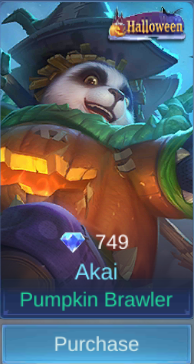 | Pumpkin Brawler | Halloween | 749 Diamonds; Purchase visible |
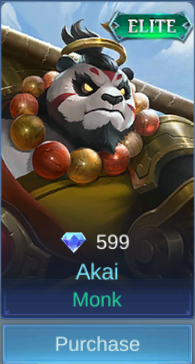 | Monk | Elite | 599 Diamonds; Purchase visible |
 | Summer Party | Summer | 599 Diamonds; Purchase visible |
 | Akazonae Samurai | Star | 06/2018 StarLight Member |
 | Imperial Assassin | Luckybox | Limited-time Event |
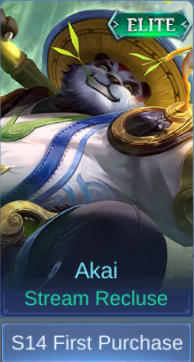 | Stream Recluse | Elite | S14 First Purchase |
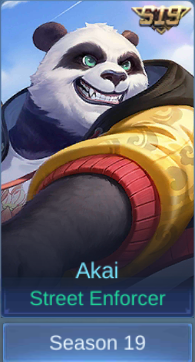 | Street Enforcer | S19 | Season 19 |
 | Kung Fu Panda | Kung Fu Panda | Limited-time Event |
 | Marvelous Maestro | Anniversary | Limited-time Event |
Akai Story
Akai was a fish seller in Stream Valley who dreamed of becoming a hero. Persistent training led him to the Frog Immortal and later to Zilong, Wanwan, Ling, and Baxia. His journey taught him that a true hero fights for people rather than glory.
Akai FAQ
What is the best Akai combo?
For a teamfight catch, use Headbutt, then Heavy Spin to displace or pin, and Body Slam after the spin. Use Headbutt during Heavy Spin when you need to correct the angle.
What is the best Battle Spell for roam Akai?
Flicker is the default because it changes the entry line and enables unexpected pins. Retribution belongs to a dedicated jungle route.
Which skill should Akai upgrade first?
Take Body Slam at level 1 and prioritize it, keep Headbutt as the backup upgrade, and level Heavy Spin whenever available.
Is one leaderboard build always best?
No. The five observed setups agree on a defensive roam core but change the final slots for physical damage, magic burst, sustain, and fight length.
Verdict
Akai rewards deliberate geometry. Approach from fog, decide whether the spin is an isolate or a peel, and build against the damage that can stop the second rotation. For related roam fundamentals, compare the Tigreal guide and Franco guide; for a jungle contrast, see the Karina guide.
Top up MLBB safely on ManaBuy




Copyright © FUTURE OUTLOOK TECHNOLOGY LIMITED.Company Registration No.: 77374965 All rights reserved.UNIT 135,1/F.,143 WAI YIP STREET,KWUN TONG HK