
Free Fire Hoot Guide: Far-sighted Scan Intel, Team Calls and Best Character Pairings

Hoot is an information pet. Far-sighted increases scan range and duration, then shares the results with teammates, so it is strongest for squads that actually act on scan information. Pick Hoot if you lead rotations, clear compounds, or coordinate pushes around enemy positions.
If you are deciding whether to unlock or upgrade Hoot, start with the trigger: When using a scanning item or skill, owner can reach an added range of 10m and the scan duration will last for an extra 2.5s. Results are shared with teammates and no skill cooldown is required. A pet is worth building only when that trigger appears in your real matches often enough to change a fight, a reset, or a rotation.
BEST WINDOW
Scan first, mark the count, then send two players to the weaker side instead of rushing the main door.
COMMON TRAP
Scanning after your entry player already committed.
How Far-sighted Works in Real Matches
A longer scan is not just a bigger circle. It gives your team extra seconds to choose the safer door, delay a push, or swing together instead of peeking one by one.
Hoot is weaker in quiet solo play because information has to become action. If your team ignores pings and pushes randomly, the pet's value drops fast.
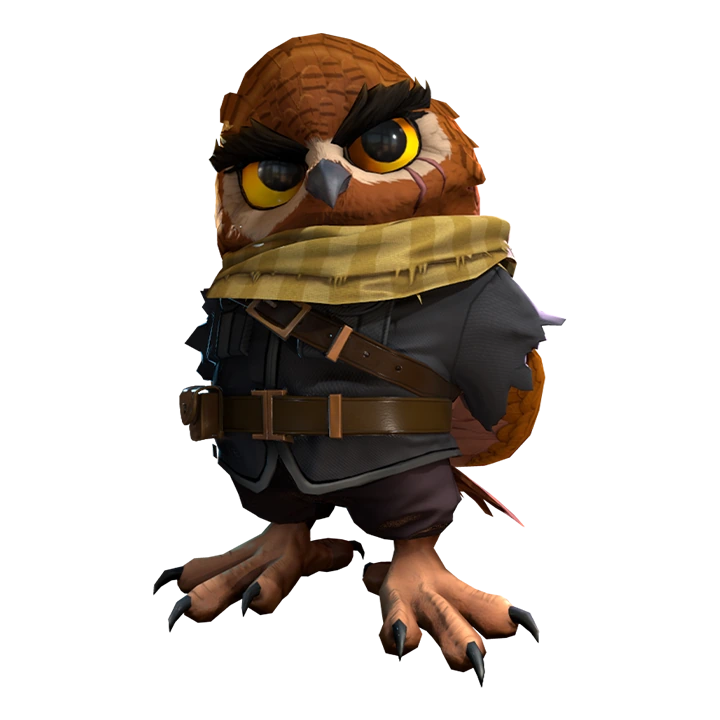

Watch: New Hoot Pet Ability Test & Detail (OB35). This clip is included so readers can see Hoot timing in motion; use the current in-game skill text above for final numbers.
Best Ways to Play Hoot in Battle Royale
- Scan before entering a compound, not after the first teammate is already inside.
- In late zones, use scan duration to decide which cover is still playable and which side is stacked.
- If the scan shows more enemies than expected, call a hold or rotate wide instead of forcing the fight.
Test Hoot with one stable character preset. If the skill never changes your route, heal timing or cover choice across several matches, another pet will fit the role better.
How Hoot Fits Clash Squad
In Clash Squad, Hoot works best with fast callouts. Use it before the first utility exchange, then decide whether the squad should break walls, fake a side, or punish a separated enemy.
| CS question | Practical answer |
|---|---|
| Does the pet affect the first fight? | Use it aggressively only if the trigger appears before or during the first trade. |
| Does the pet help the second fight? | Cooldown, wall, heal, and rescue pets often win value after the first exchange. |
| Should every CS player use it? | No. The pet should match your role: entry, support, anchor, utility, or rescue cover. |
Best Free Fire Character Pairings for Hoot
| Character pairing | Why it works with Hoot |
|---|---|
 KodaAurora Vision: Increases movement speed and discovers enemies behind cover, excluding those crouching or prone; effect is not shared with teammates. KodaAurora Vision: Increases movement speed and discovers enemies behind cover, excluding those crouching or prone; effect is not shared with teammates. | Koda reveals enemies behind cover for the user, and Hoot supports a broader scan-information playstyle. |
 CluTracing Steps: Locate positions of enemies who are not in prone or crouch position. CluTracing Steps: Locate positions of enemies who are not in prone or crouch position. | Clu's locating style benefits from a pet that makes scan windows easier for teammates to convert. |
 MocoEnigma's eye: Marks the enemy hit, exposes their location in the field of view, the minimap, and shares it with teammates for 4s. The enemy, if mo... MocoEnigma's eye: Marks the enemy hit, exposes their location in the field of view, the minimap, and shares it with teammates for 4s. The enemy, if mo... | Moco turns hits into shared tracking, so Hoot and Moco can chain scan information into target focus. |
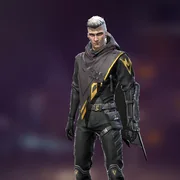 HomerSenses Shockwave: Releases an explosive drone that automatically targets enemies. HomerSenses Shockwave: Releases an explosive drone that automatically targets enemies. | Homer can punish the enemy your squad chooses after the scan confirms the safer entry. |
A useful Hoot test has a clear before-and-after result: less exposed rotation, a cleaner reset, earlier information or better resource control. If none appears, change the pet.
Weapons, Squad Role and Item Priorities for Hoot
Hoot belongs on the scout or shot caller. The pet has little value if nobody turns the scan into a route, split, delay, or push.
| Choice | How to use it with Hoot |
|---|---|
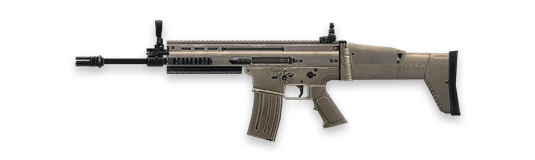 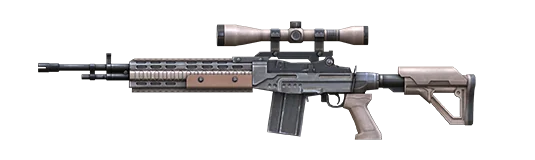 AR or marksman rifle AR or marksman rifle | Hold the scanned lane and punish enemies who rotate after being revealed. |
| Flashbang or grenade | Use utility on the side the scan confirms, not on random cover. |
| One spare Gloo Wall | Information is strongest when you can safely reposition after reading it. |
One Practice Drill for Hoot
Before entering a compound, force yourself to make a call from the scan: push, hold, rotate, or fake. If the squad cannot name the next action within two seconds, the scan was not converted. This drill turns Hoot from a minimap pet into a decision tool.
Squad Callouts That Make Hoot Useful
Pet value is easier to convert when the squad hears a short call at the right moment. Do not only say the pet name. Say what changed, where the danger is, and what the next action should be. For Hoot, these callouts keep Far-sighted connected to the fight instead of becoming background value.
| Callout | Use it when | Team response |
|---|---|---|
| Far-sighted window | Warehouse push | Scan first, mark the count, then send two players to the weaker side instead of rushing the main door. |
| Skip Hoot | Scanning after your entry player already committed. | Do not force the pet trigger; rotate, wall, heal, or wait for a cleaner fight. |
| Reset then fight | The pet has created value but the enemy can still trade | Reload, share the call, and move with at least one teammate instead of chasing alone. |
Hoot Match Plans You Can Actually Use
| Match situation | Best play |
|---|---|
| Warehouse push | Scan first, mark the count, then send two players to the weaker side instead of rushing the main door. |
| End-zone hill | Use the longer scan to choose whether to hold high ground or drop to safer cover. |
| Random squad | Use Hoot for your own rotation first if teammates ignore calls. |
How Hoot Compares With Similar Pets
| Alternative pet | When it may be better |
|---|---|
| Arvon | Arvon counts enemies in an area; Hoot improves scan range and duration. |
| Dreki | Dreki finds healing enemies after damage is dealt; Hoot helps before the push. |
| Sensei Tig | Sensei Tig reduces enemy mark duration, while Hoot helps your team create information. |
Common Hoot Mistakes
- Scanning after your entry player already committed.
- Treating Hoot like a damage pet.
- Calling only enemy count without saying what the team should do next.
Related Free Fire Guides
Free Fire Arvon Guide - Compare Hoot with Arvon for a nearby pet role.
Free Fire Dreki Guide - Compare Hoot with Dreki for a nearby pet role.
Free Fire Sensei Tig Guide - Compare Hoot with Sensei Tig for a nearby pet role.
Free Fire Pets Guide 2026 - Compare the full pet roster, roles, and upgrade priorities.
Free Fire Character Skills and Best Combos - Build character skills around the pet role you want to play.
Free Fire Hoot FAQ
Does Hoot deal damage?
No. Hoot is a scan and information pet.
Is Hoot good for solo queue?
It can help your own decisions, but its best value appears when teammates react to scan calls.
What kind of player should use Hoot?
Scouts, shot callers, and support players who watch the minimap get the most from it.
Does Hoot replace Moco or Clu?
No. It supports scan play, while character skills still decide how information is created and used.
Final Pick
Choose Hoot if Far-sighted solves a problem you see repeatedly in your Free Fire matches. Build the character combo around that problem, test it in the mode you actually play, and upgrade only after the pet feels useful without forcing awkward decisions. If the trigger feels rare, pick a more direct pet before spending resources.




Copyright © FUTURE OUTLOOK TECHNOLOGY LIMITED.Company Registration No.: 77374965 All rights reserved.UNIT 135,1/F.,143 WAI YIP STREET,KWUN TONG HK