
Zenless Zone Zero Codes: Active Rewards, Redemption Steps and Errors

Zenless Zone Zero redemption codes are easiest to use from the official HoYoverse redemption page: sign in, select the correct server and character, enter the code exactly, and claim the reward from in-game mail. As of October 30, 2026, three Version 3.3 community-distributed codes are still being reported as redeemable, while SUNBRINGER and the Version 3.3 livestream code have expired.
ZENLESSGIFT code if the account has never redeemed it. A successful website redemption sends the reward to in-game mail. An “expired,” “already used,” or “invalid” response is account-specific evidence; do not change letters or guess a replacement code.Zenless Zone Zero codes to try first
The table separates the currently reported Version 3.3 codes from the permanent-style starter code. HoYoverse's redemption page is the final authority because code status can change without notice and each code can be used only once per character.
| Code | Reported reward | Status on Oct. 30 | What to do |
|---|---|---|---|
LEVELUP33 | 20 Polychrome + 2,222 Denny | Reported active | Redeem before older Version 3.3 promo codes are retired. |
INKSHIFT33 | 20 Polychrome + 2,222 Denny | Reported active | Use the exact uppercase string. |
HOLLOWRUN33 | 20 Polychrome + 2,222 Denny | Reported active | Claim through the official page or in-game menu. |
ZENLESSGIFT | 50 Polychrome, 2 Official Investigator Logs, 3 W-Engine Power Supplies, 1 Bangboo Algorithm Module | Long-running, one use per account | Use it if this character has not claimed it before. |
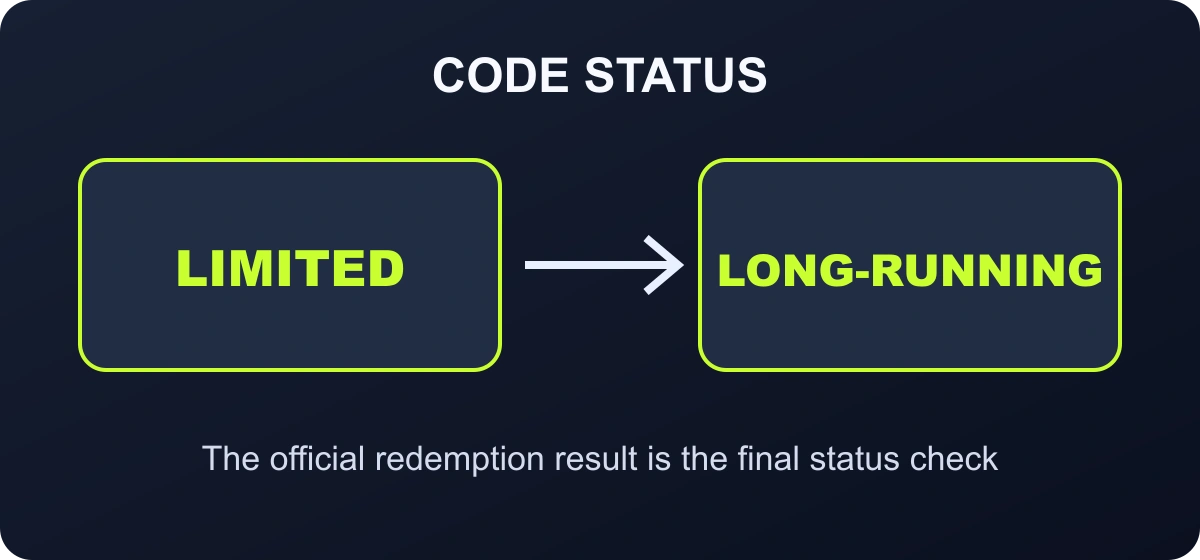
SUNBRINGER expired on October 29, 2026 at 23:59 (UTC+8). JRNY2SKY, the Version 3.3 Special Program code, expired on October 11, 2026 at 23:59:59 (UTC+8). Neither should remain in the active-code table.
Check the account and server before submitting a code
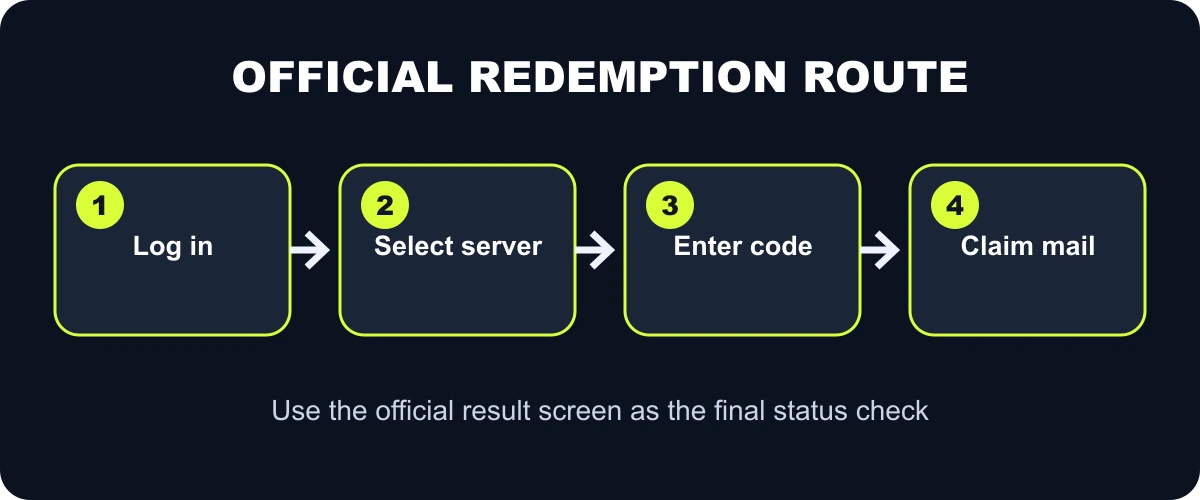
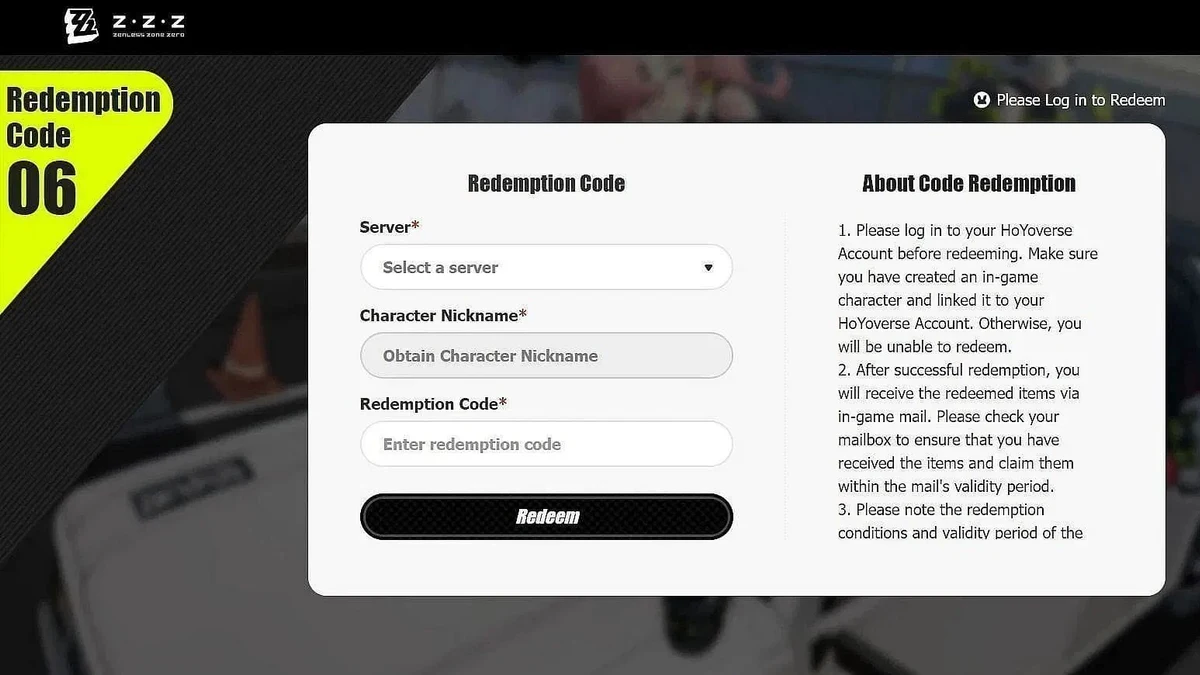
The official redemption flow asks you to log in, choose the server, select the character, enter the redemption code and confirm. Those selections matter because rewards are sent to the chosen character's in-game mail. A successful message on the website does not mean the reward will appear on a different server under the same account.
- Log in only through the official HoYoverse domain.
- Confirm the server and character name before entering the code.
- Copy the code without a trailing space or punctuation mark.
- After success, open Mail in the game and claim the reward before the mail expires.
Redeem ZZZ codes on the official website
- Open the official Zenless Zone Zero redemption page.
- Sign in with the HoYoverse account linked to the character.
- Select the correct server: America, Asia, Europe, or TW/HK/MO.
- Confirm that the displayed character nickname is the intended recipient.
- Paste one code exactly and select Redeem.
- Open in-game mail on that character and claim the reward before the mail expires.
Why the in-game Redemption Code option may be missing
The code feature is not visible on a completely new account. Finish the early tutorial until the account reaches Inter-Knot Level 5 and the redemption and Mail functions are available. Then open the main menu, choose More, and look for Redemption Code.
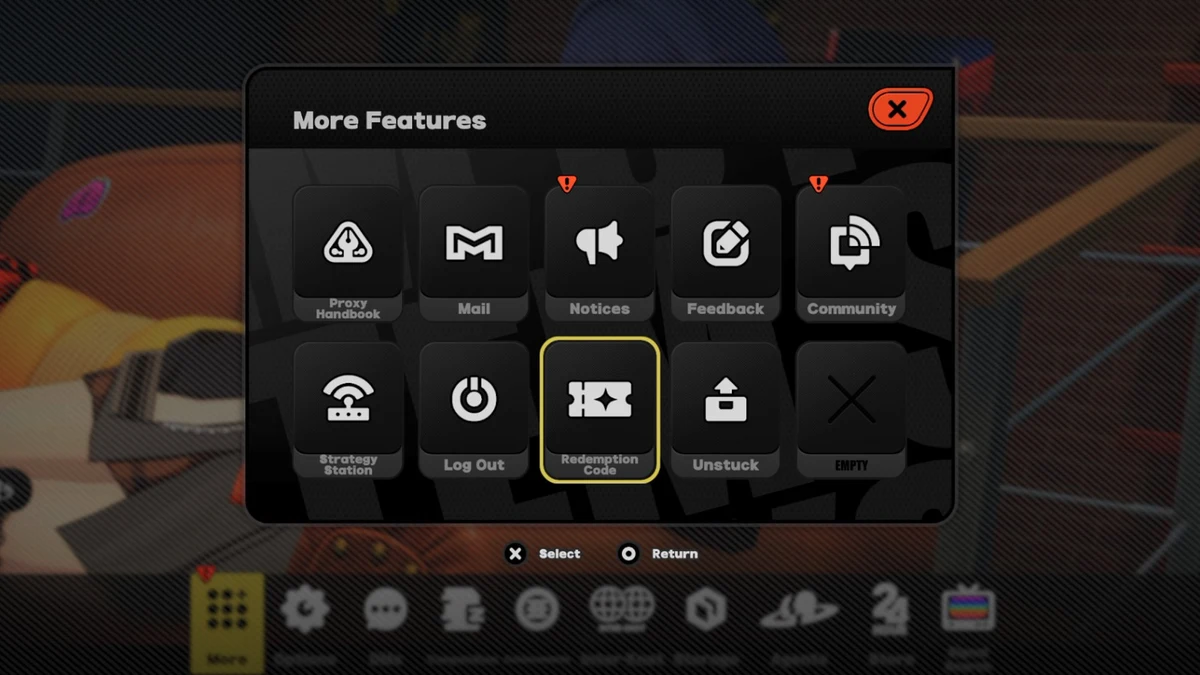
If the option still does not appear, confirm that the game client is updated and that you are looking under More rather than the Shop or Events page. Console and controller layouts can change the button prompts, but the destination remains the Redemption Code entry inside the main menu.
After a successful submission, the reward is delivered through in-game Mail. Open the correct server and character, claim the message before its validity period ends, and keep the success screen until the items are visible. Redeeming again will not duplicate a single-use code.
Redeem codes inside Zenless Zone Zero
The in-game route is useful when the web page has a login problem or you are already on the correct character. Open the main menu, go to More, choose Redemption Code, enter the string, and confirm. The exact menu location can change after interface updates, so use the in-game search or notices if the option moves.
New accounts must create an in-game character and link it to a HoYoverse account before the website can identify a recipient. Some community references also note a short early-game progression requirement before the in-game option appears. If the menu is missing, finish the opening tutorial and try the official web page.
What each error message means
| Message or symptom | Likely cause and next check |
|---|---|
| Invalid code | Check capitalization and spaces. If the exact code still fails, it may not apply to the selected server or may never have been valid. |
| Expired code | The deadline has passed. Do not try modified spellings or unofficial “replacement” strings. |
| Already redeemed | The selected character has used the one-time code. Check in-game mail history and do not expect a second reward. |
| No character found | The selected server is wrong, the character has not been created, or the account is not linked correctly. |
| Success but no reward visible | Open in-game mail on the same server and character, refresh once, and check the mail validity period. |
Separate confirmed, reported and expired code status
A useful rolling code page should not present every string as equally reliable. Confirmed means the code was tested successfully within the stated review window. Reported means an official or community source supplied the code but the current result still needs verification. Expired means the official page rejects it or an official deadline has passed.
Always let the official redemption result override a third-party list. Codes can be limited by time, server, account eligibility or previous use. When a code fails, record the exact message instead of repeatedly submitting it or signing in through an unofficial “code checker.”
How to judge whether a ZZZ code list is trustworthy
- It separates active, reported, expired, and unverified codes instead of showing one undated list.
- It links to the official HoYoverse redemption page rather than asking for account credentials.
- It gives an absolute expiry time and timezone for livestream codes when HoYoverse publishes one.
- It does not alter a failed code or invent a likely-looking string.
- It removes the previous Special Program code after expiry instead of keeping it under “working codes.”
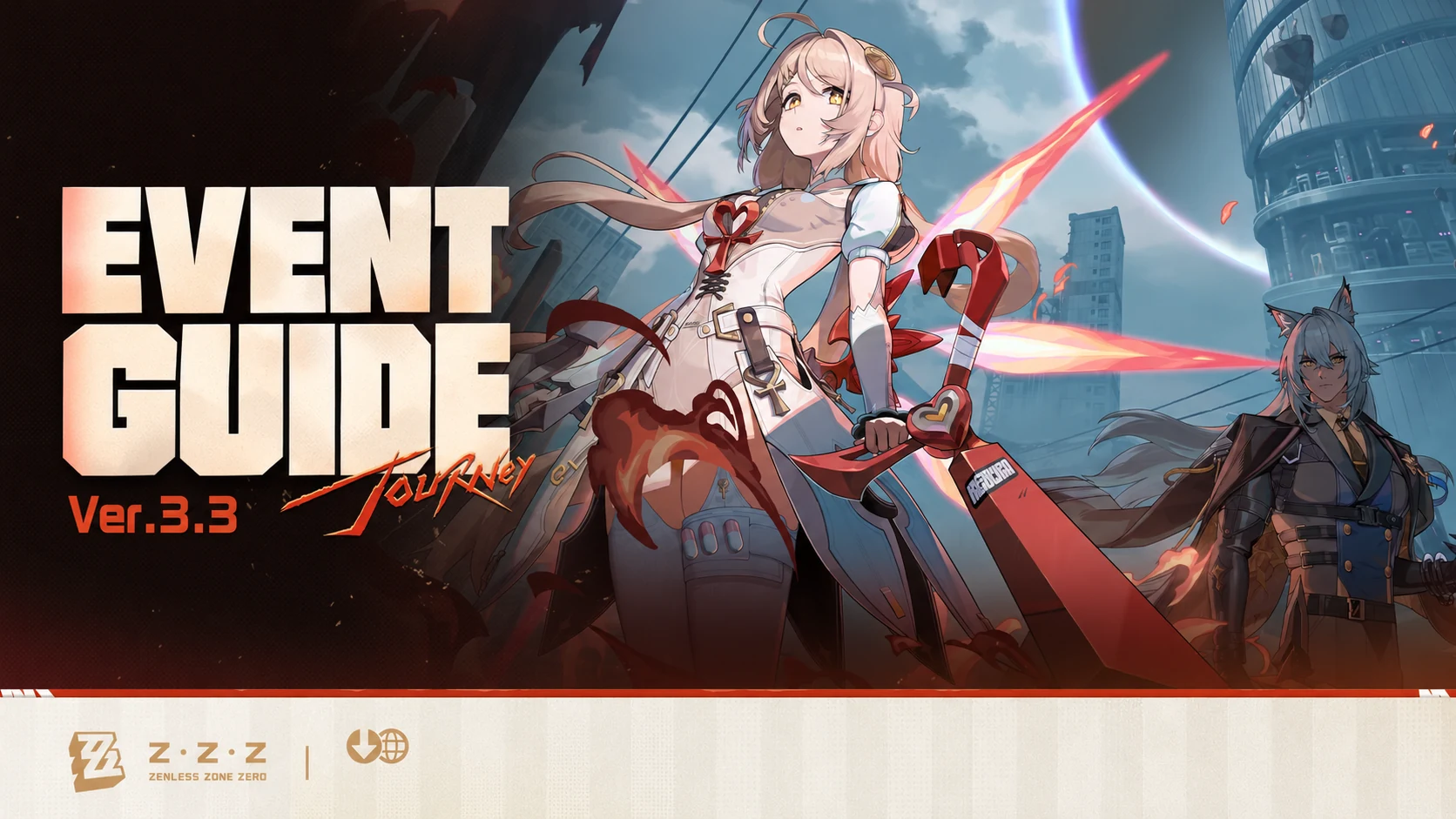
Version 3.3 launched on October 21 and is scheduled to run until December 2, 2026 at 06:00 (UTC+8). The Version 3.3 event guide can help prioritize the activities that remain after code rewards are claimed: ZZZ Version 3.3 event rewards and priorities.
Use free Polychrome before deciding what to pull
Code rewards are small compared with a full Signal Search plan, but they still belong in the account budget. Claim them first, then count Encrypted Master Tapes, Polychrome, pity, and guarantee before choosing a banner. Do not treat a 20- or 30-Polychrome code as a reason to start a banner you cannot finish.
Zenless Zone Zero code FAQ
Where do I redeem ZZZ codes?
Use the official HoYoverse redemption page or the in-game Menu → More → Redemption Code route.
Why does the website show no character?
Confirm the server, create a character on that server, and make sure it is linked to the HoYoverse account used to sign in.
Can I use the same code twice?
No. HoYoverse states that a redemption code is single-use for the same character.
Where do code rewards arrive?
After a successful redemption, the items are sent to in-game mail on the selected character.
Is JRNY2SKY still active?
No. The official Version 3.3 Intel Report set the expiry for October 11, 2026 at 23:59:59 (UTC+8).
Do ZZZ codes work on every server?
Select the correct character server on the official page. If a code has regional restrictions, the redemption result will reject it for the selected account.
Current code-check routine
Redeem limited Version 3.3 codes first, use ZENLESSGIFT if it is still unused, and archive any code that the official page marks expired. Recheck this rolling page when HoYoverse publishes a new event code, a new Special Program, or the next version update.




Copyright © FUTURE OUTLOOK TECHNOLOGY LIMITED.Company Registration No.: 77374965 All rights reserved.UNIT 135,1/F.,143 WAI YIP STREET,KWUN TONG HK