
Free Fire Mr.Waggor Guide: Smooth Gloo Wall Economy, Cover Routes and Combos

Mr.Waggor is a Gloo Wall economy pet. Smooth Gloo supports extra wall access, which is useful because Gloo Walls decide rotations, revives, trades, and late-zone survival. In current Free Fire wording, check your client for the exact BR and Clash Squad behavior, then treat Mr.Waggor as a cover-supply tool rather than a damage pet.
If you are deciding whether to unlock or upgrade Mr.Waggor, start with the trigger: When the player has less than 2 Gloo Wall grenade, Mr. Waggor can produce Gloo Wall grenade every 100 seconds. A pet is worth building only when that trigger appears in your real matches often enough to change a fight, a reset, or a rotation.
Use it when
Place the extra wall to block the shooter, then revive only when the second angle is covered.
Skip Mr.Waggor if
Using extra Gloo Walls without checking the enemy's second angle.
How Smooth Gloo Works in Real Matches
The practical question is simple: do you lose because you run out of walls? If yes, Mr.Waggor solves a real problem. If you already waste walls carelessly, more supply only delays the mistake.
Use the extra wall for the next decision, not for decoration. A good Mr.Waggor wall blocks a revive lane, creates a crossing step, or stops a trade angle.
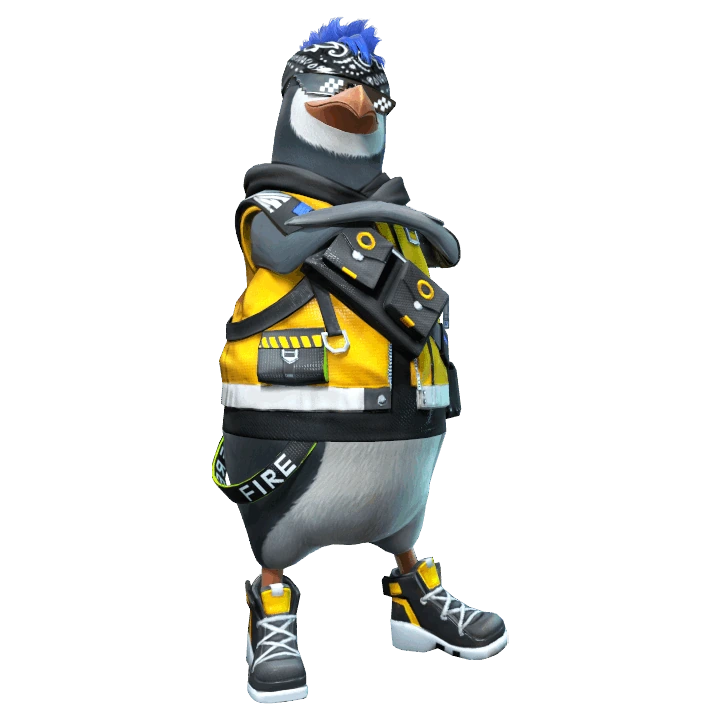

Watch: Gloo Wall Pet Free Fire - Mr Waggor Ability and Skills Test. This clip is included so readers can see Mr.Waggor timing in motion; use the current in-game skill text above for final numbers.
Best Ways to Play Mr.Waggor in Battle Royale
- In BR, Mr.Waggor helps edge players and support players save enough cover for late rotations.
- Use extra walls to move the squad, not only to protect yourself.
- If your backpack is full of walls but no Med Kits or grenades, balance your inventory before the final circle.
Treat Mr.Waggor as a tool for one phase of the fight. Define that phase before queueing, then review whether the pet created a safer or faster next move.
How Mr.Waggor Fits Clash Squad
Mr.Waggor is one of the most natural CS pets because wall economy is round economy. Strong teams use the extra wall to break timing, save a knocked teammate, or force a safer plant of pressure around cover.
| CS question | Practical answer |
|---|---|
| Does the pet affect the first fight? | Use it aggressively only if the trigger appears before or during the first trade. |
| Does the pet help the second fight? | Cooldown, wall, heal, and rescue pets often win value after the first exchange. |
| Should every CS player use it? | No. The pet should match your role: entry, support, anchor, utility, or rescue cover. |
Best Free Fire Character Pairings for Mr.Waggor
| Character pairing | Why it works with Mr.Waggor |
|---|---|
 SkylerRiptide Rhythm: Unleashes forward a sonic wave that deals great damage to Gloo Walls. SkylerRiptide Rhythm: Unleashes forward a sonic wave that deals great damage to Gloo Walls. | Skyler gets HP recovery from wall placement and pressures enemy walls, making wall economy valuable. |
 NairiIce Iron: Deployed Gloo Walls will automatically restore durability and provide HP-healing effects for nearby teammates. NairiIce Iron: Deployed Gloo Walls will automatically restore durability and provide HP-healing effects for nearby teammates. | Nairi supports Gloo Wall durability and healing near walls, fitting Mr.Waggor's cover identity. |
 LilaGloo Strike: Assault and Marksman Rifles can decelerate enemies. Extra Gloo Walls can be obtained. LilaGloo Strike: Assault and Marksman Rifles can decelerate enemies. Extra Gloo Walls can be obtained. | Lila can obtain extra Gloo Walls through her slow/freeze logic, creating a wall-heavy build. |
 ChronoTime Turner: Creates a damage-blocking force field. Unable to attack outside enemies from within the field. ChronoTime Turner: Creates a damage-blocking force field. Unable to attack outside enemies from within the field. | Chrono gives defensive structure when Gloo Walls alone cannot stop the angle. |
Test Mr.Waggor with one stable character preset. If the skill never changes your route, heal timing or cover choice across several matches, another pet will fit the role better.
Weapons, Squad Role and Item Priorities for Mr.Waggor
Mr.Waggor is for wall economy players. Use it on the teammate who thinks about squad cover, not only personal protection.
| Choice | How to use it with Mr.Waggor |
|---|---|
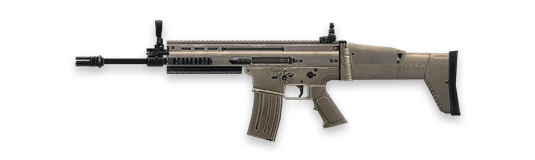 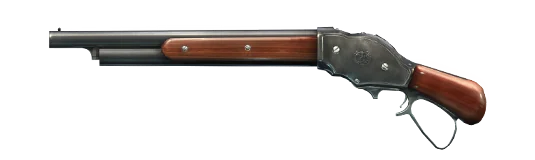 AR + shotgun AR + shotgun | Use walls to create the distance where both weapons can work. |
| Gloo Wall priority | Save extra walls for rotation, revive, and final cover instead of random peeks. |
| Utility balance | Do not fill the whole backpack with walls if the squad also needs grenades and healing. |
One Practice Drill for Mr.Waggor
Review each wall you place and label it: cross, revive, heal, trade, or panic. Mr.Waggor gets much stronger when most walls have a job. If half your walls are panic walls, practice placement before upgrading the pet further.
Squad Callouts That Make Mr.Waggor Useful
Pet value is easier to convert when the squad hears a short call at the right moment. Do not only say the pet name. Say what changed, where the danger is, and what the next action should be. For Mr.Waggor, these callouts keep Smooth Gloo connected to the fight instead of becoming background value.
| Callout | Use it when | Team response |
|---|---|---|
| Smooth Gloo window | CS revive lane | Place the extra wall to block the shooter, then revive only when the second angle is covered. |
| Skip Mr.Waggor | Using extra Gloo Walls without checking the enemy's second angle. | Do not force the pet trigger; rotate, wall, heal, or wait for a cleaner fight. |
| Reset then fight | The pet has created value but the enemy can still trade | Reload, share the call, and move with at least one teammate instead of chasing alone. |
Mr.Waggor Match Plans You Can Actually Use
| Match situation | Best play |
|---|---|
| CS revive lane | Place the extra wall to block the shooter, then revive only when the second angle is covered. |
| Late BR cross | Use walls in steps: one for the start, one for the stop, one for the next fight. |
| Enemy Skyler pressure | Do not stack walls in one line. Stagger them so one break does not expose the whole squad. |
How Mr.Waggor Compares With Similar Pets
| Alternative pet | When it may be better |
|---|---|
| Robo | Robo strengthens walls; Mr.Waggor helps supply them. |
| Beaston | Beaston throws walls farther; Mr.Waggor helps you have walls available. |
| Night Panther | Night Panther helps carry supplies, while Mr.Waggor directly supports wall economy. |
Common Mr.Waggor Mistakes
- Using extra Gloo Walls without checking the enemy's second angle.
- Holding too many walls and forgetting healing or grenades.
- Expecting Mr.Waggor to fix poor wall placement.
Related Free Fire Guides
Free Fire Mr.Waggor FAQ
Final Pick
Choose Mr.Waggor if Smooth Gloo solves a problem you see repeatedly in your Free Fire matches. Build the character combo around that problem, test it in the mode you actually play, and upgrade only after the pet feels useful without forcing awkward decisions. If the trigger feels rare, pick a more direct pet before spending resources.



Copyright © FUTURE OUTLOOK TECHNOLOGY LIMITED.Company Registration No.: 77374965 All rights reserved.UNIT 135,1/F.,143 WAI YIP STREET,KWUN TONG HK