

Quick answer: The shelter is a bottleneck-management loop. Name the next useful building, research or combat milestone; identify the exact resource, prerequisite, worker condition or queue stopping it; then improve only that limiting link. Assign survivors according to the job and production skills shown on your current account, keep health and happiness from reducing productivity, collect before output sits idle, and reserve enough materials for the next prerequisite. Recheck the bottleneck after every major upgrade instead of leveling the entire shelter evenly.
Dark War: Survival gives the shelter several jobs at once: it houses survivors, produces materials, supports construction, funds research and prepares the account for exploration and combat. That is why a shelter can look busy while progress still feels slow. More taps do not automatically create more useful output.
This guide focuses on the operating decisions behind shelter growth. Exact costs, building levels, worker skills and research nodes can change with account progress, server age and updates, so read the live requirement before copying any route.
What the Dark War Survival shelter actually controls
The official store description connects specialized survivor jobs with health, happiness and productivity. It also connects shelter construction with gathering, exploration, training, equipment and research. In practical terms, the shelter is the account's conversion system: workers and tools turn time into resources; resources start buildings and research; those upgrades open stronger production and field options.
Assigned survivors, their relevant skills and their current condition.
Buildings, furniture or tools that generate the resource you need.
Queues, collection windows and any live limit that can leave output idle.
The next building, research, training or recovery cost competing for the same stockpile.
Optimize these parts as one system. A faster building queue is less valuable when it immediately waits for materials. More output is less valuable when it is not collected or is spent on unrelated upgrades. A strong shelter keeps the next useful action supplied.
Diagnose the bottleneck before upgrading anything
Open the next milestone you actually want and read its unmet requirement. Do not begin with the building that has the brightest notification. Begin with what is preventing the next useful unlock.
| What you see | Likely bottleneck | First check | Targeted response |
|---|---|---|---|
| A required resource stays near zero | Production, collection or spending imbalance | Assigned worker, relevant tool, unclaimed output and recent spending | Strengthen that resource chain and stop unrelated consumption until the requirement is met. |
| The resource exists but the upgrade is locked | Prerequisite building or account progression | The exact live requirement shown on the upgrade panel | Follow the shortest current prerequisite chain instead of leveling every structure. |
| Construction is always waiting | Materials or queue timing | Whether the builder is idle, blocked by prerequisites or starved of stock | Start a suitable longer task before a break and use active time to refill the next cost. |
| Production feels weaker than expected | Worker fit, condition, tool or collection | Station assignment, production skill, health, happiness and output status | Fix the weakest confirmed link before spending premium currency. |
| Shelter grows but combat progress stops | Resources are overcommitted to buildings | Main-team levels, equipment, research and the current objective | Pause optional shelter spending long enough to restore the required combat system. |
| Resources disappear without a milestone | Too many parallel upgrades | The last several purchases and notification-driven taps | Choose one milestone and protect its materials until it starts. |
Useful test: if you cannot name the resource or prerequisite that the next upgrade needs, you are not ready to spend on a side system.
How to assign survivor jobs without guessing
Use the worker and station information on your current account. A survivor who has a production skill for one resource is more useful when that skill supports the matching station than when the same survivor is placed only because the slot is empty. Compare the worker's visible production skill, the station's output and the resource blocking your next milestone.
- Open the station that produces the limiting resource.
- Check the assigned survivor and any job or production bonus shown in the live interface.
- Compare available workers before improving their production skill.
- Change one assignment at a time, then verify that the intended station and output changed.
- Keep a simple note of which survivor belongs to which resource chain so later reassignments do not erase the setup.
This is a real player pain point, not just a theoretical one. A July 2026 App Store reviewer described repeatedly unassigning and reassigning workers to align station placement with role-specific buffs. Treat that review as a warning to verify the result after every move, not as proof that every version handles assignments identically.
Do not upgrade a production skill first and find its station later. Confirm the role, the station and the resource need before using scarce skill materials.
Keep health and happiness inside the production plan
The official listing explicitly says health and happiness affect survivor productivity. That makes condition a production variable. When output drops, the correct response is not automatically another building upgrade. Check whether the assigned worker is in a condition to deliver the expected benefit.
A practical routine is to review worker condition at login, before a long offline period and after changing assignments. If a worker's condition is poor, follow the recovery or shelter-management options presented by the live game and avoid building a plan that depends on one exhausted survivor. Keep alternative workers available when possible.
Health and happiness also prevent misleading comparisons. If two stations are observed under different worker conditions, the output difference may not come from the tool or building alone. Compare like with like before deciding where the next materials go.
Upgrade production tools toward one named resource
The official Hunter's Hut image shows how a production decision should be read: the screen identifies a building, a tool, a production result, a time value and an upgrade cost. Use the current version of those fields to decide whether the upgrade solves today's shortage.
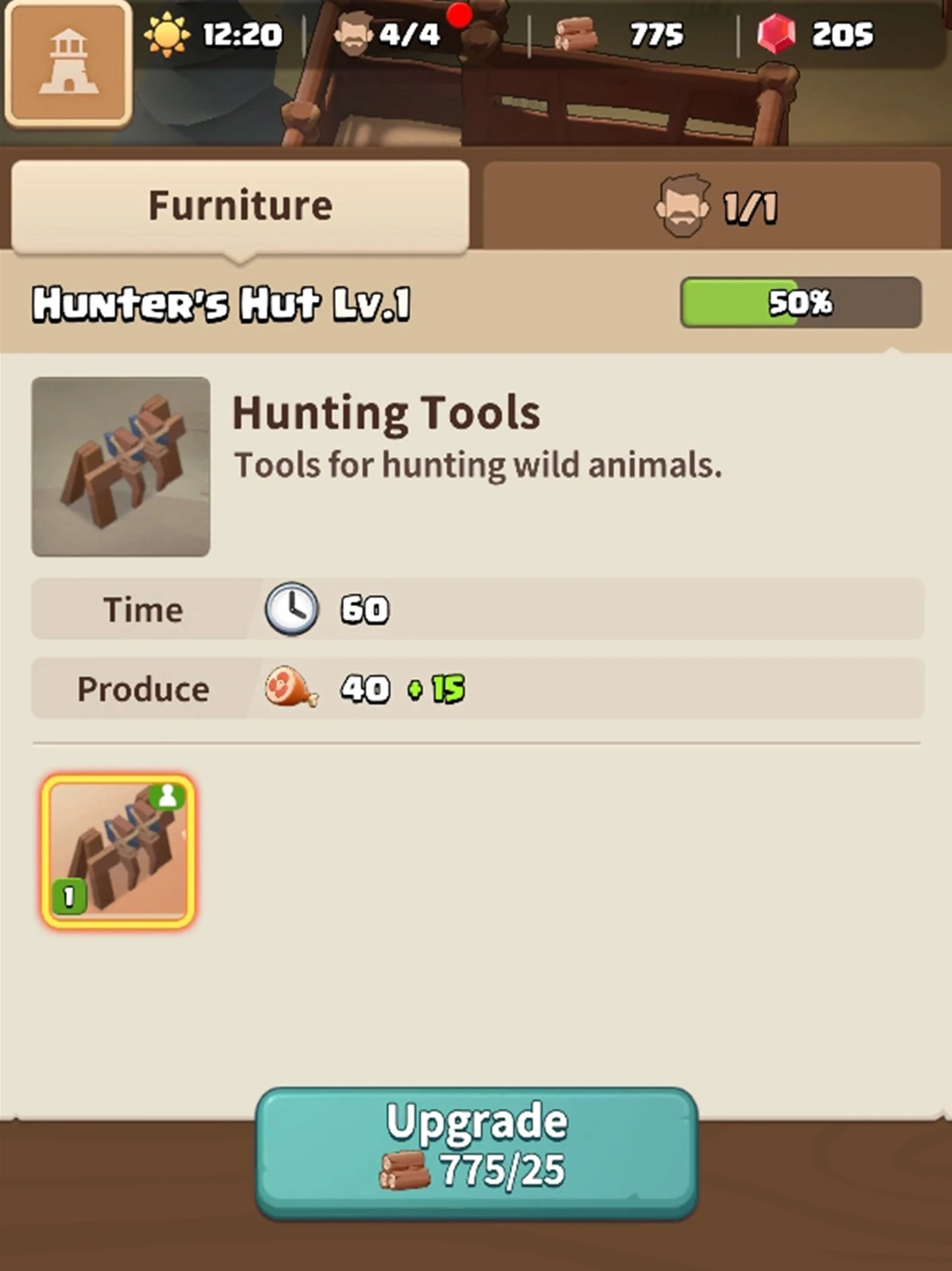
Do not level every tool equally. If the next useful build lacks one material, direct workers, tools and routine collection toward that material until the bottleneck moves. Once another resource becomes limiting, reassess. The best production priority is therefore dynamic, not a permanent list copied from another account.
Balance production, prerequisites and resource reserves
A large stockpile is not automatically healthy if it cannot start the next action. Divide resources mentally into three groups:
- Committed: materials already reserved for the next named building or research requirement.
- Operating: materials needed for routine training, recovery, exploration and other account functions.
- Flexible: the remaining amount available for an optional improvement or an unexpected requirement.
This prevents a production upgrade from consuming the very materials it was meant to help accumulate. It also makes prerequisite chains easier to follow: when the next core building requires a supporting structure, the committed pool changes deliberately instead of being scattered across every available arrow.
Recheck after each milestone. Starting a major build can change both demand and idle time. The next best action may be a production tool, a prerequisite, research or a combat investment.
Use the Survival Plan to schedule active and offline tasks
The official Survival Plan image separates Daytime, Nighttime and Late Night states. The useful lesson is not to memorize one old timetable. It is to check the current in-game schedule and place actions around the periods the interface shows now.
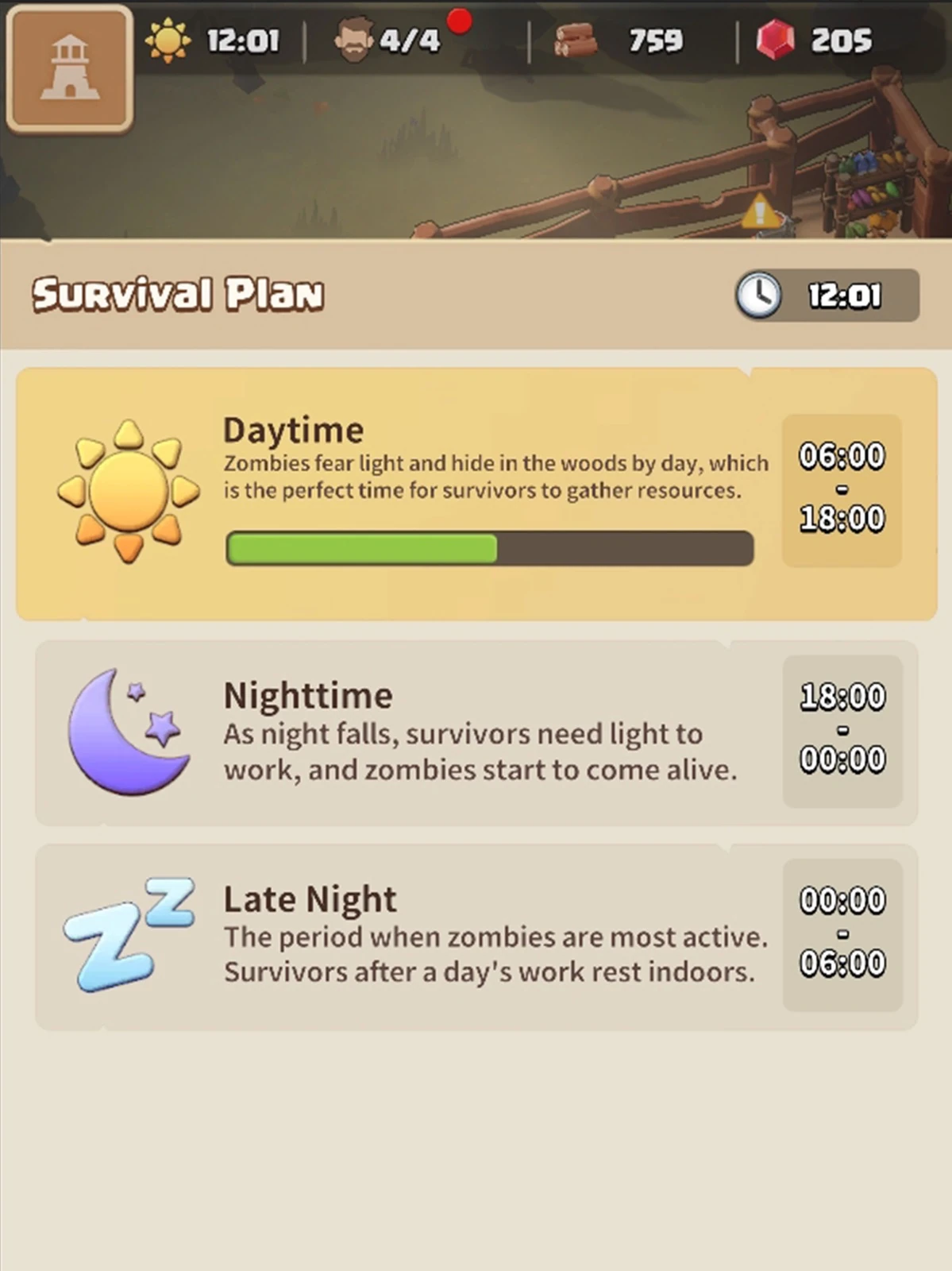
Use active sessions for decisions that need comparison: worker changes, prerequisite checks, research selection and resource claims. Before a longer break, start a suitable construction or research task and make sure the production chain you need is running. On return, collect, verify the result and identify the next bottleneck rather than immediately spending everything received.
How to choose shelter research
Research competes with buildings for time and resources, so choose it by the obstacle it removes. If construction time is the problem and materials are ready, a building-speed node can support the plan. If the account is starved of a resource, economy or shelter-production research may matter more. If field gathering or combat progression is the real blocker, a different tree can be more valuable than another internal-production increase.
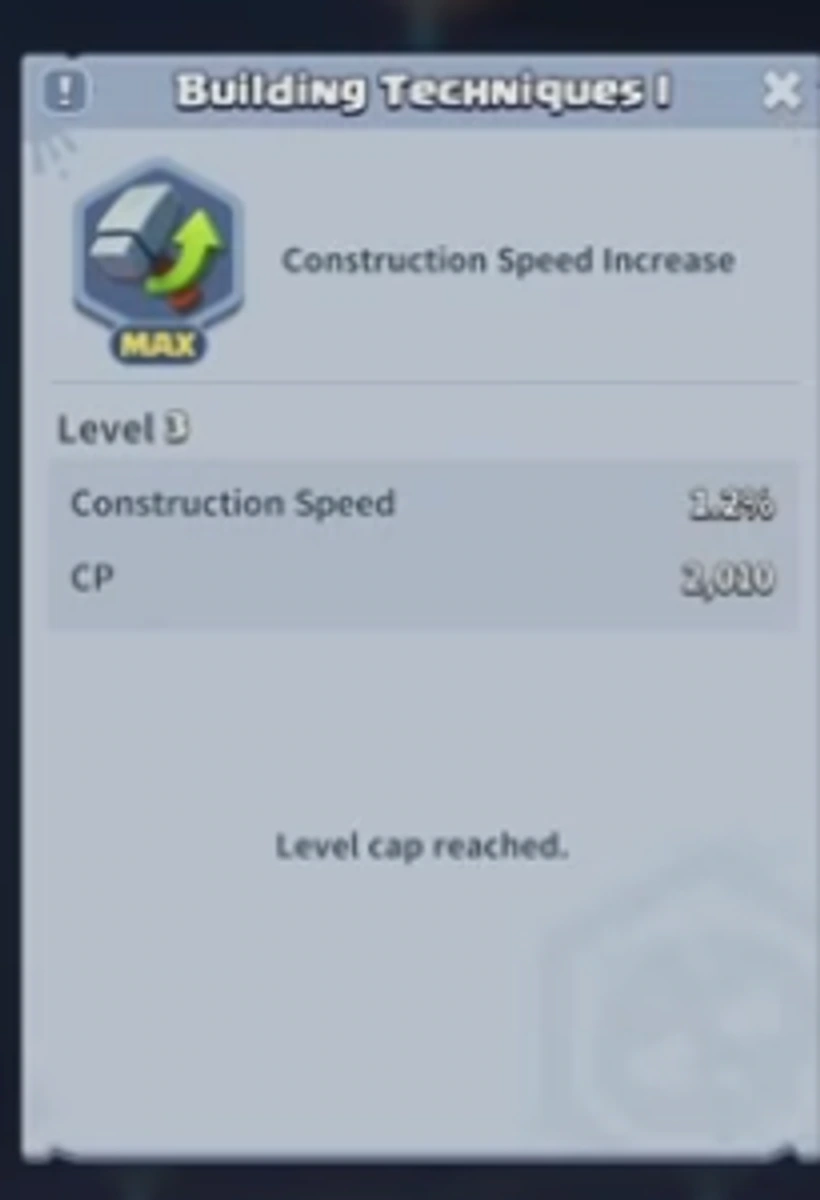
The same creator's guide distinguishes building techniques from economy, gathering and shelter-production choices. That is useful as a decision framework, but not as a universal order. Server age, unlocked trees and account goals can make the next useful node different.
When to pause shelter upgrades
Shelter growth is only useful when it supports the account's next objective. Pause optional building or furniture upgrades when they would prevent a required research task, leave the main team unable to clear progression, or consume the recovery reserve needed for routine play.
| Current objective | Favor shelter investment when… | Favor another system when… | Decision checkpoint |
|---|---|---|---|
| Next core unlock | A named prerequisite or resource chain is blocking it. | The prerequisite is already in progress and extra spending will not shorten the path. | You can state the exact next requirement. |
| Research progress | Production cannot supply the chosen technology. | The materials are ready and the research queue, node or prerequisite is the blocker. | The selected node solves a current problem. |
| Exploration or campaign | A shelter unlock directly enables the needed system. | The main team lacks levels, equipment, research or role coverage. | You know why the last attempt failed. |
| Routine training or recovery | One production chain cannot sustain normal use. | A temporary shortage can be solved by collection, tasks or a short wait. | The reserve remains intact after the next action. |
| Event or ranking | The shelter action also advances a durable account goal. | The spend exists only to chase a reward the account cannot sustain. | The event value is clear before resources leave. |
A practical shelter routine for every session
Check workers, condition, queues, production and the next milestone.
Claim output, then compare the new stockpile with the committed requirement.
Change a worker, tool, prerequisite or research choice that addresses the confirmed bottleneck.
Leave enough for routine training, recovery and the next required step.
Use active time for decisions and offline time for a suitable longer task.
Confirm the assignment, output or unlock changed as expected.
This routine is intentionally short. It makes each session produce an observable result and reduces the chance that notification dots decide the account's economy.
Common shelter mistakes that slow progress
- Upgrading everything evenly. It spreads materials across structures that do not serve the next milestone.
- Ignoring worker fit. A filled station is not necessarily an optimized station.
- Comparing output while condition changes. Health and happiness can make the tool look stronger or weaker than it is.
- Buying speed before securing materials. A faster empty queue still waits.
- Copying an exact old building order. Live prerequisites and account states can differ.
- Using all resources on shelter power. Research, the main team, training and recovery still need operating stock.
- Failing to verify a reassignment. Check the destination station and actual output after every worker change.
Use ManaBuy after the account need is clear
If you decide to purchase a supported Dark War Survival pack, define the result first: the target account, current UID, exact live pack and the shelter or progression bottleneck it is meant to solve. ManaBuy keeps the supported options, required account fields, checkout, order record and support path connected in one workflow.
Open the live product page to check the currently supported Dark War Survival options and required account information. For UID, Dawn Badge exchange and VIP-point details, use the dedicated top-up guide before paying.
Check Dark War Survival top-upDo not treat a broad pack as a substitute for diagnosis. If the problem is a wrong worker, an unclaimed output, a missing prerequisite or the wrong research tree, spending does not correct the decision.
Related Dark War Survival guides
- Use the Dark War Survival beginner guide for the broader first-week loop, team planning, exploration and alliance basics.
- Use the Dark War Survival Dawn Badges guide for UID checks, pack exchange and VIP-point timing.
- Browse the Dark War Survival Hub for the maintained guide cluster.
Dark War Survival shelter FAQ
What should I upgrade first in the Dark War Survival shelter?
Upgrade the shortest live prerequisite or production link that blocks your next useful milestone. There is no permanent order for every account because resources, unlocks, server progress and current goals differ.
How do I choose survivor jobs?
Match the worker's visible job or production skill with the relevant station and the resource you currently need. Change one assignment at a time and verify the station and output afterward.
Do health and happiness affect production?
Yes. The official App Store description tells leaders to monitor both because they affect survivor productivity. Check condition before assuming a building or tool is underperforming.
Should I upgrade every production tool evenly?
No. Prioritize the tool connected to the resource blocking the next named building, research or routine need. Reassess when the bottleneck changes.
Is building-speed research always the best first choice?
No. It helps when construction time is the real limiter and materials are available. Resource production, gathering, combat or another prerequisite may be more valuable when the queue is waiting for something else.
When should I stop investing in the shelter?
Pause optional shelter spending when it prevents required research, leaves the main team unable to progress, or consumes the reserve needed for training and recovery. Resume when the shelter becomes the confirmed limiter again.
Sources
Building requirements, worker skills, research effects, schedules and pack availability can change. Use the current in-game interface and live order page for the final decision.