
To get a free Raid Pass in Pokémon GO, spin the Photo Disc at a Gym when you are not already holding one. Premium Battle Passes and Remote Raid Passes come from the Shop, selected bundles or research rewards. The free pass works only for an in-person raid; Premium adds extra local entries and can unlock the premium GO Battle League reward track; Remote is required for an eligible raid joined from a distance or friend invitation.
The costly mistakes come from treating those passes as interchangeable. A Premium Pass cannot replace a Remote Pass, the daily free pass cannot be stockpiled, and the Remote Pass acquisition rule is not the same as the remote-raid daily limit. This guide separates those rules and shows which pass to use before you spend PokéCoins.
Quick answer: Use the free Raid Pass first whenever you can reach the Gym. Use a Premium Battle Pass only when you want another in-person raid or the premium GO Battle League track. Use a Remote Raid Pass only when distance or an invitation makes local entry impossible. Entering the lobby does not consume the pass; the pass is used when the battle starts.
What are the three Raid Pass types in Pokémon GO?
The pass you need is determined by where you are joining, not by the boss tier. A one-star raid and a five-star raid use the same local pass logic. The raid screen shows whether remote participation is available; some special battles or event formats can restrict it.
How to get a free Raid Pass in Pokémon GO
Spin the Photo Disc at a Gym to receive the daily Raid Pass when you do not already hold one. It is orange, works only for an in-person raid and cannot be purchased or stacked. If a local raid is available, the game uses this free pass before a Premium Battle Pass.
You can carry an unused free pass into the next day, but you still hold only one. The useful sequence is to spend yesterday's pass, spin a Gym after that raid, then receive today's pass. This gives two local entries on the same day without turning the daily pass into a stockpile.
What does a Premium Battle Pass do?
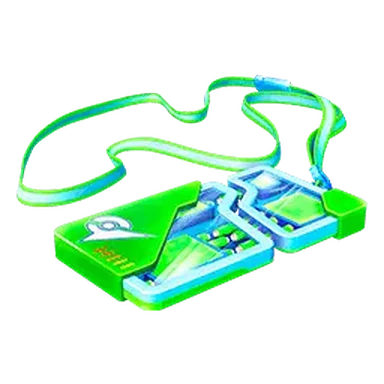
A Premium Battle Pass is the green pass used for another in-person raid after the free entry is gone. Multiple Premium Passes can stay in the Item Bag, so bundles suit players planning several local raids. The same item can also unlock the premium reward track for one GO Battle League set; it does not guarantee wins or the rewards at the far end of that track.
It cannot be converted into remote entry. If a friend invites you to a Gym you cannot reach, holding Premium Passes does not remove the need for a Remote Raid Pass.
How to get Remote Raid Passes in Pokémon GO
Remote Raid Passes are sold in the in-game Shop and may also appear in selected bundles, event rewards or Research Breakthrough rewards. Their availability is not identical to the daily free pass, so check the live Shop and reward screen rather than assuming a recurring free source.
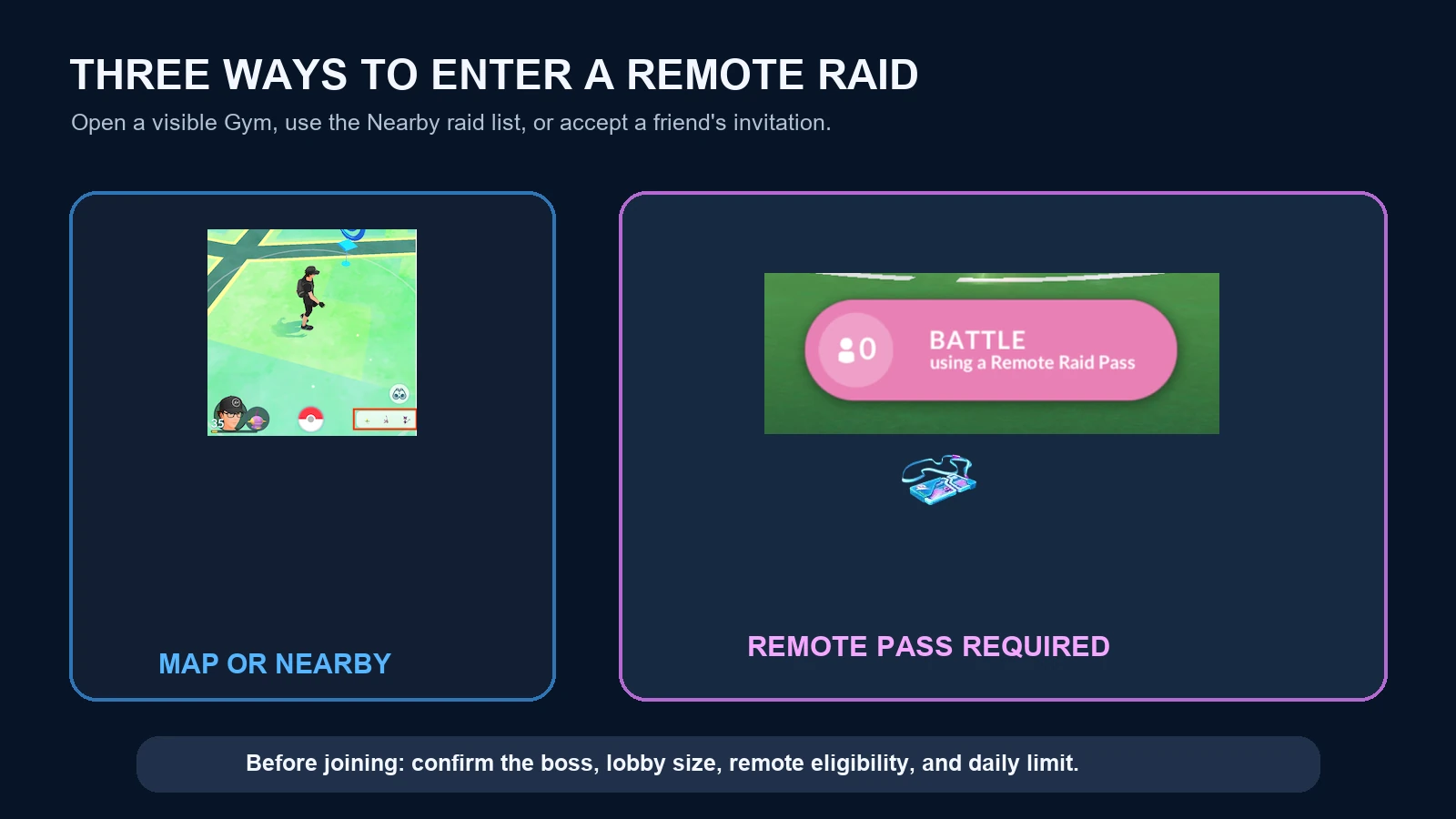
Open the raid, confirm the boss and remaining timer, then tap the pink remote battle button. A friend invitation opens the same type of remote lobby. The invitation is not the pass: you still need a Remote Raid Pass in the Item Bag, and a full lobby or expired invitation can prevent entry.
Remote Pass inventory rule: three is the gate, not always the final count
The game normally stops you from acquiring more Remote Raid Passes when you already hold three or more. That wording matters. If you hold two and acquire a three-pack, the result can be five. Once the balance is three or higher, another normal acquisition is blocked until passes are used. If a Research Breakthrough would award one while you already hold three or more, a Premium Battle Pass may be substituted.
Remote raid participation limits
The normal allowance is up to 10 remote raids per day and up to five remote Trainers in one lobby. Those values can be raised for events. The game's live counter and raid lobby are authoritative because special event settings can override the normal rule.
Remote Trainers can also deal less damage than in-person Trainers. For difficult bosses, do not judge the group only by the headcount: check party quality, friendship bonuses, weather boosts and how many players are actually remote.
When is a Raid Pass consumed?
A Raid Pass is consumed when the battle starts. Opening the raid screen, entering the lobby and leaving before the countdown finishes do not use it. This gives you time to check the lobby, switch to a prepared team and leave if the group is too small.
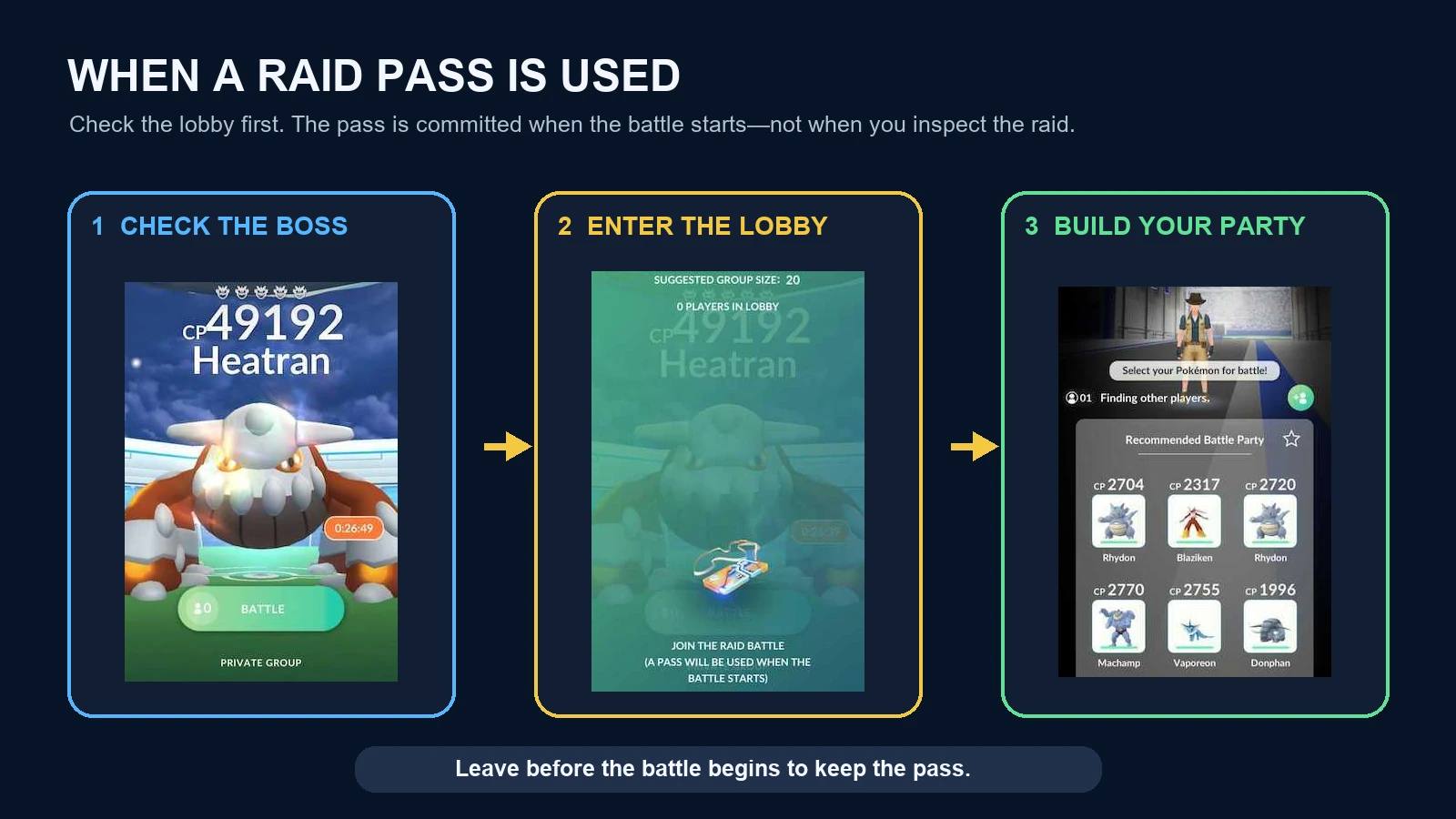
After the battle begins, losing, quitting or disconnecting does not restore the pass. You can normally re-enter the same active raid and try again without spending another pass, provided the raid has not expired. A different Gym, a different raid after the boss changes, or an expired raid requires a new entry.
Do not start close to expiry: a pass may still be accepted while little raid time remains, but a failed attempt can lose its free retry window when the raid disappears. Leave enough time for a second lobby and battle.
Which Raid Pass should you use?
How much do Raid Passes cost in Pokémon GO?
A Premium Battle Pass has a standard single-pass reference price of 100 PokéCoins, with bundles sometimes reducing the per-pass cost. A Remote Raid Pass has a higher reference price, commonly 195 PokéCoins for one or 525 for three. Offers and regional Shop presentation can change, so calculate from the price displayed on your own account before buying.
The Pokémon GO PokéCoins guide explains free Gym income and paid coin planning. If passes are competing with permanent space, use the Pokémon GO max storage guide to decide whether the repeated blocker is raid access or account capacity.
What to check before using a Remote Raid Pass
Remote passes cost more than local entries, so the lobby check matters. Do not wait until the battle starts to discover that the raid is ending, the group is too small or your strongest counters need reviving.
Do Remote Raid Passes work for Max Battles?
Eligible Max Battles can support remote participation, but the Remote Raid Pass does not replace Max Particles. You need the remote entry item and the required particles. The Power Spot screen indicates eligibility and cost before the battle.
If the remote Max Battle attempt fails, you can retry the same active battle at the same Power Spot without another Remote Raid Pass. Leaving that Power Spot or returning after the boss changes removes that direct retry path.
Common Raid Pass mistakes
Pokémon GO Raid Pass FAQ
Can you get more than one free Raid Pass per day?
You normally receive one free pass per day and hold only one. Using a pass carried from the previous day before collecting today's pass can produce two local entries on the same day, but it does not create two new daily passes.
Can you hold more than three Remote Raid Passes?
Yes. If the balance is two, acquiring a three-pack can leave five. The normal restriction prevents another acquisition once the balance is already three or higher.
Do you lose a Raid Pass if you leave the lobby?
Not if you leave before the battle starts. Once combat begins, the pass is consumed even if you quit, lose or disconnect.
Can you retry a failed raid without another pass?
Yes, when you re-enter the same raid while it is still active. If the raid expires or the boss changes, another pass is required.
Can a Premium Battle Pass be used remotely?
No. It provides another in-person raid entry or unlocks a premium GO Battle League reward track. Remote entry requires a Remote Raid Pass.
How many remote raids can you do in one day?
The normal daily allowance is 10. Events can raise it, so use the live counter in the game when an event changes remote participation.
Use the cheapest pass that fits the raid
Start local raids with the daily free pass, spend Premium Passes only on extra in-person entries or a deliberate GO Battle League choice, and reserve Remote Passes for raids you cannot reach. Before the countdown ends, verify the boss, lobby strength and remaining raid time. That small check protects the pass better than any bundle discount.
Visit the ManaBuy Pokémon GO hub for more currency, storage and account-planning guides.
Sources: Pass types, daily free-pass behavior, lobby entry and remote participation rules use the official Pokémon GO Help Center guidance for Raid Battles and remote battles. Pass-consumption troubleshooting follows the official Raid Pass issue guide. Reference Shop values and item behavior were cross-checked against the Pokémon GO Hub item database; the live in-game Shop and raid screen remain final.