
Marvel Rivals Crosshair Codes & Best Reticle Settings

A good Marvel Rivals crosshair should disappear while you track a target and become obvious the instant you need to correct your aim. That means there is no universal “pro” reticle for every hero. Hitscan heroes usually benefit from a small dot or tight cross, projectile heroes need a little more visual space for lead, and melee or area-damage heroes often play better with a larger circle that keeps nearby targets readable. This guide gives you three practical starting codes, explains the current PC import path, and shows console players how to recreate the same shapes manually. It also includes a short testing routine so you can tune a reticle around your own monitor, hero pool, and visual needs instead of copying a code blindly.
Best Marvel Rivals crosshair codes to try
These are useful baseline presets collected from maintained community guides. Import behavior or individual values can change after patches, so keep the manual shape descriptions below as a fallback.
Balanced visibility for tracking and quick head-level corrections.
Clear horizontal and vertical reference for precise shots.
Easy to see during fast movement, melee pressure, and splash attacks.
1. Circle and dot code
This is the safest first preset for general play. The dot gives you a precise center while the circle stays visible when effects fill the screen.
2. Large circle code
Use this when a tiny center mark gets lost during dives, close-range fights, or heavy ability effects. It is easier to reacquire, but it covers more of the target.
3. Aerial splash code
This open reticle keeps the center readable while you aim abilities at floors, walls, or groups from above. Treat it as a visibility tool rather than a prediction of exact blast radius.
How to import a crosshair code on PC
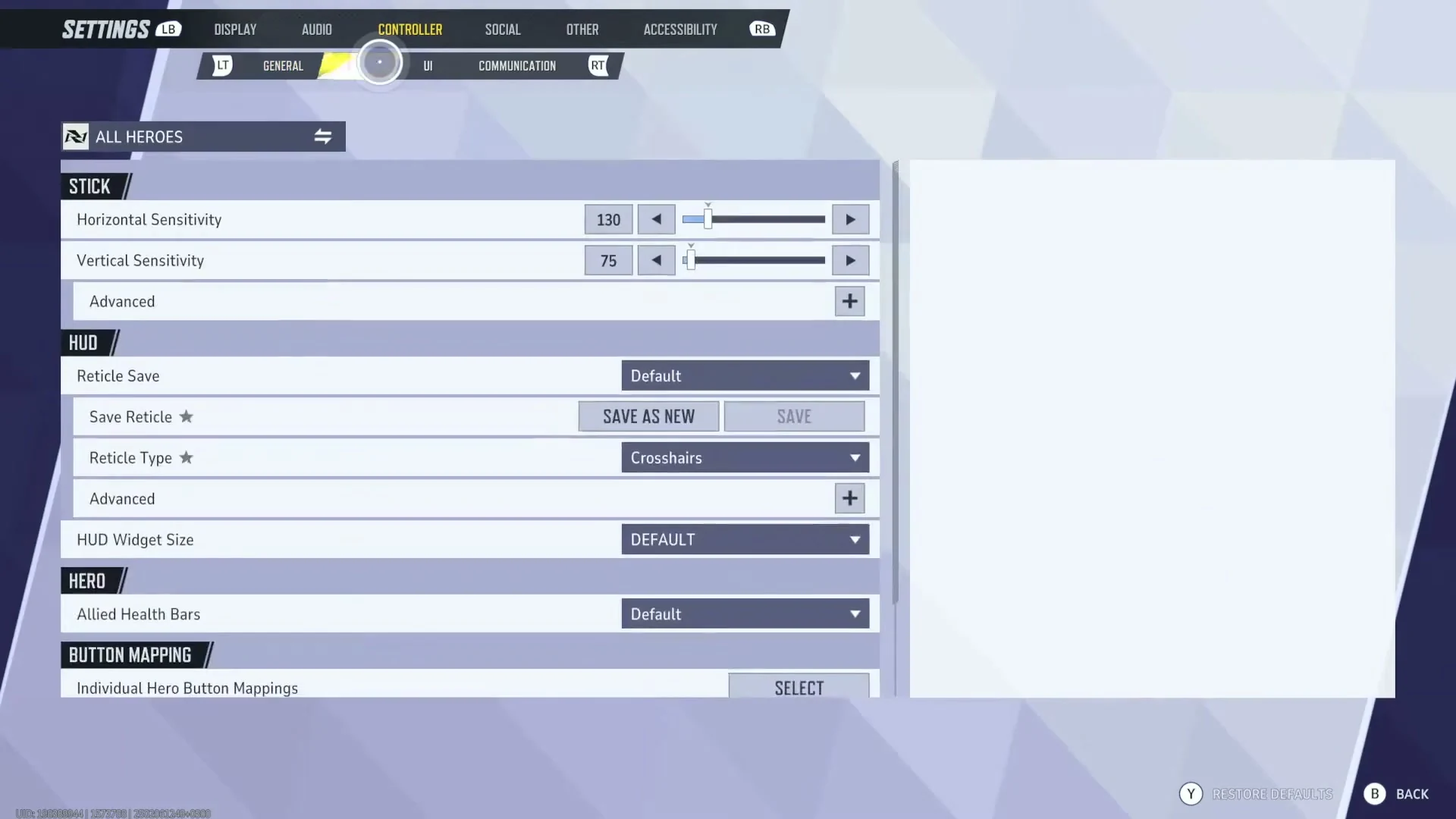
Open Controller → Combat, then find HUD and Reticle Save. Source
- Open the control settings.Go to Settings, choose Keyboard or Controller, then open the Combat section.
- Find the HUD reticle options.Scroll to the reticle controls and open Reticle Save.
- Import the complete string.Select Import Save, paste the full code without adding spaces, and confirm.
- Choose the hero scope.Apply the reticle to all heroes or use the hero filter to keep a separate preset for one hero.
- Test before competitive play.Check the reticle against light and dark backgrounds, moving targets, and busy ability effects.
Which reticle fits each hero type?
| Hero or attack style | Best starting shape | What to prioritize | Common mistake |
|---|---|---|---|
| Hitscan tracking | Small dot or tight circle-and-dot | Unobstructed center and high contrast | Using a thick circle that hides small targets |
| Single-shot precision | Fine cross or dot | Clear horizontal and vertical reference | Making the gap so wide that center placement becomes vague |
| Projectile attacks | Small circle or open cross | Space to read target movement and lead | Treating the reticle as an automatic lead indicator |
| Shotgun or spread | Medium circle | Fast center acquisition at close range | Assuming the circle matches exact pellet spread at every distance |
| Melee or area damage | Large circle | Peripheral awareness during rapid camera movement | Chasing pixel precision that the attack does not require |
Build a custom reticle that stays visible
Shape is only half the job. Color, opacity, thickness, and outline decide whether the reticle survives Marvel Rivals’ bright effects. Cyan and vivid green often stand out against warm explosions, while magenta can work well on blue-heavy maps. Avoid pure white if your reticle disappears against bright skyboxes. Add a thin dark outline when available, then keep the inner mark small enough to see the target beneath it.
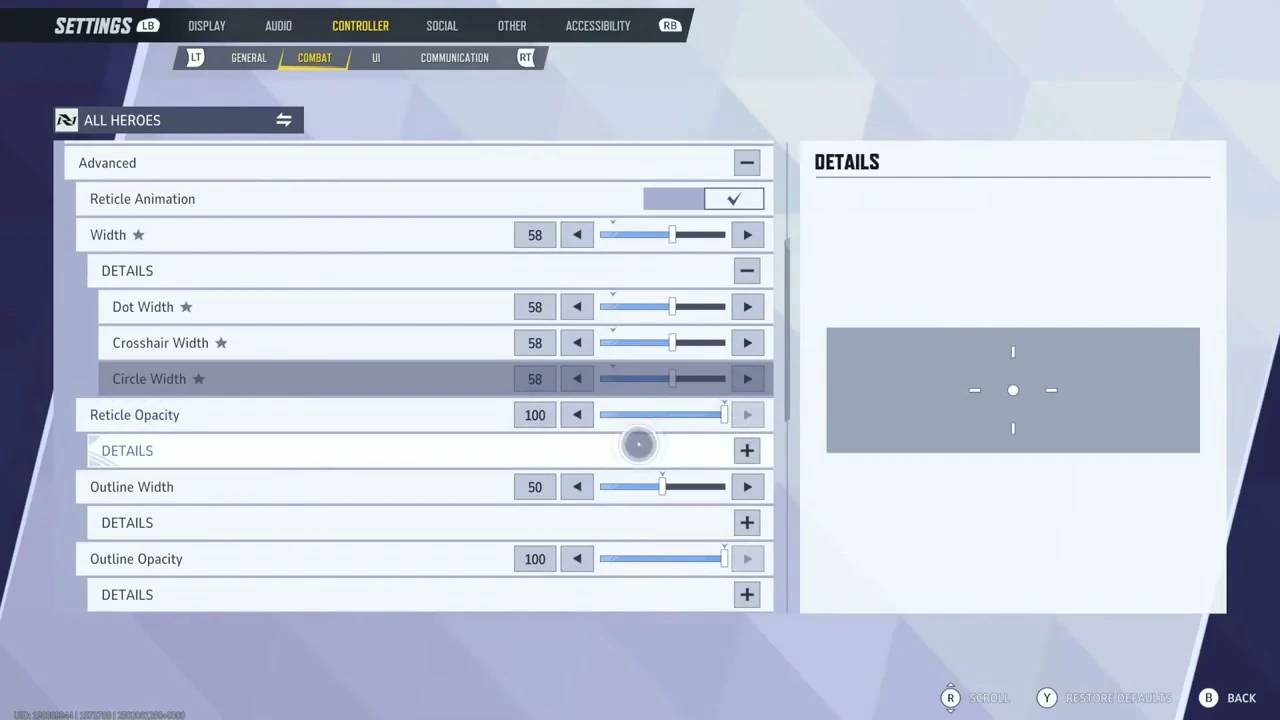
Width, opacity and outline controls change the reticle preview immediately. Source
Dynamic spread can help beginners understand movement or weapon behavior, but the animation may distract you once your timing is consistent. Compare static and dynamic versions in the practice range. If the reticle pulls your eyes away from the enemy model, reduce its size or opacity.
A five-minute crosshair test
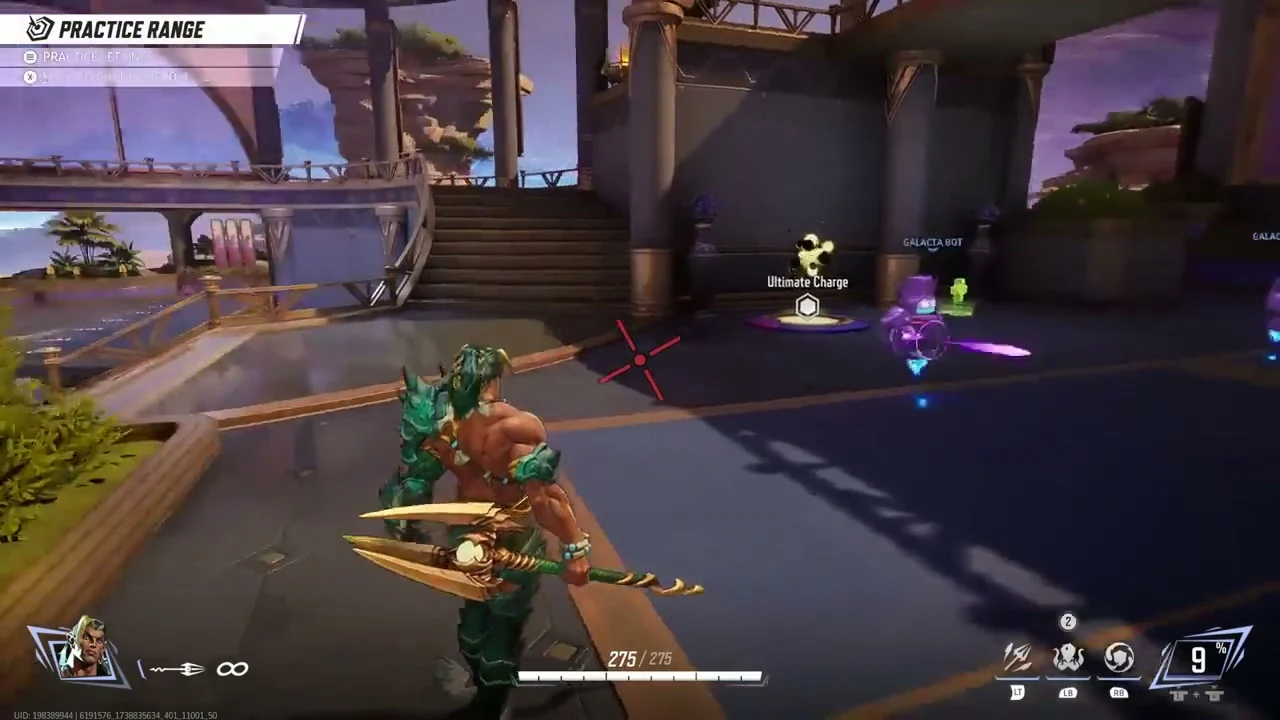
Check the reticle against bright and dark backgrounds in the Practice Range. Source
- Check contrast.Aim at one light surface and one dark surface. The center must remain visible on both.
- Track for 20 seconds.Follow a moving target without firing. Notice whether the reticle covers the head or gets lost.
- Fire controlled bursts.Watch the target rather than the reticle. If you keep staring at the crosshair, simplify it.
- Repeat at close range.Spin, jump, and reacquire the target. Increase size only if you repeatedly lose the center.
- Save per hero.Keep the winning preset on that hero and test a different shape for another attack style.
Why a crosshair code may not import
- The code was copied with a missing semicolon or extra character.
- The guide uses a preset from an older game version.
- You are on console, where the import field is currently unavailable.
- You pasted the code into the wrong saved reticle slot.
- A hero-specific filter is hiding the preset on other heroes.
- Cloud synchronization has not completed yet.
NetEase fixed an “invalid character” problem affecting imported reticles in an April 2025 patch. If a complete code still fails, recreate the shape manually and check the latest official patch notes before assuming your account is broken.
Marvel Rivals crosshair FAQ
Can I import Marvel Rivals crosshair codes on console?
Current console versions do not provide the same import box as PC. You can manually copy the shape, color, width, opacity, and outline values instead.
What is the best crosshair color?
Use the color that remains visible on both bright and dark backgrounds. Cyan, vivid green, and magenta are practical starting points, but monitor calibration and color-vision needs matter more than popularity.
Should every hero use the same crosshair?
No. A precise hitscan hero, a projectile hero, and a melee hero ask for different visual information. Hero-specific presets are usually easier to read.
Does the reticle show exact projectile travel or spread?
Not always. Treat a custom reticle as an aiming reference. Projectile speed, arc, attack animation, and range still need to be learned in play.
Will my custom reticle sync between sessions?
An official February 2025 patch added server storage for reticle customization. Keep a copy of any code you rely on in case a later patch changes a preset.
Related Marvel Rivals guides
Final recommendation
Choose the smallest reticle you can follow comfortably during a real team fight. Start with circle-and-dot, test it against multiple backgrounds, then save separate presets for hero types that need a wider visual reference. A clean reticle will not replace positioning or ability timing, but it removes one source of visual friction and makes aim practice easier to measure.


Copyright © FUTURE OUTLOOK TECHNOLOGY LIMITED.Company Registration No.: 77374965 All rights reserved.UNIT 135,1/F.,143 WAI YIP STREET,KWUN TONG HK