
EN / $ USD


Identity V
4.95
76173
Cheap & Instant IDV Echoes Recharge – Top Up Now on ManaBuy



Select Product
ManaBuy Premium · Extra 3% off

6660+340 Echoes
$93.62
$99.99
With Premium: $90.81

60 Echoes
$0.94
$0.99
With Premium: $0.91

185+9 Echoes
$2.81
$2.99
With Premium: $2.73

308+15 Echoes
$4.69
$4.99
With Premium: $4.55

725+33 Echoes
$10.92
$11.99
With Premium: $10.59

1050+50 Echoes
$15.61
$16.99
With Premium: $15.14

2220+113 Echoes
$31.18
$34.99
With Premium: $30.24
3330+168 Echoes
$46.48
$49.99
With Premium: $45.09
Top-up Instructions
Top up Identity V Echoes quickly and securely on ManaBuy. This page is for Echoes only: recharge Echoes with secure payment options and stable order processing. Most orders are delivered within minutes after payment.
Identity V Top-Up Information
Applicable Platform
Mobile game (Android / iOS)
Applicable Server
International server
Delivery Time
Typically within minutes after payment completion
Required Information
Server + ID
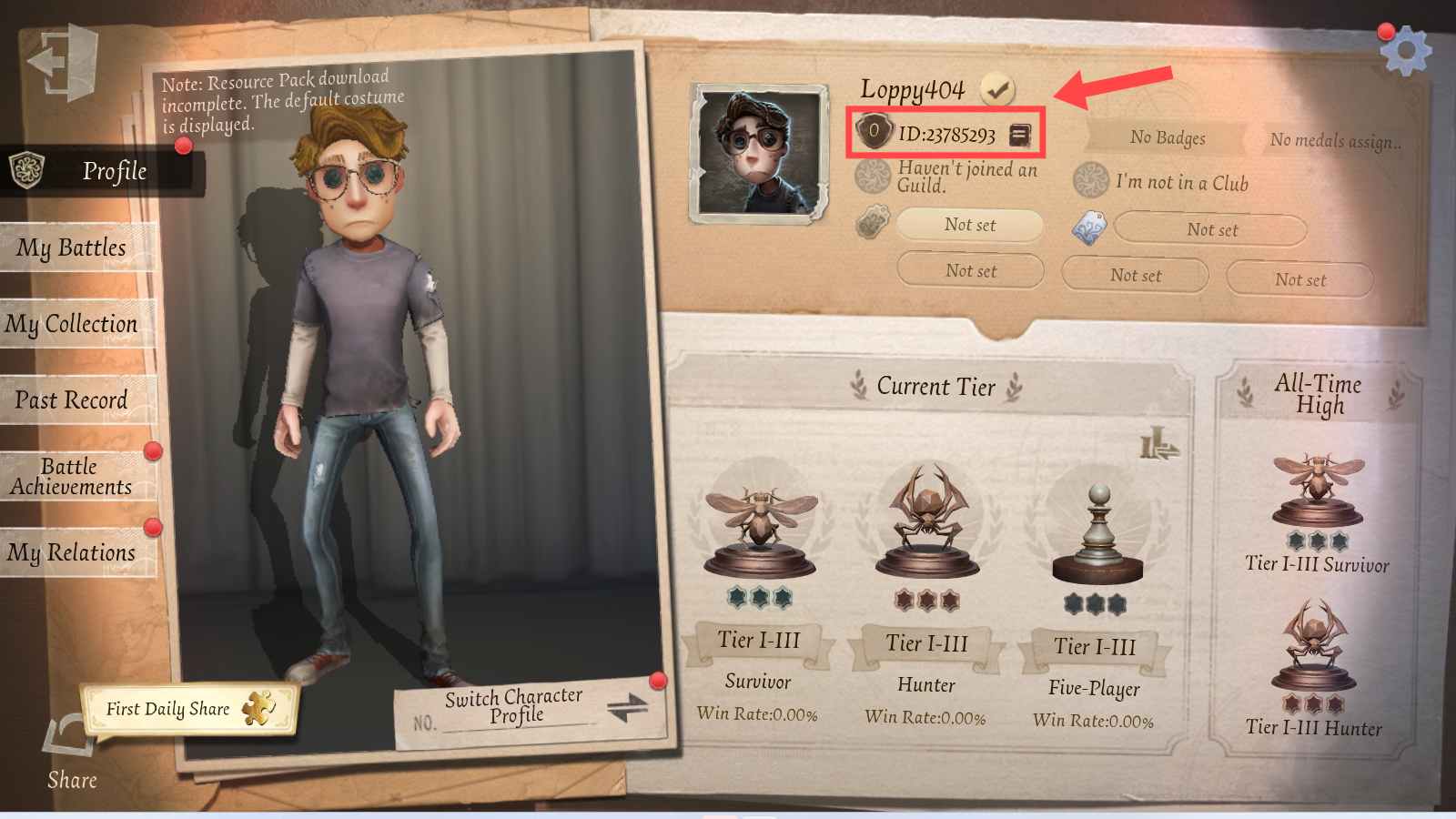
On ManaBuy, select your account region under Server, then enter the same ID shown in your in-game profile.
On ManaBuy, select your account region under Server, then enter the same ID shown in your in-game profile.
Identity V Top-up Result
Once your Identity V Echoes top-up on ManaBuy is completed, the Echoes are usually credited directly to your Identity V account on the server you selected. If delivery is delayed, check your order status first, then contact customer support with your order number for faster assistance.
Top-up Guide
How to Top Up Identity V on ManaBuy?
Step 1
Log in to ManaBuy and select the language and currency that match your region.
Step 2
Open the Identity V top-up page on ManaBuy.
Step 3
Choose the Echoes pack you want to purchase.
Step 4
Choose the Server option that matches where your account is played, then enter your ID exactly as shown in your in-game profile.
Step 5
Click "Buy Now", choose your payment method, and complete checkout.
Step 6
After payment succeeds, wait a moment. The Echoes are usually credited to your Identity V account on the server you selected.
Tip
If the server or ID does not match your account, delivery may fail or be delayed. Double-check both fields before paying. If you need help during checkout, contact customer support using the in-page options.
How to Find Your Identity V ID?
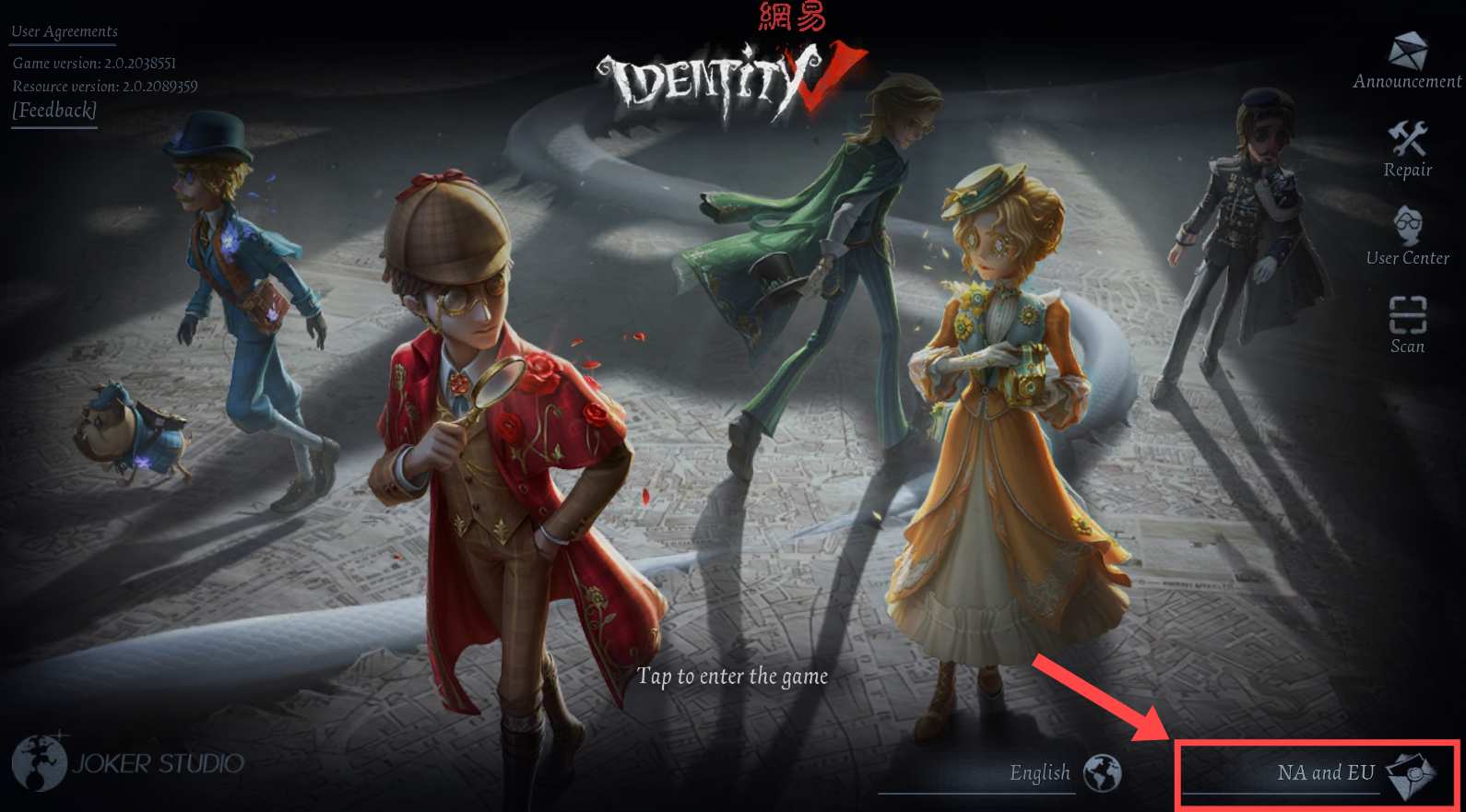
1. Log in to the game on the server that matches your account region.
2. Open your personal profile.
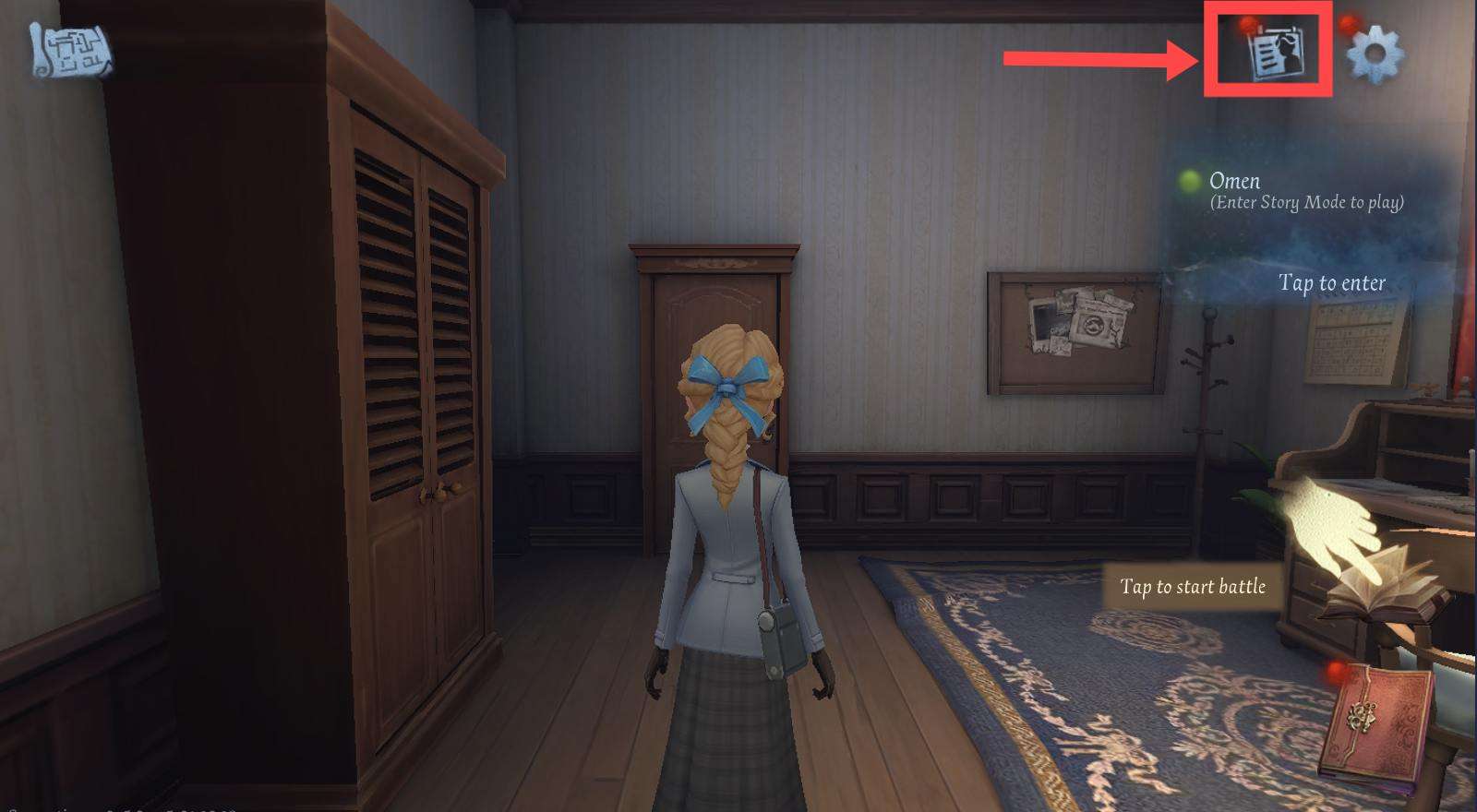
3. Your ID is shown on the profile screen. Copy it carefully for top-up.
Product Description
About Identity V
Identity V is an asymmetric multiplayer game developed by NetEase Games. Two sides face off with different objectives and characters: survivors work together while the hunter pursues them, in a dark, suspenseful tone that blends strategy and quick decision-making on mobile.
For guides, top-up tips, and updates, visit the Identity V Hub on ManaBuy.
For guides, top-up tips, and updates, visit the Identity V Hub on ManaBuy.
What Are Identity V Echoes?
Echoes are the premium in-game currency in Identity V. They are mainly obtained through purchases and can be used to unlock characters, outfits, bundles, and other store offers, depending on what is available in the game at the time.
When topping up on ManaBuy, pick the Server that matches your account and enter your in-game ID so your order can be delivered correctly.
When topping up on ManaBuy, pick the Server that matches your account and enter your in-game ID so your order can be delivered correctly.
First Time Top-up Bonus
If you are recharging Echoes for the first time, you may receive extra in-game rewards according to the current recharge rules shown inside Identity V. Please check the in-game recharge screen for the latest details.
Why Top Up Identity V Echoes on ManaBuy?
Many players also compare terms like buy online, cheap top-up, and fast delivery before placing an order on ManaBuy.
ManaBuy offers competitive pricing, secure payment options, and straightforward order tracking for Identity V Echoes top-ups. Enter your server and ID, complete checkout, and your purchase is usually processed quickly. If anything looks wrong with your order, contact support with your order number.
ManaBuy offers competitive pricing, secure payment options, and straightforward order tracking for Identity V Echoes top-ups. Enter your server and ID, complete checkout, and your purchase is usually processed quickly. If anything looks wrong with your order, contact support with your order number.
How to Download Identity V?
Identity V is available on Android and iOS. Choose the store for your device and use the buttons below to download from Google Play or the App Store.


FAQ
Do Echoes Expire in Identity V?
No, Echoes in Identity V do not expire. Once added to your account, they are yours to use whenever you choose. You can save them for future purchases, such as characters, skins, or special in-game items, without worrying about them expiring.
How Many Echoes Should I Top Up for Identity V?
The amount of Echoes you should top up depends on what you want to achieve in the game. If you're aiming to unlock specific characters or skins, a larger top-up may be necessary. For regular players, smaller top-ups can be enough to enhance your overall gameplay experience. Choose the amount that best suits your in-game goals!
What Should I Do If My Echoes Haven’t Been Delivered?
If your Echoes haven’t been credited to your account after payment, please double-check that the account details were entered correctly. Wait a few minutes as processing may take some time. If the Echoes still haven’t arrived, feel free to contact our customer support team with your order number, and we'll assist you promptly.
Can Echoes Unlock Characters and Skins in Identity V?
Yes, Echoes can unlock characters, skins, and other in-game items in Identity V. They are essential for enhancing your gameplay experience. You can also use Echoes to buy limited-time offers and exclusive content. Plus, ManaBuy offers Echoes top-ups at discounted prices, allowing you to get more for your money.
User Reviews
View All4.9
4603 Reviews
5
4
3
2
1
Newest
Most helpful

abbyhappybyte
Oct 16, 2026
Purchased:
2025 Echoes
No waiting, with no fuss, all sorted. I did not have to stop and figure anything out.
0 people found this review helpful
Helpful (0)

abby932
Oct 16, 2026
Purchased:
185+9 Echoes
Reasonable cost, a straightforward order, all sorted. Nothing felt hidden or needlessly complicated. It was a smooth experience overall.
0 people found this review helpful
Helpful (0)

mintmilaplus
Oct 16, 2026
Purchased:
2025 Echoes
Reasonable cost, no extra hassle, overall in general!
0 people found this review helpful
Helpful (0)

nateneonio
Oct 16, 2026
Purchased:
2025 Echoes
A clean layout, without extra steps, nothing odd. The full process was clear from start to finish.
0 people found this review helpful
Helpful (0)

lenarx5
Oct 16, 2026
Purchased:
60 Echoes
A good price, a clean checkout, just worked. I did not have to stop and figure anything out.
0 people found this review helpful
Helpful (0)
Show More
Related Articles
View All

Identity V Dentist Preview: Finsen Hunter, Release Date, and Essence 1
Mar 26, 2026
Identity V’s new Hunter “Dentist,” also known as Finsen Hunter, is set to debut with Season 42 Essence 1 on April 23, 2026. This guide covers his current background highlights, launch Essence lineup, limited S Costume Crowning the Wise, and what players should watch before his full gameplay details are revealed.
Identity V COA Championship Costumes Return on April 30
Mar 26, 2026
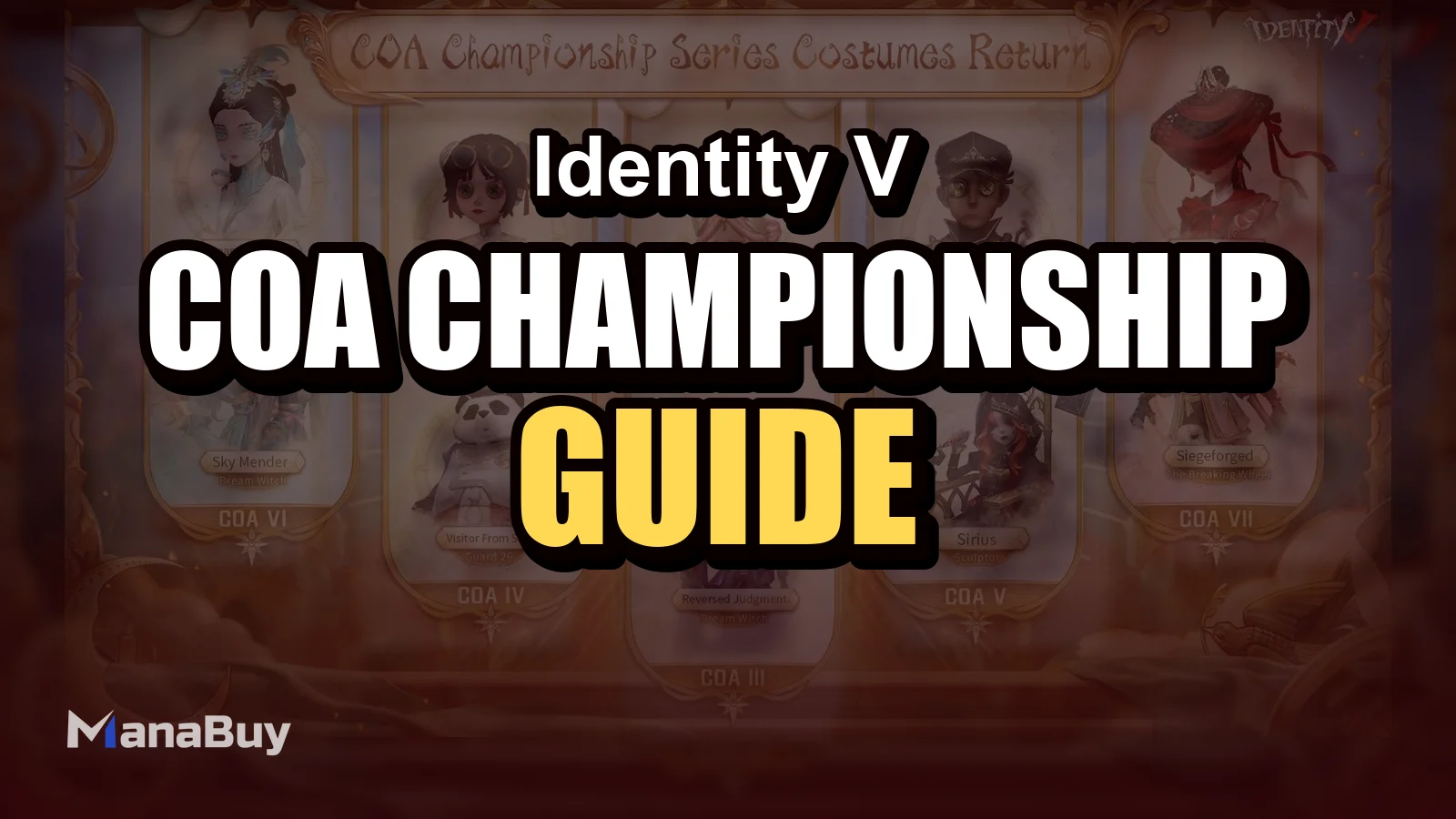
Identity V will bring back Previous COA Championship Costumes on April 30, covering champion series skins from COA III to COA VII. This guide looks at the returning lineup, expected Echoes pricing, and which players should pay the most attention to this limited-time Shop return.




About ManaBuy


Copyright © FUTURE OUTLOOK TECHNOLOGY LIMITED.Company Registration No.: 77374965 All rights reserved.UNIT 135,1/F.,143 WAI YIP STREET,KWUN TONG HK