
What Is YoHo App? Group Voice Chat Rooms, Games, Gifts, and Private Chat Explained

What is YoHo app? YoHo is a voice-first social app built around group chat rooms, live voice parties, casual games, private chat, profiles, and virtual gifts. It is less like a normal messaging app and more like a social lounge where people enter public rooms, talk on mic, play simple games, follow each other, and send gifts during conversations.
The Google Play listing names the app as YoHo: Group Voice Chat Room and highlights gaming rooms, chat parties, group voice chat, private chat, social activities, virtual gifts, and in-app purchases. The YoHo website describes the experience through live rooms, voice live streaming, and finding new friends.
Quick answer: YoHo is best understood as a group voice chat and social entertainment app. Use it when you want live voice rooms, party-style chat, mini games, social discovery, and gift-based interaction instead of a simple one-to-one messenger.

What Is YoHo App Used For?
YoHo is used for joining voice rooms, meeting people through public or semi-public chat spaces, playing casual games while talking, and building a social profile inside the app. A new user will usually see a room feed first: rooms may be built around casual conversation, games, music, regional communities, language groups, or live host activity.
Unlike text-first apps, YoHo puts the room experience at the center. You can enter a room, listen first, join a seat when the room allows it, type in chat, follow people you like, and move into private chat if both sides want a more direct conversation. That makes the app feel closer to a live audio community than a static social profile feed.
Voice rooms
Public room spaces where people listen, talk, host, react, and join a live conversation.
Games
Casual games can give the room a shared activity instead of pure chatting.
Private chat
Profiles and direct messages help users continue conversations outside a room.
Virtual gifts
Gift sending adds a social reward layer, especially around hosts and active rooms.
How YoHo Group Voice Rooms Work
The most important YoHo feature is the group voice room. In a room, people can listen, chat, and sometimes take a mic seat depending on how the host has set up the space. This is where YoHo differs from a normal calling app: the point is not only to call someone you already know, but to enter a live social room and meet people through the conversation happening there.
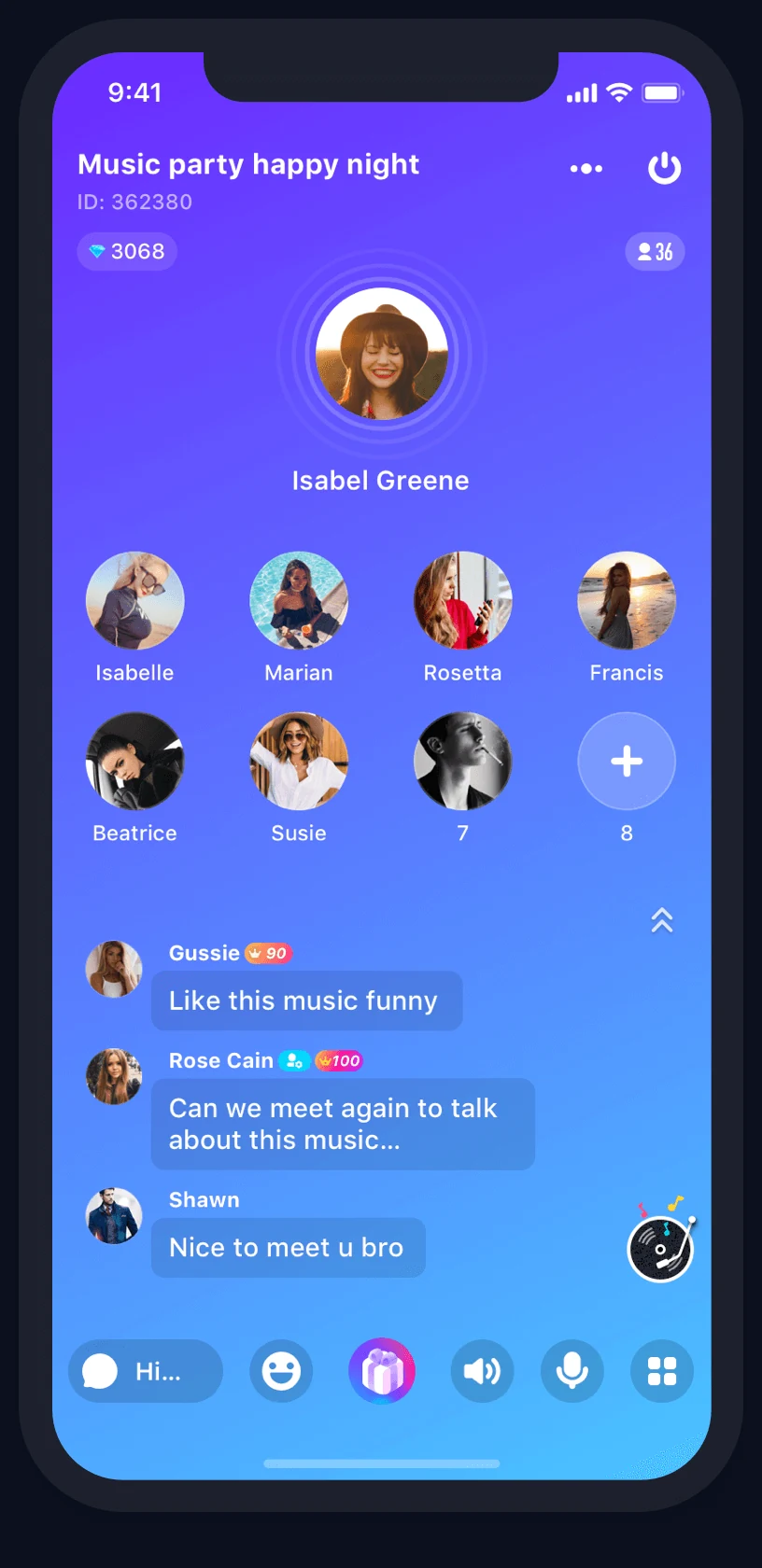
If you are new, the easiest way to understand rooms is to treat them like live tables. You can browse first, listen for a minute, check the language or topic, and only then decide whether to speak, send a message, follow a host, or leave. That small pause matters because some rooms are built for games, some for casual chat, and some for host-driven entertainment.
Beginner tip: do not judge YoHo by the first room you enter. Try several room types before deciding whether the app fits you, because the host style, language, region, and room activity can change the experience a lot.
YoHo Games and Chat Parties
YoHo also positions itself as a place for games and chat parties. On Google Play, the app description mentions games such as Ludo, Uno, Dominoes, and arcade fishing as examples of activities users may find inside voice rooms. The practical point is simple: games can make a room easier to join because users are not forced to start a conversation from nothing.
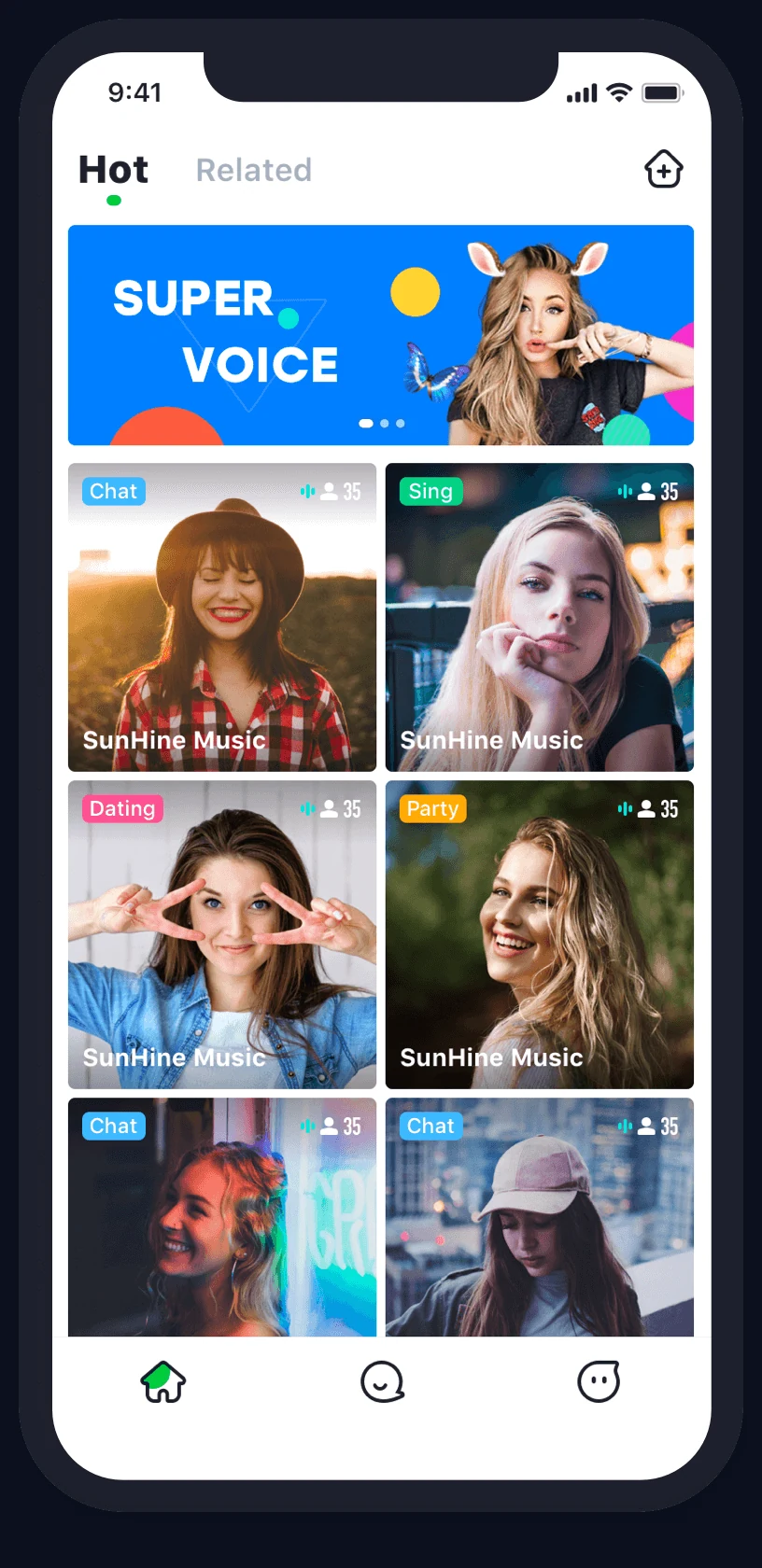
For a new user, game rooms are usually the lowest-pressure way to explore YoHo. Instead of entering a room and immediately needing to talk, you can watch how people interact, join a game if available, and use the shared activity as the opening topic. If your goal is to meet people casually, game rooms are often more natural than entering a random room and saying hello into silence.
Private Chat and Profiles
YoHo is not only a room app. It also has profiles, follows, and private chat features that help users continue conversations. The Google Play description says private chat can surface potential new friends and includes voice-recording style interaction, while the YoHo website frames this part of the product as following and chatting when you are interested.
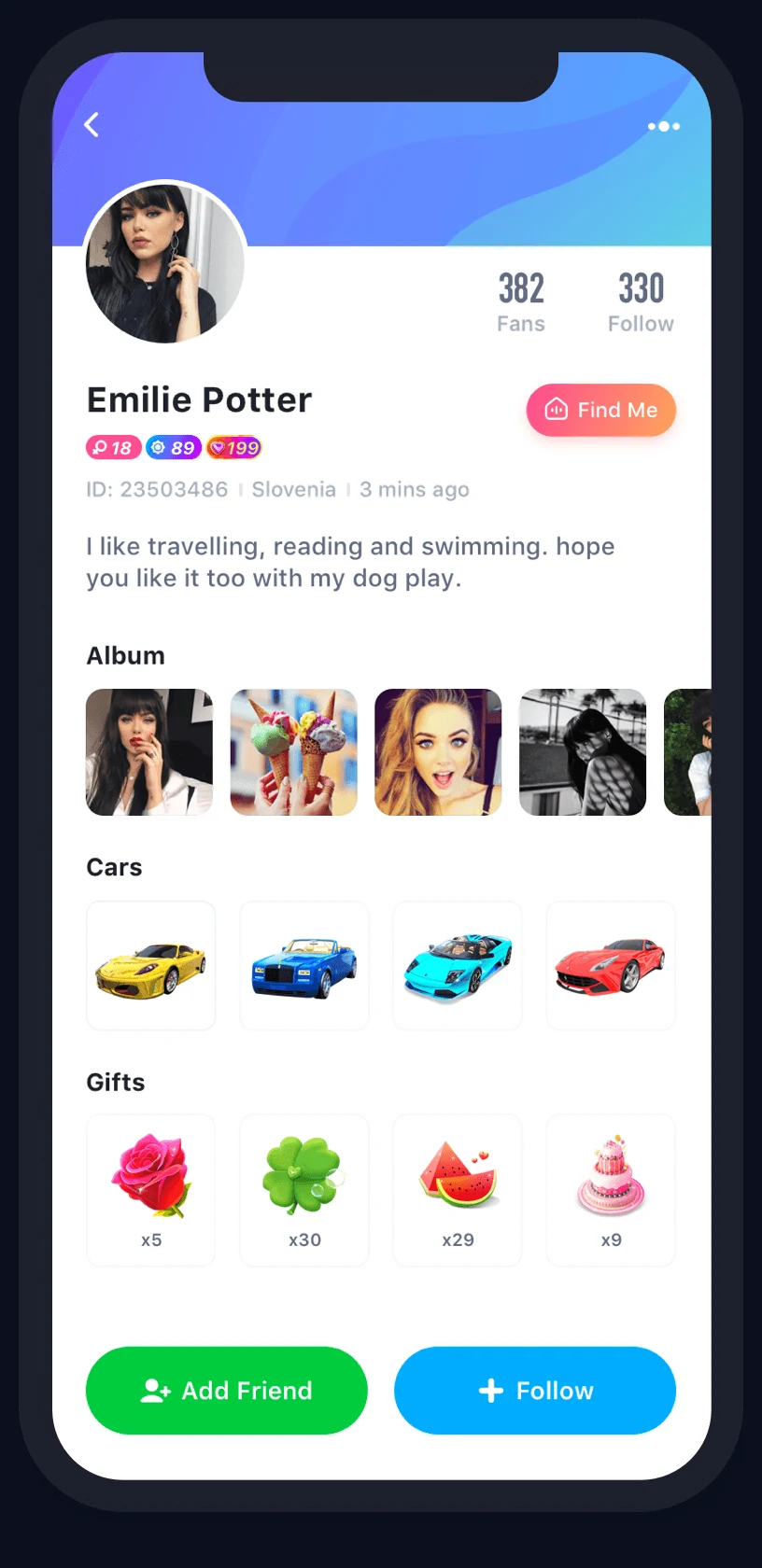
The profile side matters because it gives you a way to decide whether a conversation should continue. Before following or messaging someone, check basic signals such as profile completeness, language, recent activity, and how they behaved in a room. A fuller profile does not guarantee a better interaction, but it gives you more context than a blank account.
YoHo Gifts, Coins, and In-App Purchases
Virtual gifts are one of YoHo's core social mechanics. Gifts can be used to react to hosts, celebrate moments, show appreciation, or participate in room culture. Google Play also marks YoHo as an app with in-app purchases, so users should treat gifts and coin-related actions as optional spending features rather than required steps for basic exploration.
If you are just starting, learn the app flow before spending. Watch how gifts appear in rooms, what actions consume coins, whether a gift is purely decorative, and whether any room activity pressures users to send more. The best first session is an observation session: understand the room, the host, the game, and the gift prompts before deciding whether paid features are worth it to you.
| YoHo Feature | What It Does | Best For | Check Before Using |
|---|---|---|---|
| Group voice room | Lets users listen, talk, type, and interact in a live room. | Meeting people in public social spaces. | Room language, host rules, topic, and activity level. |
| Game room | Adds casual games to the voice chat experience. | Low-pressure social interaction. | Game rules, room pace, and whether spending prompts appear. |
| Private chat | Moves a connection from a room into direct conversation. | Following up with people you already noticed. | Profile completeness, consent, and personal boundary comfort. |
| Virtual gifts | Lets users send visual gifts during social interaction. | Supporting hosts or reacting in active rooms. | Coin use, refund limits, and whether the gift has real value to you. |
YoHo Beginner Setup Checklist
YoHo can feel busy at first because rooms, games, gifts, chat, and profiles all appear in the same app. Use this simple setup flow before you spend much time or money inside it.
- Install from the correct app page. Start from the linked Google Play page or the app-store links on the YoHo website so you are not using an imitation app.
- Set up a clean profile. Choose a nickname, language, region, and basic profile details that help others understand how to talk to you.
- Browse rooms before speaking. Listen first, then join a seat or type when the room style feels comfortable.
- Test games before gifts. Games show you how active a room is; gifts show you how spending works. Learn the free flow first.
- Review privacy and account settings. Google Play lists data collection categories and says users can request data deletion, while YoHo also links to its privacy policy and terms.
Who Is YoHo Best For?
YoHo is most useful for people who enjoy voice-based social spaces. If you prefer quiet text messages, it may feel too live and too room-driven. If you enjoy audio rooms, social games, quick introductions, and host-led communities, YoHo's structure will make more sense.
Good fit
You like live voice chat, party rooms, casual games, and meeting people through shared activities.
Maybe not
You want a quiet private messenger, fixed friend groups only, or a social app with no gift economy.
YoHo App Questions New Users Ask
Is YoHo free to use?
YoHo can be installed for free on Google Play, but the listing shows in-app purchases. That means basic exploration may be free while gifts, coins, or other paid features can require payment.
Is YoHo mainly for voice chat?
Yes. YoHo's main experience is voice-based: group voice rooms, live chat parties, and voice interaction are central to how the app works.
Can you play games in YoHo?
Yes. The Google Play description mentions casual games such as Ludo, Uno, Dominoes, and arcade fishing as examples of game-room activities.
What are YoHo gifts for?
Gifts are social reactions and support signals inside rooms and chats. Treat them as optional virtual items and check the current coin use inside the app before sending.
Does YoHo have private chat?
Yes. YoHo includes private chat and profile-based social discovery, so users can move from public rooms into more direct conversations.
What should beginners check first?
Start with room rules, language, profile settings, privacy settings, gift uses, and whether the room culture feels comfortable before joining deeply.
Final Takeaway
YoHo is a group voice chat app for people who want live rooms, games, social discovery, private chat, and virtual gifts in one place. The best way to approach it is simple: explore rooms first, understand the game and gift flow, build a clean profile, and only spend after you know how the room culture works.



Copyright © FUTURE OUTLOOK TECHNOLOGY LIMITED.Company Registration No.: 77374965 All rights reserved.UNIT 135,1/F.,143 WAI YIP STREET,KWUN TONG HK