
Kingshot Top-Up Points Explained: Rewards, Milestones and Where to Check Them

Kingshot Top-Up Points are purchase-progress counters used by several reward systems. The important detail is that not every counter has the same reset rule. A limited Top-Up Benefits event may reset when that event ends, the 50,000-point Top-up Rewards track is commonly presented as a permanent cumulative goal, and late-game Prestige rewards use much larger lifetime milestones. Before buying anything, open the exact event or reward panel and confirm its timer, point requirement and credited pack.
What are Top-Up Points in Kingshot?
Top-Up Points measure qualifying paid purchases. They are separate from Gems, VIP Points and event score. A pack can give Gems and VIP Points while also contributing Top-Up Points, but those three values are not interchangeable. Spending Gems you already own normally counts as gem expenditure, not a new top-up.
| Counter | How it moves | Typical use | Reset behavior |
|---|---|---|---|
| Top-Up Points | Qualifying paid packs | Top-up milestones and purchase missions | Depends on the panel |
| Gems | Earned or purchased premium currency | Shop items, speedups and event actions | Balance remains until spent |
| VIP Points | Daily claims, packs and other sources | VIP level; later Prestige Spinner use | Permanent account progression |
| Event score | Completing the listed mission | Personal or alliance ranking/rewards | Resets with that event |
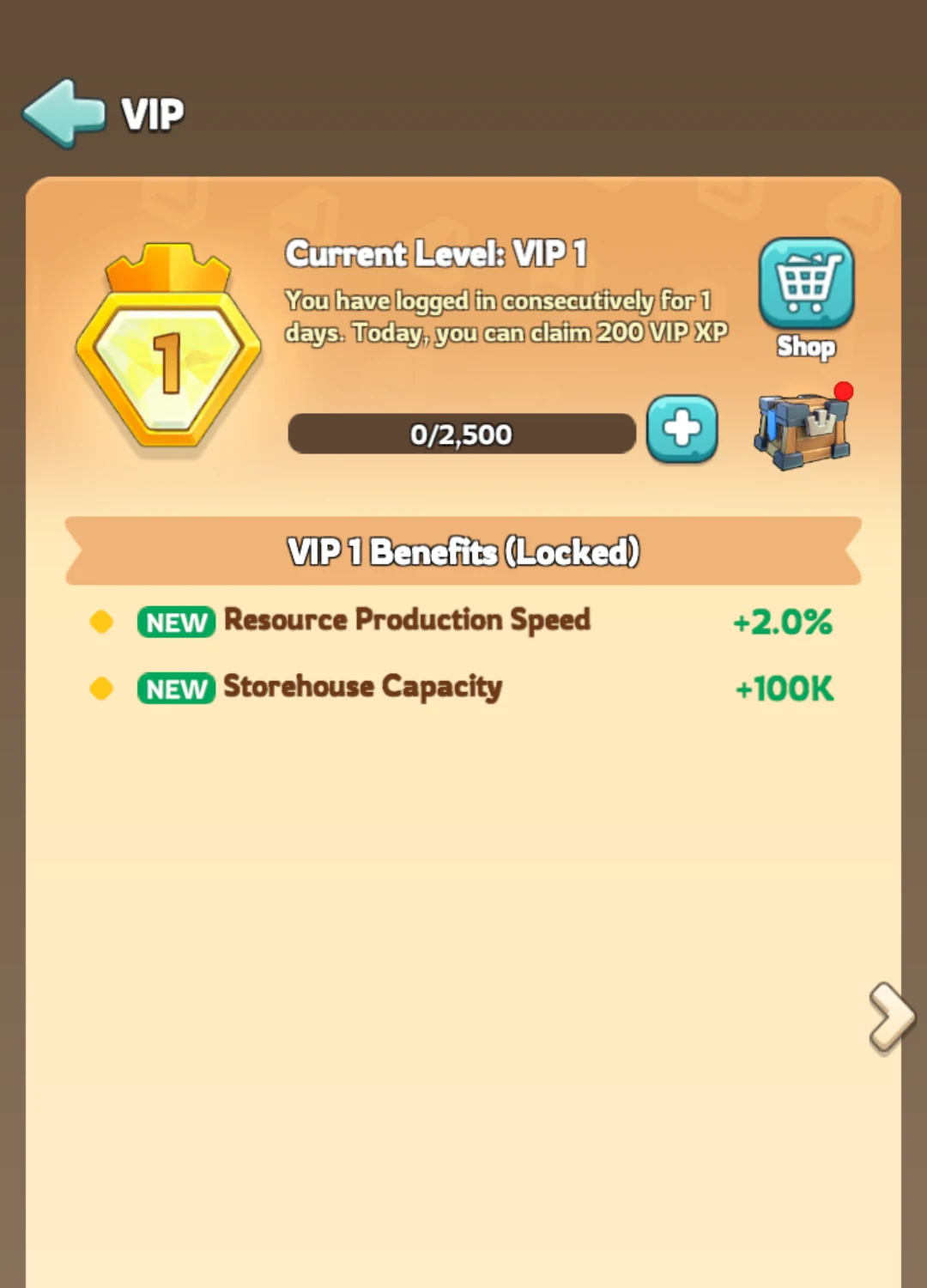
Kingshot official in-game screen showing the VIP entry and account progression bar.
Where to see Top-Up Points in Kingshot
- Check the active event center. Open the current festival or Top-Up Benefits panel and tap its reward or rules button. This is the counter that matters for a time-limited reward.
- Check Top-up Rewards. Accounts that have the permanent track can see the cumulative progress toward the 50,000-point reward. The exact entry can move as the interface and server features change.
- Check VIP > Prestige Benefits. Prestige Benefits is a late-game system. If it is absent, the account may not meet the VIP and kingdom-progression requirements yet.
- Check the pack before payment. Use the point value displayed by the live game or checkout, not a conversion copied from another server.
If a guide says a panel should exist but you cannot see it, that does not automatically mean the account is bugged. Account age, Town Center progress, VIP level and kingdom rollout can all change which menus appear.
How the 50,000 Top-Up Points reward works
The best-known permanent milestone is Gino's Determination, a march skin associated with reaching 50,000 cumulative Top-Up Points. Treat this as a long-term account milestone rather than a reason to force one large purchase. The live Top-up Rewards panel should be the final authority on whether the goal has a timer and which transactions qualify.
Let planned purchases build the counter over time and stack them with useful event missions.
Buying low-value packs only because the milestone bar is close, without checking the remaining gap.
Prestige Benefits and the 75M–300M milestones
Kingshot's official Help Center describes Prestige Benefits as a late-game system containing the Prestige Spinner and Prestige Shop. VIP Points are used on the Spinner, while the expanded reward track uses cumulative Top-Up Point milestones. These are different systems even though they appear in the same Prestige area.
| Cumulative Top-Up Points | Confirmed Prestige reward | Reward type |
|---|---|---|
| 75M | Kingdom Expeditioner | Rally skin |
| 150M | Split Continuum | Special teleport skin |
| 225M | Doom Comet II | March skin |
| 300M | Chrono Continuum | Governor profile skin |
These thresholds are aimed at very high lifetime spenders. F2P and low-spend players should not build their normal progression plan around them. Doom Comet II at 225M should also not be confused with the original Doom Comet fragments obtainable through the Prestige Spinner.
Which purchases may not count?
- Gem spending from an existing balance is not the same as a new top-up.
- Gift codes, free compensation and event mail do not represent paid Top-Up Points.
- Purchases made before a timed mission starts may not receive retroactive event credit.
- Different storefronts can display different pack structures or point-credit rules.
- A payment that has not completed should not be treated as credited until the game updates the counter.
A safe checklist before you recharge
- Open the target reward panel and note the current counter.
- Check whether the panel shows a countdown or says the progress is cumulative.
- Confirm the selected pack's exact Top-Up Point value.
- Check for an overlapping Top-Up Benefits or Alliance Mobilization mission.
- Buy only the pack you already planned to use.
- After delivery, reopen the reward panel and verify the new total before making another purchase.
How to track a Top-Up Point goal without overspending
Write down three numbers before any purchase: the current counter, the next useful milestone and the point value of the pack. Subtract the current counter from the milestone, then compare that gap with the pack's displayed credit. If the account has 42,000 points toward a 50,000-point goal, the relevant gap is 8,000—not the full 50,000. A pack worth more than the gap may still be sensible for its contents, but the extra points do not make weak contents better.
Repeat this calculation separately for every active panel. A 7,500-point Alliance Mobilization mission and a permanent 50,000-point reward can move together, but they do not share one reward claim. Screenshot or record the counters before purchase so a delayed update is easy to identify.
What to do when Top-Up Points are missing
- Wait for the order or in-game transaction to show as completed.
- Restart Kingshot and reopen the exact event panel.
- Confirm the purchase happened after the mission started and before its timer ended.
- Check whether the pack was listed as eligible for that counter.
- Keep the receipt and before/after screenshots, then contact the store or Kingshot support with the transaction details.
Do not make a second purchase merely to “test” the counter. Resolve the first transaction before adding another variable.
 Check Kingshot pack optionsCompare the current package tier with your in-game target before placing an order.View packs
Kingshot Top-Up Points questions
Do Top-Up Points expire?
Some counters are permanent and others belong to timed events. Read the timer and rules on the exact panel you are using.
Does spending Gems add Top-Up Points?
Normally no. Top-Up Points come from qualifying purchases; spending an existing Gem balance is a separate action.
Why can I not see Prestige Benefits?
The feature requires late-game eligibility, including VIP Level 12 and the required kingdom progression stage. A new account will not show it.
Is 50,000 Top-Up Points the same as the 50,000-point Alliance Mobilization mission?
No. One is a cumulative reward target, while the other is a temporary event mission that awards event score after qualifying top-ups during its active window.
Can I convert a cash amount directly into Top-Up Points?
Do not rely on a universal conversion. Confirm the point value displayed for the current pack, region and event.
More Kingshot guides
Bottom line
Top-Up Points are useful only when you identify the correct counter first. Separate lifetime rewards from temporary missions, verify the pack's live point value, and let planned purchases do double duty during an event instead of spending only to fill a bar.




Copyright © FUTURE OUTLOOK TECHNOLOGY LIMITED.Company Registration No.: 77374965 All rights reserved.UNIT 135,1/F.,143 WAI YIP STREET,KWUN TONG HK