
Quick answer: To top up Gangstar Mirage City Pink Diamonds on ManaBuy, choose a current Diamonds package, copy the Player ID from the target character, select the matching Server / Partition, and review both values before payment. The current direct top-up requires Player ID + Server / Partition and does not require the game account password. After payment, track the same order and check the Diamonds balance on the submitted character. If the balance does not update, keep the order number and contact support from the order flow instead of paying again.
Most avoidable top-up mistakes come from the destination, not the payment screen. A valid Player ID can still point to the wrong character, while a familiar region name can still be the wrong Server / Partition. The safest habit is simple: copy the ID from the profile you are topping up, confirm the server for that same profile, and check both values together before the order begins processing.
This guide covers ManaBuy's current UID-based workflow, where to find the in-game Player ID, how to choose a Pink Diamonds denomination, what “direct top-up” means, and how to troubleshoot a missing result without creating a duplicate order.
Why use ManaBuy for Gangstar Mirage City top-up
ManaBuy keeps the package, required destination fields, checkout total, order status and support path in one order flow. For Gangstar Mirage City, the current product uses direct delivery to Player ID + Server / Partition, so you do not need to share the game account password.
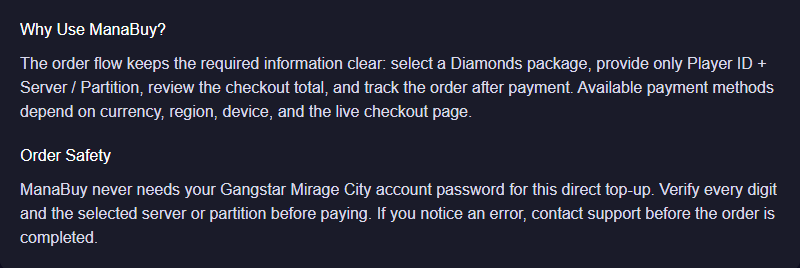
The current ManaBuy product description connects its main advantages to the actual Gangstar Mirage City order flow: clear destination fields, checkout review, tracking and no account password.
How to top up Pink Diamonds on ManaBuy
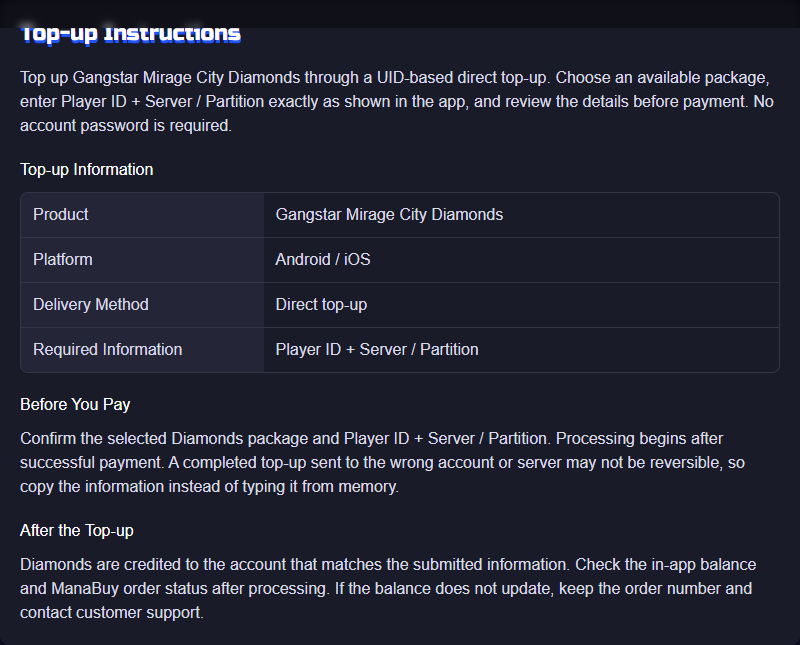
This exact current instruction card is the working reference for required information, direct delivery and the post-payment check.
What information does the top-up require
The current product page asks for two destination values: Player ID and Server / Partition. Treat them as one pair. A correct ID with a mismatched server is not a complete destination check.
| Order item | What to verify | Common mistake |
|---|---|---|
| Player ID | Copy the UID / Player ID displayed for the exact character you want to receive Pink Diamonds. | Using an ID saved for another character, reroll or friend's account. |
| Server / Partition | Select the live server or partition associated with the same character. | Choosing based only on country, language or current location. |
| Diamonds package | Use the current ManaBuy label and amount shown before checkout. | Relying on an old price screenshot or a nearby denomination. |
| Checkout total | Review the final amount and any displayed fees in the live checkout. | Assuming every region, currency or payment method has the same total. |
| Order number | Keep the reference created after payment. | Closing the order and starting a second payment before checking status. |
| Password | No Gangstar Mirage City account password is required for this direct top-up. | Sending login credentials through chat or an unrelated form. |
Where to find the Gangstar Mirage City Player ID
Open Gangstar Mirage City on the target account and enter the character interface. The Player ID appears in the profile/menu area under the character name. In the real gameplay frame below, the UID is visible at the top of the opened character panel.
- Sign in to the character that should receive the Pink Diamonds.
- Open the profile or character menu from the main game screen.
- Locate the UID / Player ID shown below the character name.
- Use the copy control if available, then paste the value into the ManaBuy field.
- Compare the beginning and ending digits before continuing.
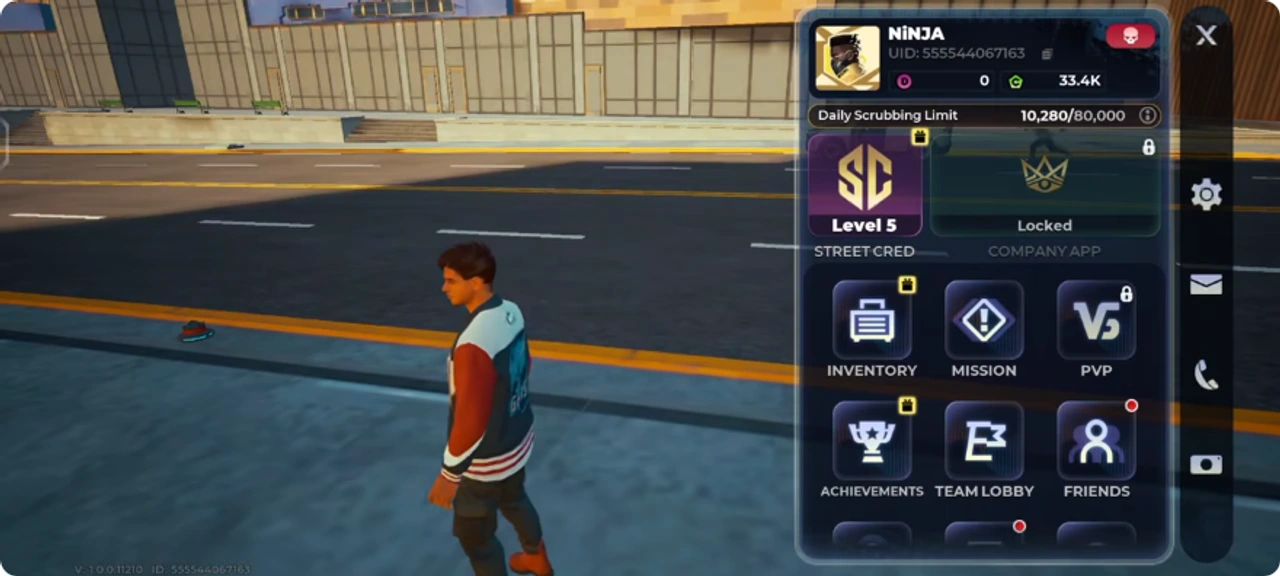
Community gameplay reference: Game is Life, “How to Add Friends in Gangstar Mirage City,” 00:24. The frame is used only to show the real UID location in the profile menu.
How to match the correct Server / Partition
The ManaBuy order requires a server or partition in addition to the Player ID. Use the value associated with the same in-game character. Do not assume the account's server from your current country, phone language, store region or where a friend plays.
If you are uncertain, reopen the target character's account information and confirm the server before paying. Use the live ManaBuy selector as the final list of supported choices. Server names and supported coverage can change, so this guide does not hard-code a permanent region list.
Which Pink Diamonds packages are currently shown
The ManaBuy product page currently displays six denomination labels: 60; 300 + 20; 680 + 60; 1,280 + 220; 3,280 + 580; and 6,480 + 1,280 Diamonds. Package availability, checkout currency and final price can change, so always treat the live product page as the final reference.
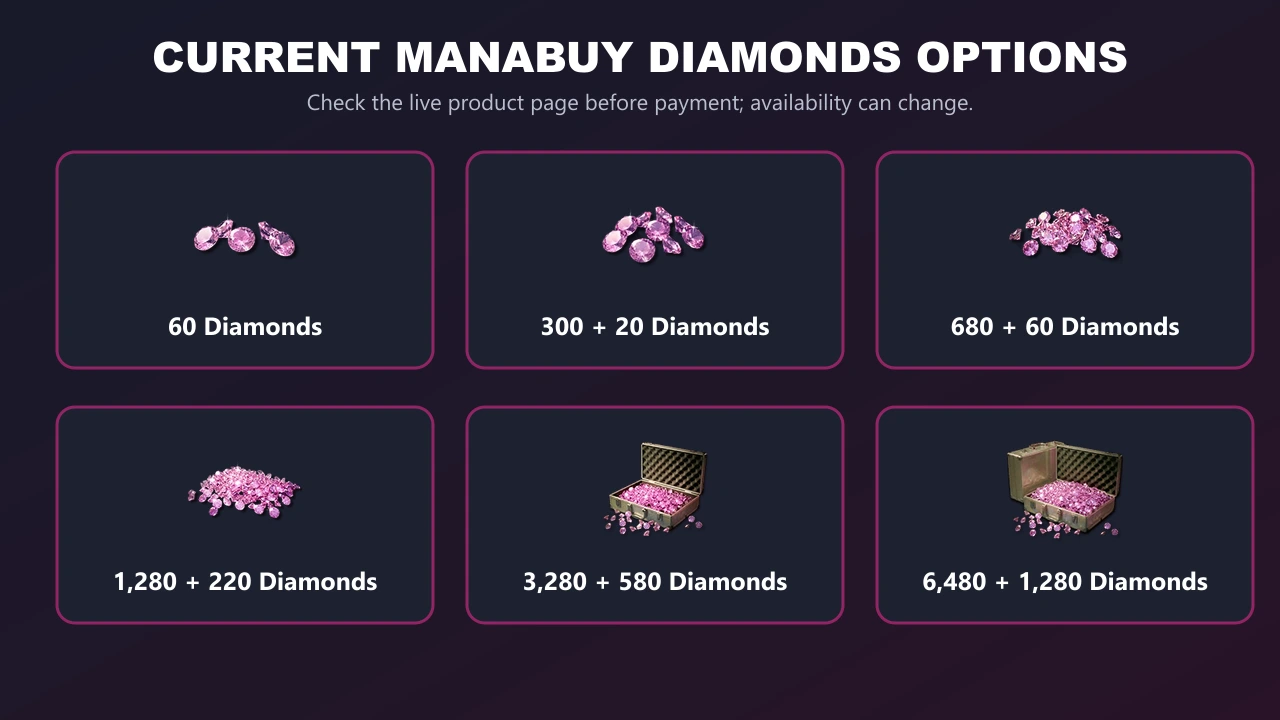
The image uses the current ManaBuy package icons and labels but intentionally omits region-sensitive prices.
How to choose a Diamonds package
Choose by the amount you actually need, not by the largest bonus label. Start inside Gangstar Mirage City: identify the live item or offer you plan to buy, note your existing Pink Diamonds balance, and calculate the shortfall. Then choose the smallest current package that covers that gap with an acceptable remainder.
Do not assume a package automatically unlocks a particular vehicle, weapon, outfit or event item. Available uses and item prices are determined inside the game and can change. The top-up page supplies the selected balance; the live game tells you what that balance can buy.
What direct top-up means
Direct top-up sends the selected Pink Diamonds package to the destination identified by the submitted Player ID and Server / Partition. There is no redemption code to enter in this ManaBuy workflow, and the product page does not require the account password.
This is why destination accuracy matters. The order is not logging into your character to let you choose the destination later; the values entered before payment determine where the delivery is directed. Keep account passwords, email credentials and verification codes out of the order unless the maintained product page explicitly changes its documented method.
Use this pre-payment decision table
| Check | Ready to continue when | Pause when |
|---|---|---|
| Target character | You opened the exact account that should receive the Pink Diamonds. | You are switching between several characters or devices and are unsure which is active. |
| Player ID | The copied ID matches the value visible under the target character name. | The ID came from an old note, screenshot or another person. |
| Server / Partition | The selected value belongs to the same character as the Player ID. | You are guessing from your country or language. |
| Package | The live denomination covers the amount you need. | You are choosing from an outdated price or package image. |
| Checkout | The final total and payment method are acceptable in the live checkout. | You expected a method or price that is not currently displayed. |
| Existing order | No unresolved order exists for the same account and package. | A prior order is still pending or processing. |
What happens after payment
Processing begins after successful payment and valid destination information. Keep the same order page or order number. When the order reaches its completed state, open Gangstar Mirage City on the submitted character and check the Pink Diamonds balance.
If the order status changes before the in-game balance, refresh the game session once. Close and reopen the game, then confirm the same Player ID and Server / Partition. Avoid repeatedly creating new sessions or orders while the first result is being checked.
What to do if Pink Diamonds are not received
- Check payment and order status. Pending, processing, failed and completed are different states.
- Compare the Player ID. Match the submitted value against the current profile, digit by digit.
- Confirm Server / Partition. Make sure the selected server belongs to that same character.
- Refresh once. Restart the game and reopen the target character after the order shows completed.
- Use the existing order. Contact ManaBuy support with the order number and a focused balance screenshot if the result is still missing.
What if the Player ID or server was wrong
Contact support from the existing ManaBuy order immediately and identify the incorrect field. Provide the order number, the submitted Player ID and Server / Partition, and the corrected value. Do not send the game password or unrelated account credentials.
Whether the destination can be corrected depends on the actual processing state. The current product page warns that a completed top-up sent to incorrect account or server details may not be reversible, so the most effective fix is catching the mismatch before payment or before fulfillment completes.
Can you top up another player's account
Yes, the current product FAQ allows a top-up for another account when the recipient's correct Player ID and Server / Partition are entered. Ask the recipient to copy both values from the same character session, then compare them together before payment.
Do not use a nickname, friend-list display name or chat handle as the Player ID. The UID shown in the profile is the destination identifier. Keep the order number so you can tell the recipient when to check the balance.
Gangstar Mirage City top-up checklist

Related Gangstar Mirage City and payment guides
Gangstar Mirage City top-up FAQ
What do I need to top up Gangstar Mirage City?
The current ManaBuy direct top-up requires the target character's Player ID and Server / Partition. Choose a current Pink Diamonds package and review those values before payment. The game account password is not required.
Where is the Gangstar Mirage City Player ID?
Open the target character's profile or menu. The UID / Player ID appears below the character name in the profile panel. Copy it from the active character and compare the digits before submitting the order.
Which Server / Partition should I select?
Select the server or partition associated with the same character as the Player ID. Do not choose only from your physical location, phone language or store region. Use the live ManaBuy selector and the target account information.
Does ManaBuy need my Gangstar Mirage City password?
No. The current product page documents UID-based direct top-up using Player ID + Server / Partition and says no account password is required. Do not share login credentials through unrelated forms or messages.
How do I choose a Pink Diamonds package?
Check the live in-game amount you need and subtract your current balance. Then choose a current ManaBuy denomination that covers the gap. Package labels, prices and availability can change, so verify the live product page before payment.
What should I do if my Pink Diamonds are missing?
Check the order status, Player ID and Server / Partition, then restart the game once on the submitted character. If the order is completed but the balance is still missing, contact support through the existing order number instead of paying again.
Sources and further help
- ManaBuy Gangstar Mirage City product page — current packages, Player ID + Server / Partition, direct-delivery and order instructions.
- Gangstar Mirage City official site — official game identity and cover art.
- Game is Life Player ID tutorial — community gameplay frame at 00:24 showing the real profile-menu UID location.
Package labels, prices, server coverage, payment methods and availability can change. Check the target character, live ManaBuy product page and checkout before each order.