
Clash of Clans New Home Village UI Guide: Where Everything Moved

The redesigned Clash of Clans Home Village screen did not remove most of the tools players are looking for. The XP bar moved to Profile, buildings and upgrade suggestions moved into the Build menu, and sale items remain in the Shop. Other requested changes, including HUD customization and scaling options, are still ideas under consideration rather than live features.
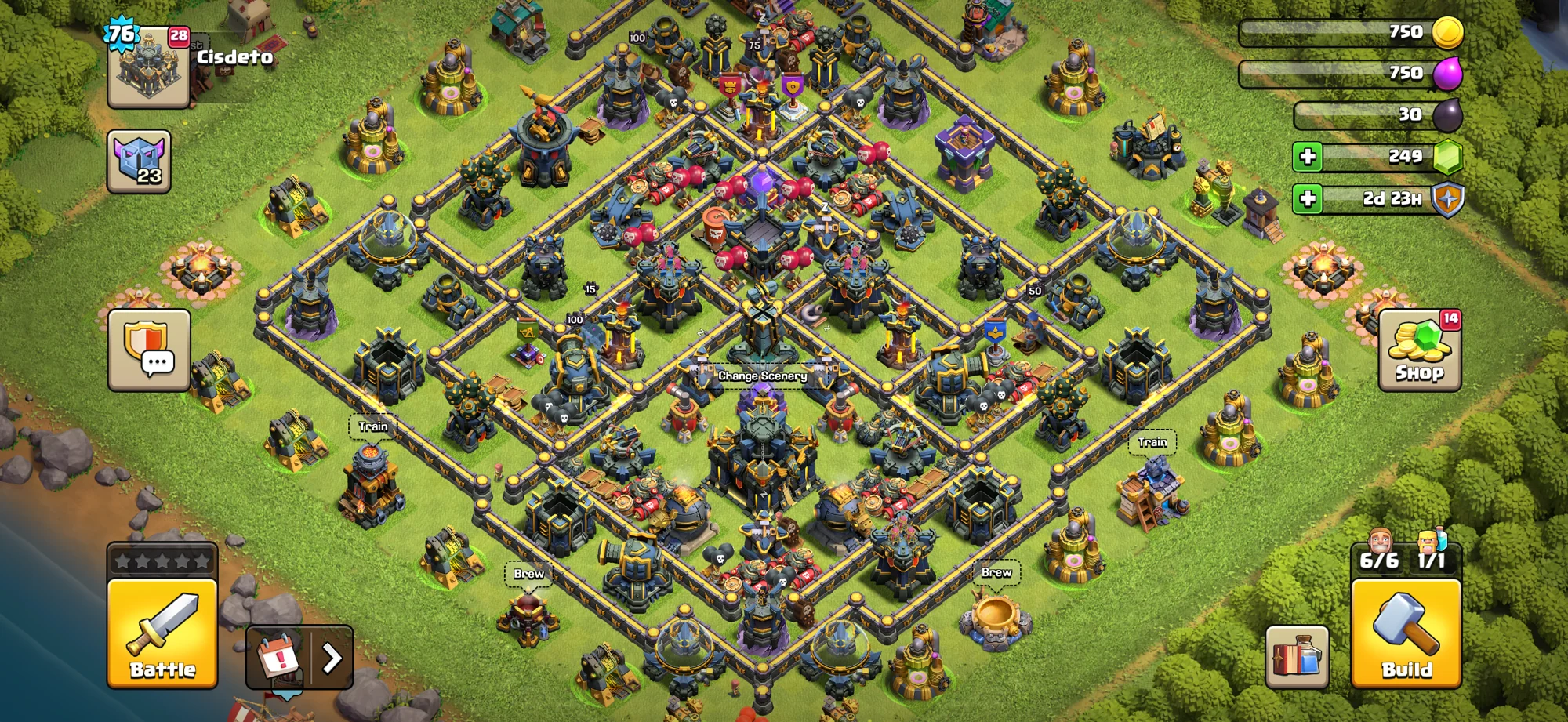
The Battle button sits at the lower left, while Build is at the lower right.
The three places to check first
If something appears to be missing, check these areas before assuming it was removed:
- Top left: Town Hall and the entry point for player information.
- Bottom right: Build, including buildings, Heroes, and upgrade suggestions.
- Shop: items currently available for sale.
Supercell explains that the redesign separates building management from shopping and creates a cleaner foundation for future improvements. Several familiar functions now require opening a different menu.
Where is the XP bar?
The XP bar moved to Profile alongside other personal information. It is no longer displayed on the main village HUD, so open Profile when you need to check your level or XP progress.
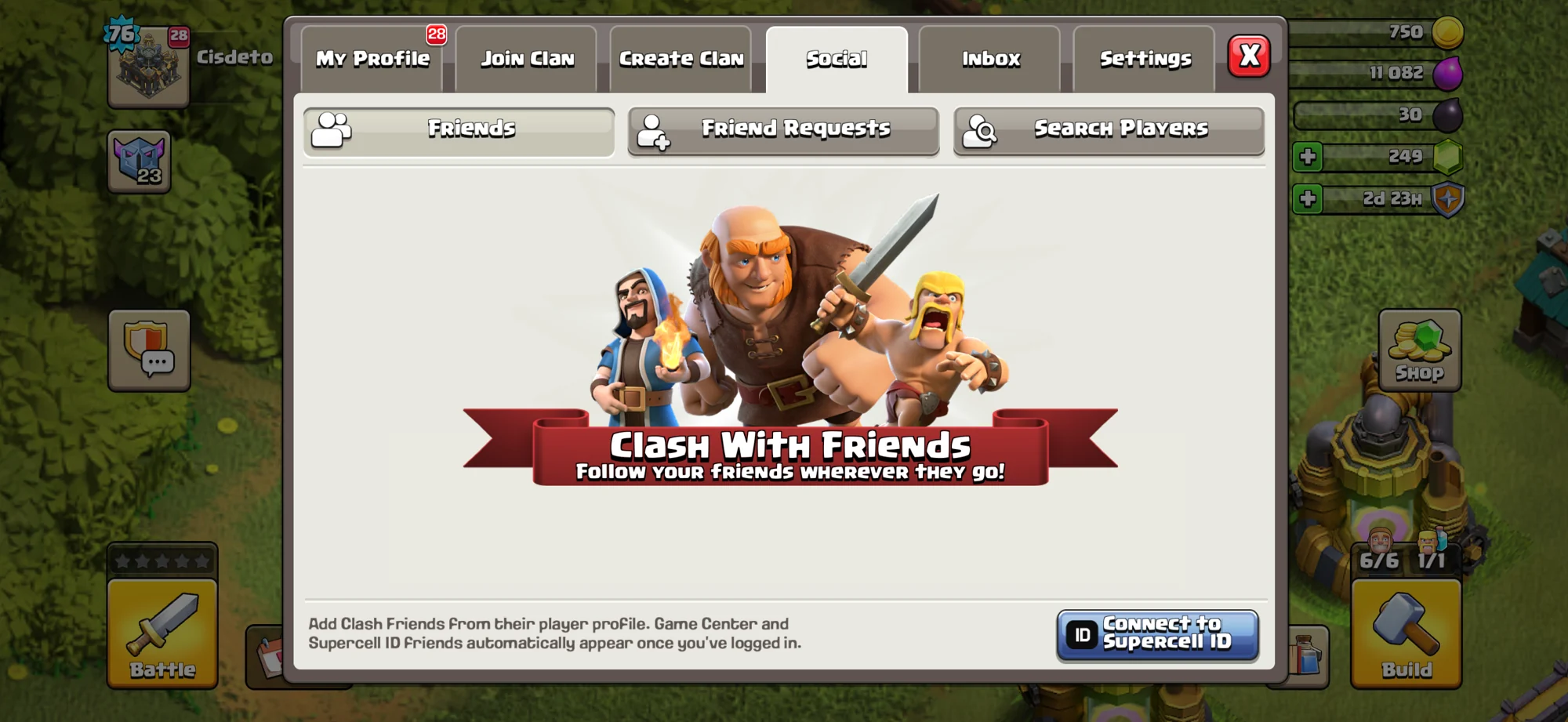
Profile, Social, Inbox, and Settings are available from tabs in the same panel.
Supercell has discussed future player customization around the top-left area, but that does not mean free HUD customization is currently available.
Where are buildings and upgrade suggestions?
Buildings have been separated from Shop items and placed in a dedicated Buildings and Heroes area. Open Build at the lower right to see upgrade suggestions, buildings, Heroes, and other development targets.
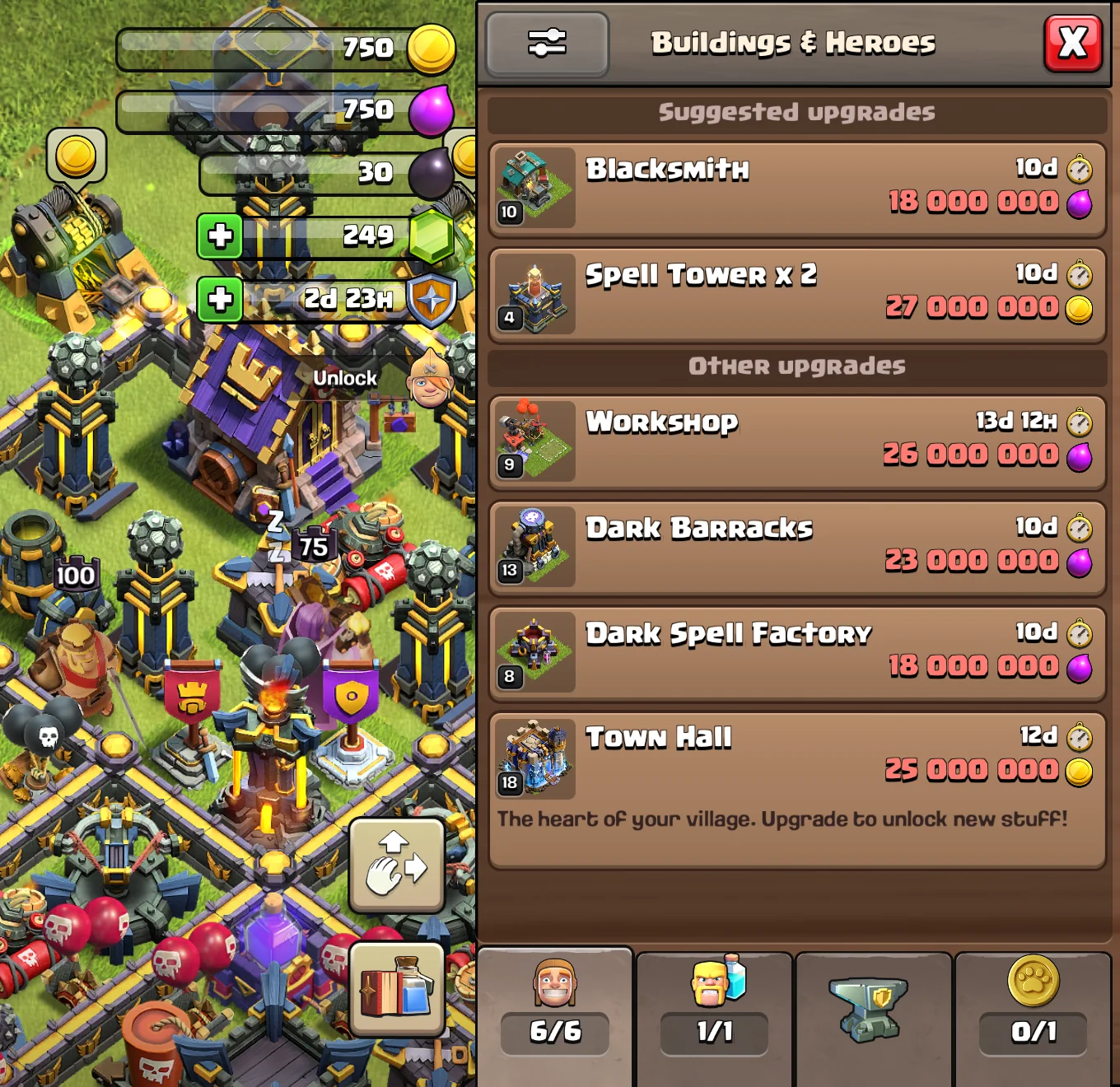
The Build menu gathers upgrade suggestions and other village development options.
Newly unlocked buildings also appear in this area. Selecting an upgrade card moves the camera to the relevant building so you can inspect its requirements and cost.
Supercell is reviewing feedback about upgrade suggestions and the builder tab. A review is not a confirmed redesign, so use the current in-game layout until an official change is released.
What is the Shop for now?
The Shop is focused on items for sale. Because buildings now have their own Build area, you no longer need to browse the Shop to find normal village construction options.
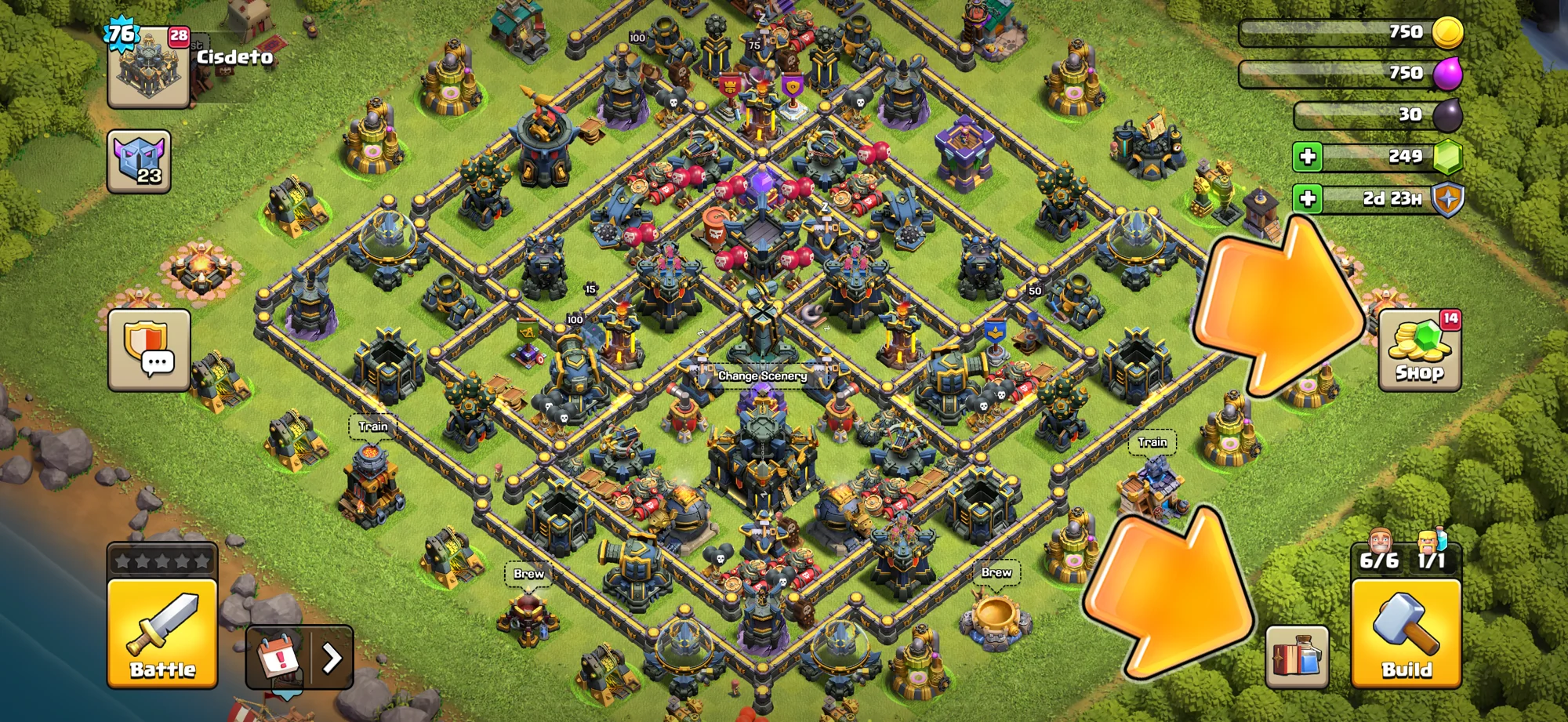
Shop remains on the right side, while Build is positioned at the lower right.
An earlier issue could show a FREE notification when no free item was available. Supercell identified it as a serious bug and released a fix. Use the current Shop contents, rather than an old notification, to determine whether an item is available.
Where are Layout Editor and Revenge?
Open the Build menu and the Layout Editor button appears at the lower right. If it is not visible on the normal village screen, enter Build first.
Supercell has acknowledged feedback that requesting Clan Castle troops, switching accounts, reaching Layout Editor, and using Revenge can require more taps. These paths are being reviewed, but not every requested shortcut has been implemented.
Changes Supercell is considering
HUD customization
Supercell wants to explore ways for players to customize the HUD. This is a direction under consideration, not a feature currently promised in the live interface.
Interface scaling
More scaling options are being considered to make the interface more comfortable across devices. No specific control should be treated as confirmed until it appears in game or in an official announcement.
Remembering filters
Supercell is investigating feedback that Build menu filters reset between sessions. For now, expect to set the filters again when needed.
Fewer taps for common actions
Clan Castle requests, account switching, Layout Editor, and Revenge are among the workflows under review. Continue using the current routes until the game shows a revised path.
Quick checklist for the new UI
- Open Profile for XP and personal information.
- Open Build for buildings, Heroes, and upgrade suggestions.
- Open Shop for items currently for sale.
- Enter Build before looking for Layout Editor.
- Treat customization and scaling as possible future improvements, not live settings.
- Check current in-game notifications instead of relying on earlier UI reports.
Frequently asked questions
Can I switch back to the old Home Village UI?
No option to restore the old interface is provided. The practical approach is to learn the new locations and follow official updates as the redesign is refined.
Was the XP bar removed?
No. It moved from the main village screen to Profile.
Where do I find newly unlocked buildings?
Open Build at the lower right and check the Buildings and Heroes area.
Why does the Shop no longer show buildings?
Buildings were separated from sale items. Construction and upgrades belong in Build, while Shop is reserved for purchasable items.
Is HUD customization available now?
No. Supercell described customization as something it wants to explore. It should not be presented as a current feature.
Where can I read Supercell's explanation?
See the official posts about the new Home Village screen and the broader Clash of Clans UI revamp.



Copyright © FUTURE OUTLOOK TECHNOLOGY LIMITED.Company Registration No.: 77374965 All rights reserved.UNIT 135,1/F.,143 WAI YIP STREET,KWUN TONG HK