
Quick answer: bind your Arknights account before investing time or money, then build one balanced squad instead of leveling every Operator. Learn each stage’s enemy routes, legal tiles, life points, and hazards before deployment. Open with affordable Operators that stabilize Deployment Points, add blockers and ranged damage where lanes meet, and place healing where it covers the units actually taking damage. Upgrade a small core across multiple roles, clear story and supply stages for needed resources, and use Auto Deploy only after a stable manual clear. Spend premium currency only after checking the exact banner, pack, account, and official rules.
What kind of game is Arknights?
Arknights is a strategy RPG in which you recruit and train Operators, form squads, and deploy them on tiled battlefields. The official store listing highlights multiple Operator classes, Auto Deploy, and Base construction. Stages combine tower-defense routing with RPG progression: enemies travel toward protected objectives while your Operators block, damage, heal, control, or support them.
The challenge is not simply owning the highest-rarity roster. Deployment cost, tile type, attack range, facing direction, blocking, enemy traits, skill timing, and stage mechanics determine whether a squad works. A useful beginner guide therefore teaches roles and decisions rather than promising one permanent “best team.”
Evergreen boundary: Operators, banners, events, balance, packs, and newcomer rewards can change. Check the live game and official notices for current details; use the principles below to evaluate whatever the current version offers.
Bind your account before you start progressing
Do not leave a valuable account as a guest account. The official mobile store notes repeatedly tell guest users to bind before mandatory updates, and Yostar’s PC FAQ says guest accounts are the exception to full mobile–PC account synchronization. Link a method you control, verify that you can sign in again, and record the Player UID shown in the game.
Yostar’s current PC FAQ lists Yostar, Google, Apple, Facebook, and guest login methods on PC, while available options can vary by platform. Use the same bound game account across supported devices. Keep the password unique, protect the connected email or platform login, and save purchase receipts in case support needs proof.
Confirm the login method before promotions, purchases, or switching devices.
Save the in-game UID and the exact server/account that holds your Operators.
Know which email or platform controls the login and how you would restore access.
Download the mobile or Windows version through Yostar’s official routes.
Read the battlefield before deploying
Every stage is a routing problem. Identify where enemies enter, which blue objective they are trying to reach, which ground or ranged tiles accept Operators, and where lanes overlap. Then inspect the enemy list and special rules. A fast enemy, flying unit, armored target, ranged attacker, or stage device may require a different answer.
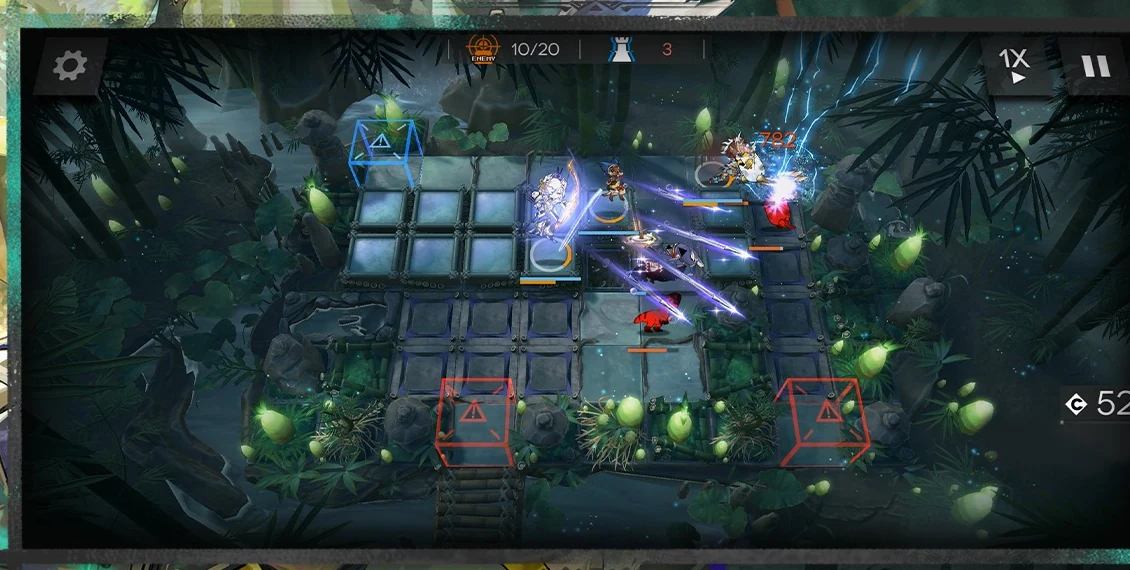
- Trace each lane. Find the shortest enemy path and any point where multiple routes converge.
- Choose the hold point. A good blocker position lets ranged damage and healing cover the same area.
- Check aerial coverage. Ground blockers cannot stop every threat; make sure the squad can attack flying enemies when the stage includes them.
- Plan the opening cost. If the first enemy arrives early, expensive Operators may not be deployable in time.
- Reserve an answer. Keep a flexible Operator, retreat option, or skill for the enemy that breaks the first plan.
Failure is information: note which enemy leaked, when it arrived, what defeated your blocker, and which skill was unavailable. Change the earliest weak decision instead of rebuilding the entire squad after every loss.
Build a balanced first Arknights squad
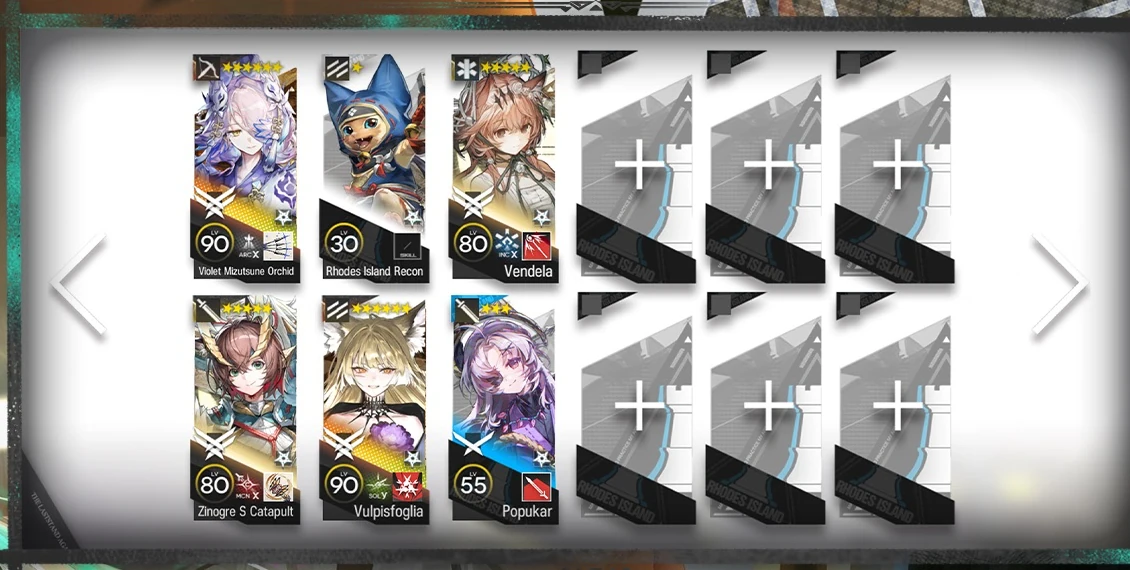
The eight broad classes provide a useful checklist, but individual branches and Operators can behave very differently. Use class as a starting point, then read the Operator’s range, block count, trait, talent, skill, and deployment cost. A balanced beginner squad usually needs an affordable opening, lane holders, physical and Arts damage, healing, aerial coverage, and at least one flexible answer.
| Class | Common beginner job | What to check | Typical mistake |
|---|---|---|---|
| Vanguard | Help stabilize the opening and often generate Deployment Points. | Cost, DP skill, block count, and early combat strength. | Opening with only expensive damage dealers. |
| Guard | Provide flexible melee damage or hold a lane with the right branch. | Range, target count, damage type, survivability, and skill cycle. | Treating every Guard as the same frontline unit. |
| Defender | Block several enemies and absorb pressure at a chosen hold point. | Block count, defense, healing needs, and whether the branch deals damage. | Deploying a wall with no damage or healing behind it. |
| Sniper | Offer ranged physical damage and often help cover flying enemies. | Target priority, range, attack speed, and armor matchup. | Expecting physical damage to solve every high-defense target. |
| Caster | Deliver Arts damage, commonly useful against armored enemies. | Single-target or area role, cost, range, and skill timing. | Deploying too late because the opening plan is too expensive. |
| Medic | Keep Operators alive through sustained pressure. | Healing range, target count, skill coverage, and safe tile position. | Placing healing where it misses the actual blocker. |
| Supporter | Add slowing, buffs, debuffs, summons, or other tactical tools. | The exact branch and whether its utility solves this stage. | Adding utility without enough basic damage or blocking. |
| Specialist | Solve unusual problems through shifting, fast redeployment, control, or branch-specific tools. | Tile rules, weight or timing interactions, and redeploy behavior. | Using a specialized answer without reading the stage mechanic. |
Use a reliable deployment order
A common opening is affordable Vanguard support first, then the damage needed to stop early enemies, followed by a Defender or other lane holder and the Medic who can sustain that position. This is a pattern, not a rule. Some stages give enough starting cost for another plan; others punish a slow opening or change cost generation.
- Deploy for the next threat. Do not spend every point simply because an Operator is available.
- Face the correct lane. A ranged Operator covering empty tiles contributes nothing to the immediate defense.
- Protect later deployments. Many enemies target the most recently deployed Operator in range, so deployment order can influence incoming fire.
- Retreat deliberately. An Operator who finished the opening job can free a slot and return later after the redeployment timer.
- Activate skills for pressure windows. Use them when dangerous enemies overlap, a blocker is about to fail, or a key target enters range—not automatically at first availability.
Paused deployment: an official 2026 update added the ability to deploy Operators while the game is paused in battle stages. Use the pause to read lanes and ranges, but still plan the order and facing before confirming.
How to decide why a stage failed
| Failure | Likely cause | First adjustment | Avoid |
|---|---|---|---|
| An early enemy leaks | Opening cost is too high or the first unit lacks damage/blocking. | Use a cheaper opener, better lane, or earlier skill. | Leveling the entire roster before testing the opening. |
| The Defender dies | Healing coverage, damage pressure, defense matchup, or skill timing fails. | Move the hold point, add healing or damage, and time a defensive skill. | Assuming more defense alone solves unlimited enemies. |
| Drones reach the objective | Insufficient ranged coverage or the wrong target priority. | Add suitable anti-air damage and face it across the flight path. | Relying on ground blockers to stop flying enemies. |
| Armored enemies stall the lane | Physical damage cannot finish them before more enemies arrive. | Add Arts damage, debuffs, control, or a stronger timed skill. | Duplicating the same damage type across every slot. |
| A ranged enemy deletes the backline | Deployment order, tile choice, or aggro control exposes a fragile unit. | Change the last deployment, use safer range, or bait with a durable option. | Repeating the exact order and hoping for different targeting. |
| Auto Deploy becomes unstable | Upgrades changed timing, trust, damage, or skill cycles from the recorded clear. | Run the stage manually and save a cleaner clear with margin. | Building a farm around a one-frame or low-health recovery. |
Upgrade a small core instead of everyone
Operator development competes for LMD, Battle Records, class chips, materials, and skill books. Spread those resources across the roles that unlock progress: opening cost, primary lane holder, dependable ranged physical damage, Arts damage, healing, and one flexible specialist or support option. Add more Operators when a stage proves that a new job is needed.
Levels improve basic stats, promotion opens higher levels and often new skills or talents, and skill levels can change damage, duration, cost generation, healing, or control. Modules are a later system with Operator- and branch-specific value. Read the actual upgrade before paying the material cost; a visible red notification is not automatically the best next investment.
Operators that make the current story or resource stage reliably clearable.
Skill levels for core Operators whose function depends on the skill.
Promotion when the new level cap, skill, talent, or range solves a real bottleneck.
Luxury levels, modules, or niche Operators after the main squad covers basic roles.
Lower-rarity Operators can be valuable because they are often cheaper to develop and deploy. High rarity can bring powerful tools, but its higher cost and investment do not remove the need for a stable opening or correct stage plan.
Sanity, supply stages and Auto Deploy
Sanity limits how often many operations can be run. Spend it with a defined outcome: the next promotion material, LMD, Battle Records, class chips, skill books, or event currency. Do not farm a material only because a guide says it is efficient if your current squad is blocked by something else.
The official store listing includes Auto Deploy, and Yostar later introduced Auto Deploy+, which can multiply Sanity consumption and rewards in one operation. Auto systems reproduce a recorded clear; they do not repair a fragile strategy. Build farming clears with safe deployment timing, comfortable health margins, and dependable skill use.
- Clear the stage manually without a support unit if the operation requires your own stable record.
- Watch the first repeat for timing drift or unexpected deaths.
- If upgrades destabilize the run, record a new clear rather than forcing repeated failures.
- Prioritize the resource that unlocks the next concrete upgrade.
- Use expiring Sanity items before their displayed deadline.
Use the Base as a long-term resource system
The Base is not only decoration. Facilities support production, trade, crafting, training, reception, rest, and other systems as they unlock. Assign Operators whose Base skills match the facility, monitor morale, and rotate tired staff instead of leaving the entire system idle.
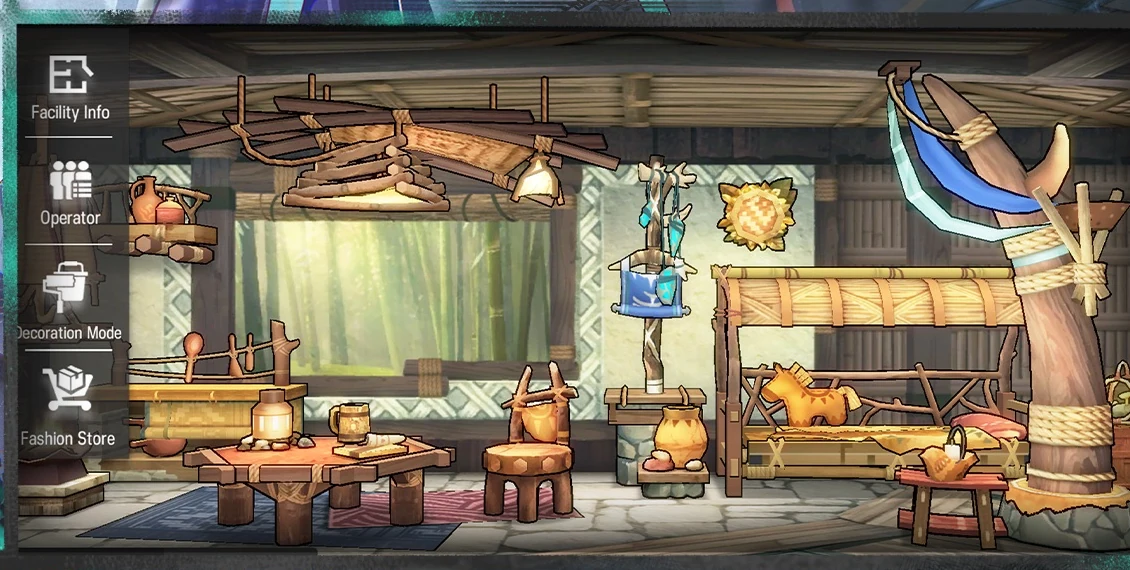
Upgrade in step with progression and power limits. A useful beginner routine is to collect finished production, complete trades, refill factories, check morale, rotate dormitory staff, and then leave. The exact room layout and optimization target can vary, so learn what each facility produces before copying a late-game layout.
Recruitment, Headhunting and premium resources
Recruitment and Headhunting are different acquisition systems. Recruitment uses permits, time, and visible tags; read the selected tags before starting because incompatible combinations can drop. Headhunting uses banner rules that vary by type. Limited, Standard, Kernel, beginner, or special banners can have different pools, guarantees, currencies, and deadlines.
Do not convert or spend premium resources until you know the exact target. Read the banner’s in-game details, eligible Operators, rate-up rules, guarantee or protection mechanism, end time, and whether any event permit expires. Official notices routinely distinguish Operators that are limited, event-only, Recruit-only, or later added to Standard pools.
Resource rule: a guaranteed upgrade to a core squad often creates more immediate progress than an unplanned pull. Pull because the banner fits a roster need and budget, not because a notification is visible.
A practical first-week progression plan
| Step | Main focus | Checkpoint |
|---|---|---|
| 1. Secure the account | Bind a login, record UID, and verify recovery. | You can sign in again and identify the correct account. |
| 2. Learn the map language | Routes, objectives, tile types, range, facing, block, and leaks. | You can explain why the last enemy reached the objective. |
| 3. Form one balanced squad | Opening cost, blockers, physical and Arts damage, healing, aerial coverage. | Each slot has a job rather than only a rarity. |
| 4. Upgrade the core | Levels and skills across several essential roles. | The next upgrade solves a named stage problem. |
| 5. Build safe farming clears | Manual clears with health and timing margin, then Auto Deploy. | Repeats succeed without fragile timing. |
| 6. Establish the Base loop | Production, trades, morale, dormitories, and collection. | The Base keeps working between play sessions. |
| 7. Read live banners and events | Unlock requirements, deadlines, pools, rewards, and current rules. | You know what expires and why a pull or farm is valuable. |
Purchase and top-up safety
Before spending, verify the correct Arknights account, server, platform, live pack contents, price, and refund terms. Originite Prime, monthly items, starter packs, and event bundles serve different purposes; an old screenshot or another region’s store does not prove the current offer on your account.
Official warning: Arknights Operations has stated that unauthorized top-ups, first-time top-up accounts, and proxy recharge accounts can lead to removal of gains, account freezing, or permanent bans, and that official support may not recover losses from those transactions. Yostar’s Terms also make the user responsible for account activity and password security. ManaBuy’s current Arknights page uses login delivery, so it is not an official risk-free route and may conflict with those warnings.
The safest choice under Yostar’s own guidance is to use authorized in-game or platform purchasing. If you still compare a third-party login-delivery service, understand the account and enforcement risk before proceeding, independently verify the real domain and required fields, use a unique password, never disclose recovery credentials outside the deliberate order flow, and do not place a duplicate order to solve a delay.
Comparing Arknights top-up options? Review ManaBuy’s live delivery method and account requirements, then compare them with Yostar’s official fair-play and account-security notices before deciding.
Review Arknights top-up detailsArknights beginner FAQ
Is Arknights a tower-defense game or an RPG?
It combines both. You deploy Operators on a tower-defense battlefield, while recruitment, levels, promotion, skills, talents, trust, and other progression systems develop the roster.
Which Operators should a beginner level first?
Level a small core that covers opening cost, lane holding, physical damage, Arts damage, healing, and aerial threats. Choose specific Operators from your roster after reading their branch, range, cost, and skill.
Do I need only 6-star Operators to progress?
No. Rarity does not replace a balanced squad, correct deployment, or stage understanding. Lower-rarity Operators can be faster to develop and cheaper to deploy, making them useful in openings and role coverage.
Why does my Arknights Auto Deploy fail after an upgrade?
Changes to damage, survival, trust, skill timing, or enemy timing can alter the recorded run. Clear the stage manually again with larger safety margins, then save a more stable record.
Can I share progress between mobile and PC?
Yostar’s PC FAQ says account data is synchronized across PC, Android, and iOS, except for guest accounts. Use the same properly bound game account and official client on each platform.
What should I check before buying Arknights currency or packs?
Verify the account, server, platform, current pack contents, price, banner or store goal, delivery route, and official rules. Yostar warns against unauthorized top-ups and proxy recharge accounts, so compare that risk before using any third party.
A strong Arknights start comes from repeatable decisions: one secure account, one balanced squad, careful stage reading, deliberate deployment, focused upgrades, stable farming, and patient resource use. Build that foundation before chasing every Operator or late-game system.
For future news and guides, visit the Arknights blog hub.
Official sources
- Arknights official website
- Apple App Store: official Arknights listing
- Google Play: official Arknights listing
- Arknights PC Version FAQ
- Arknights official 2026 system update notice
- Arknights official Auto Deploy+ and Base update notice
- Yostar Terms of Use
- Arknights official fair-play and unauthorized top-up notice
- Arknights official account information security notice
Operators, banners, events, reward pools, upgrade systems, platform support, prices, and purchase rules can change. Verify time-sensitive details in the live game and current Yostar notices.