
EN / $ USD

League of Legends
4.93
10471
Buy League of Legends RP – Cheap, Secure Top Up with Instant Delivery
ManaBuy Protections



Select Product
Malaysia
Philippines
Thailand
Indonesia

6500 RP
undefined $38.41
$49.99
-$11.58

13500 RP
undefined $76.49
$99.99
-$23.50

575 RP
undefined $3.81
$4.99
-$1.18

1380 RP
undefined $8.65
$10.99
-$2.34

2800 RP
undefined $17.30
$21.99
-$4.69

4500 RP
undefined $26.93
$34.99
-$8.06
Top-up Guide
How to Find Your League of Legends ID?
1. Log in to Riot Client.
2. Select your region (if you have played LoL before, you can skip this step).
_202504251135.jpg)
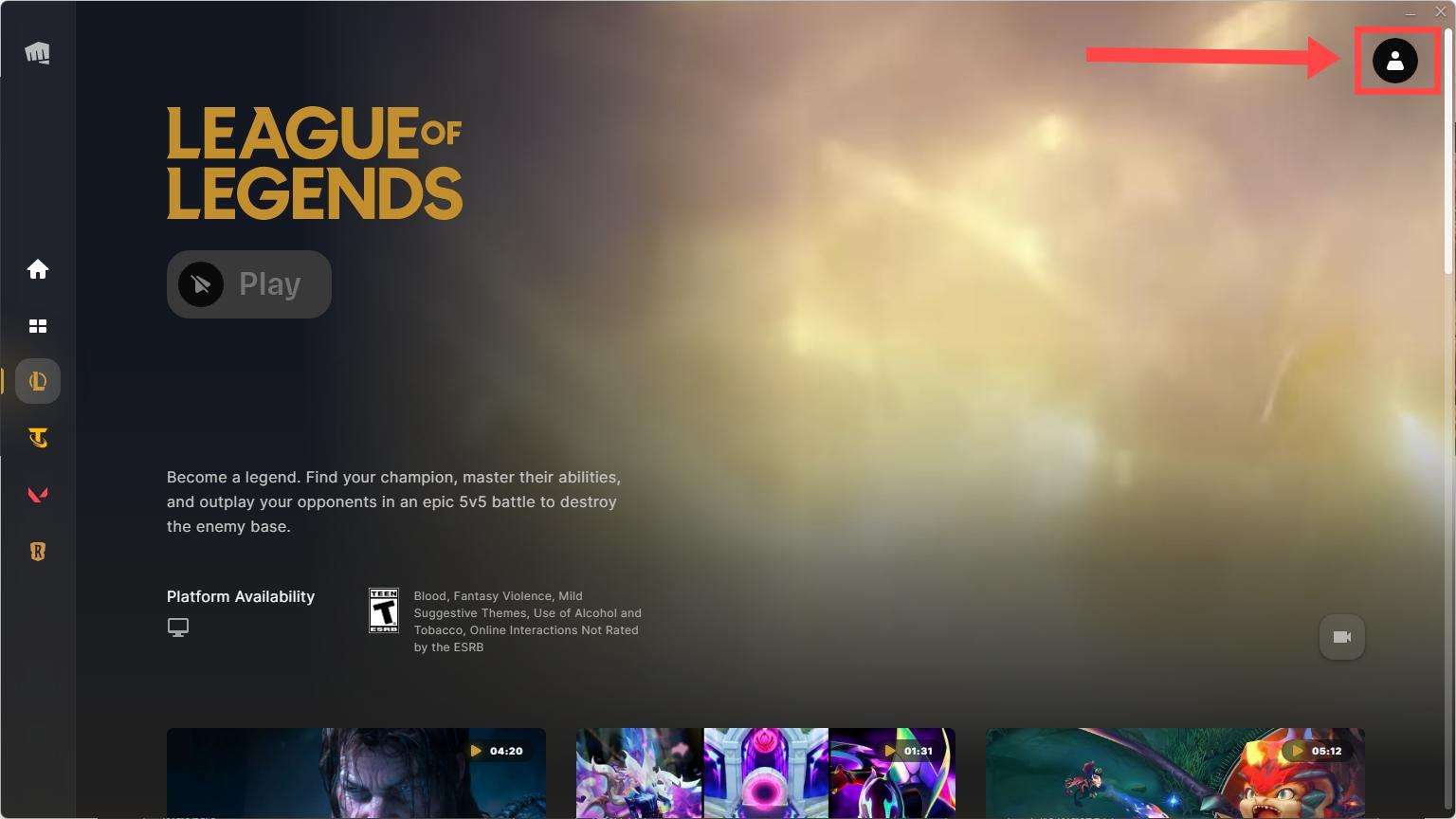
3. Click on your profile picture in the upper right corner.
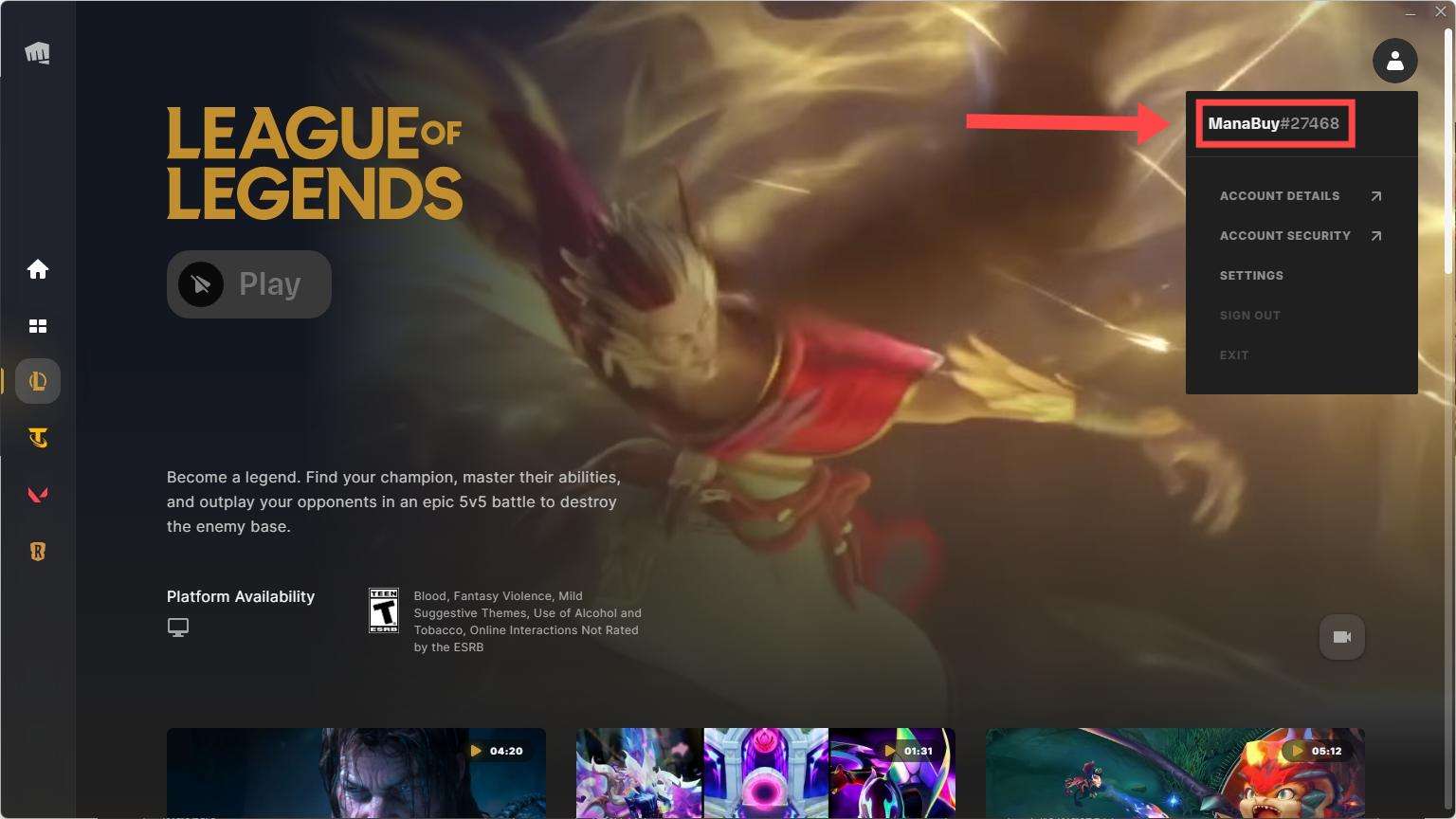
4. Your ID appears. For example: Your ID is ManaBuy#27468
How to Top UP League of Legends on ManaBuy?
Step 1
Log in to your ManaBuy account and select your language and currency to ensure it is compatible with your region.
Step 2
Enter the League of Legends top-up interface.
Step 3
Choose the product of League of Legends you want to buy.
Step 4
Enter your League of Legends ID.
Step 5
Click the "Buy Now" button to proceed with payment.
Step 6
Please wait a moment after the payment is completed. The purchased product will be added to your League of Legends account.
Product Description
About League of Legends
League of Legends is a multiplayer online competitive game developed by Riot Games. Players select different champions and form teams to battle 5v5. The game combines strategy, mechanical skill, and teamwork, with the ultimate goal of destroying the enemy base. It’s enjoyed by millions of players worldwide.
What are RP?
RP, formerly known as Riot Points, is the premium currency used to unlock content in League of Legends and Teamfight Tactics on PC, ranging from cosmetic skins to other non-gameplay features.
Why Top Up League of Legends RP on ManaBuy?
Topping up League of Legends RP on ManaBuy is fast, safe, and cost-effective. The platform offers competitive prices, instant delivery, multiple secure payment options, and responsive customer support—making it a reliable choice for enhancing your in-game experience with skins, champions, and more.
How to Download League of Legends?


FAQ
Is there a mobile version of League of Legends?
Yes, League of Legends: Wild Rift is the mobile version of the game, available for both Android and iOS devices, you can also ricaricare League of Legends: Wild Rift at ManaBuy.
Is the Payment Process Secure for League of Legends Top-Ups on ManaBuy?
Yes, ManaBuy ensures that your payments for League of Legends top-ups are completely secure. We use encrypted payment methods such as credit cards, PayPal, and other e-wallet options to guarantee the safety of your transaction details.
Can I Get Discounts or Promotions for League of Legends Top-Ups?
Yes, ManaBuy regularly offers exclusive discounts and special promotions for League of Legends top-ups. Make sure to check the platform for seasonal sales and time-limited offers to get the best deals on your RP top-ups.
What Should I Do if My League of Legends Top-Up Hasn't Been Processed?
If your League of Legends top-up hasn’t been processed, please contact ManaBuy customer support via live chat or email. Provide your order number, and our support team will assist you in resolving the issue quickly.
Related Articles
View Allarrow_forward_ios
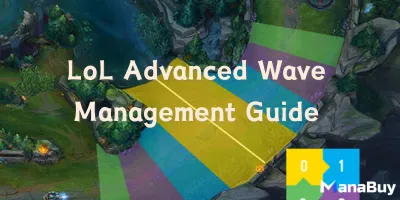
LoL Advanced Wave Management Guide (Freezing & Bouncing)
By ManaBuy Guide Team · Nov 10, 2025
Advanced Wave Management in LoL lets you control minion waves, deny resources, and set up plays using freezing and bouncing for lane dominance.

Uzi's Hall of Fame Skin and Pass Skin: The Possible Difference Between Kai'Sa and Vayne
By ManaBuy Newsroom · May 21, 2025
With the news that Uzi was inducted into the League of Legends Hall of Fame, the details of his exclusive skin have also sparked widespread speculation among fans. Although it has not yet been fully announced by the official, based on the current leaked information and discussions among players, we seem to be able to boldly guess the difference between the two skins. One is Uzi's Hall of Fame skin-Kaisha, and the other is the skin obtained through the Hall of Fame Pass-Vayne. They both seem to be closely related to Uzi's career, but there may be some significant differences in design style and acquisition methods.


Payment Channel Partners






About ManaBuy


Copyright © FUTURE OUTLOOK TECHNOLOGY LIMITED. All rights reserved.UNIT 135,1/F.,143 WAI YIP STREET,KWUN TONG HK